




In short
Hotel Wi-Fi can be reasonable for everyday browsing, but it is not a network to trust blindly. HTTPS protects most website traffic, while a reputable VPN adds protection between your device and the VPN server. Verify the hotel network, avoid surprise certificate warnings, use public-network settings, and treat login pages with caution.
Key takeaways
- A hotel Wi-Fi password, room number, or captive portal does not prove that the network itself is trustworthy.
- HTTPS encrypts traffic between your device and a legitimate website, but HTTPS cannot make a fraudulent website legitimate.
- A VPN encrypts traffic between your device and the VPN server, reducing what someone monitoring the hotel network can read.
- The safest hotel routine is to verify the network name, use your device’s public-network setting, keep software updated, and forget the network after checkout.
Hotel Wi-Fi is shared infrastructure that you do not control. The Federal Trade Commission’s February 2023 consumer guidance says that widespread encryption means public Wi-Fi is usually safe, but that does not remove the risk of a fake network, a fraudulent site, or an unsafe device setting. (consumer.ftc.gov)
Contents
- Is it safe to connect to a hotel’s Wi-Fi?
- Can hotels track what you do on their Wi-Fi?
- How do I protect myself on hotel Wi-Fi?
- How do I check if my hotel Wi-Fi is safe?
- Is hotel Wi-Fi safe to use for work?
- What else do travelers ask about hotel Wi-Fi?
Is it safe to connect to a hotel’s Wi-Fi?
Hotel Wi-Fi is safe enough for many routine tasks when the network is genuine, the device is updated, and the sites you use are encrypted. It is not safe to treat a hotel network as private or to ignore warning signs just because the Wi-Fi name looks familiar.
The risk is not simply that every guest can read everything on your screen. Modern HTTPS encryption protects the contents sent between your browser and a legitimate website. The FBI’s October 2020 hotel Wi-Fi alert instead highlights practical risks: attackers can create a similarly named rogue network, redirect guests to false login pages, and take advantage of security settings travelers cannot inspect. (ic3.gov)
A sensible rule is to use hotel Wi-Fi for normal browsing only after basic checks. Pause before entering a password, approving a certificate exception, installing a “required” download, or signing into a high-value account.
Hotel Wi-Fi is usable, but it should be treated as an untrusted connection rather than an extension of your home network.
Can hotels track what you do on their Wi-Fi?
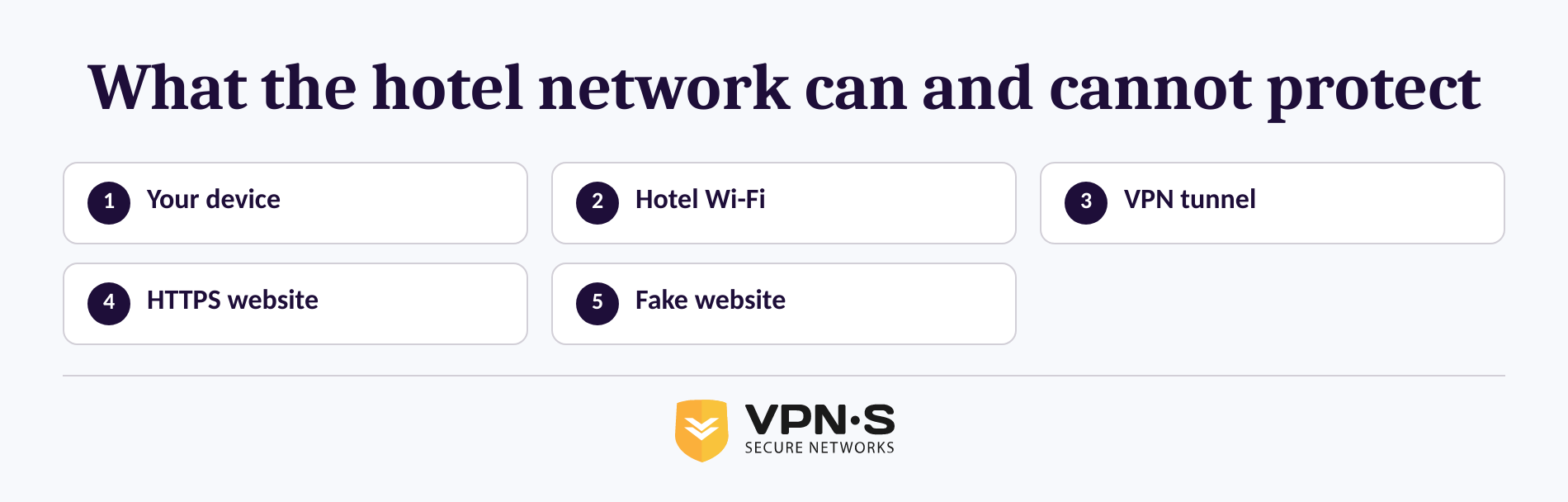
A hotel can associate a device with its Wi-Fi service and may record connection details needed to run that service, so hotel Wi-Fi should not be considered anonymous. However, TLS, the technology behind HTTPS, is designed to protect data while it travels across the internet, including the contents exchanged with a legitimate encrypted website. (nist.gov)
The important distinction is between a real encrypted site and a fake one. The FTC warns that scammers can operate encrypted websites too. A lock icon means that traffic is encrypted on the way to that site; it does not prove the person operating the site is legitimate. (consumer.ftc.gov)
A VPN adds another layer for the local network. The FTC explains that a VPN app can encrypt traffic between a device and the VPN server, meaning someone monitoring the public Wi-Fi connection sees encrypted traffic rather than the contents of that connection. A VPN does not make phishing pages, malicious downloads, reused passwords, or unsafe account permissions harmless. (ftc.gov)
In plain terms: HTTPS protects a connection to the genuine website, and a VPN protects the connection between your device and the VPN server. Neither one gives a fake website permission to be trusted.
How do I protect myself on hotel Wi-Fi?
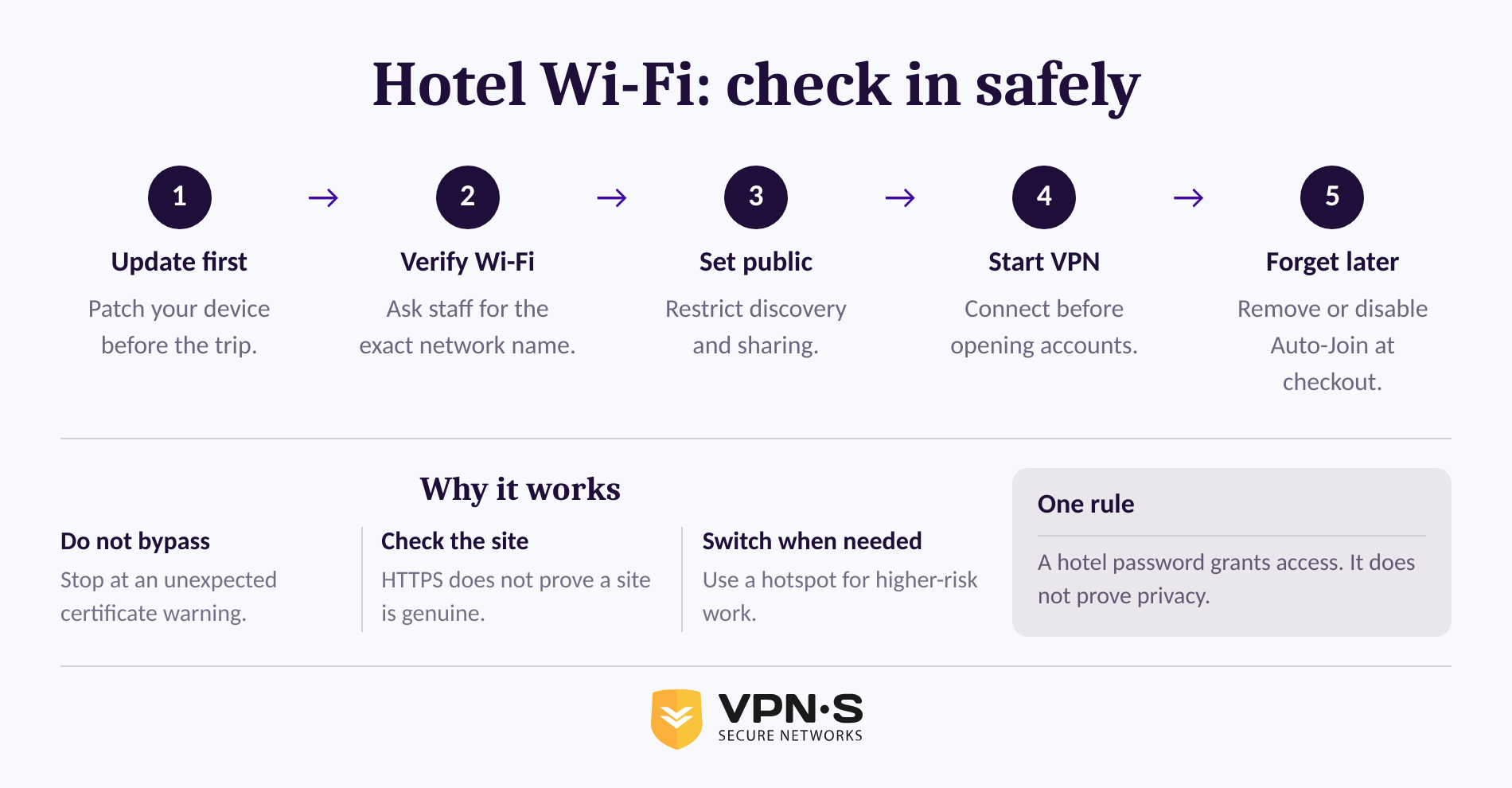
Protecting yourself on hotel Wi-Fi is mostly a sequence of small decisions, not one magic setting. Set up your device before travel, verify the network at check-in, then connect with sharing restricted and a VPN active before signing into accounts.
- Update before you travel. Install operating-system, browser, and app updates while on a trusted connection. The FTC recommends keeping computers, phones, browsers, and security software current, and enabling automatic updates where available. (consumer.ftc.gov)
- Ask for the exact Wi-Fi name. Confirm the official network name with the front desk instead of choosing the strongest signal or the closest match. The FBI specifically recommends confirming the hotel’s Wi-Fi name and avoiding any network other than the official one. (ic3.gov)
- Use the public-network setting. On Windows, a public network profile hides the PC from other devices and prevents file and printer sharing. Check your device’s equivalent setting before you start working. (support.microsoft.com)
- Connect the VPN before signing in. Learn how VPN encryption works, then connect before opening email, cloud storage, work tools, or shopping accounts. VPN Secure subscribers can install the service from the VPN Secure app downloads page before leaving home. (vpnsecure.me)
- Check the browser address, not only the lock icon. Use websites and apps you recognize, confirm the address is correct, and stop if the browser shows a certificate warning. Never continue through a certificate warning just to get online. A fake sign-in page can still use HTTPS. (consumer.ftc.gov)
- Use multi-factor authentication for important accounts. If a password is exposed or reused, an additional verification step can help block account takeover. The FBI specifically advises multi-factor authentication and login alerts for hotel-network users. (ic3.gov)
- Forget the network when you leave. Saved networks can reconnect automatically. Apple’s June 2026 guidance says iPhone and iPad users can forget a known network or turn off Auto-Join when they do not want an automatic reconnection. (support.apple.com)
The strongest hotel Wi-Fi habit is simple: verify first, restrict sharing, encrypt the connection, and do not override warnings.
How do I check if my hotel Wi-Fi is safe?
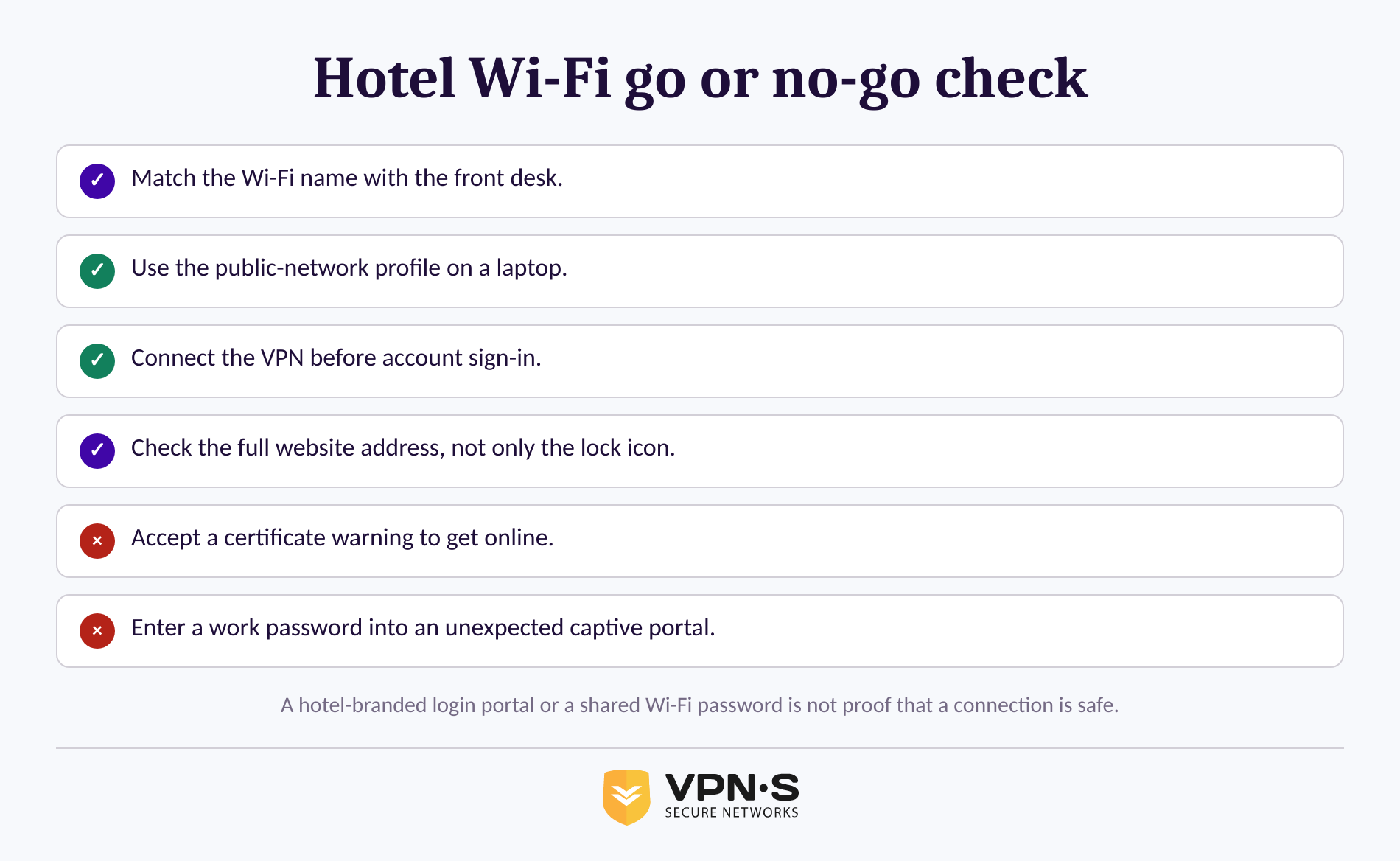
You cannot fully audit a hotel’s routers, access points, software updates, or network segmentation from your room. What you can do is check for obvious danger signals and avoid treating a network as safe merely because it asks for a password or displays a hotel logo.
Use this quick check before doing anything sensitive:
- Match the exact network name to the one confirmed by the front desk.
- Treat a password as access control, not a guarantee. It may keep casual users off the network without proving the connection is private.
- Read captive-portal requests carefully. A hotel may ask for a room number or acceptance of terms, but a prompt for a work password, financial information, or an unexpected app download is a reason to stop and ask staff.
- Do not accept certificate warnings. A legitimate hotel network should not require you to bypass a browser security warning to browse normally.
- Check the network profile. Keep discovery and file sharing off on a laptop. On Windows, that means using the public profile. (support.microsoft.com)
- Use HTTPS and a VPN together. The FTC says HTTPS encrypts web traffic to a legitimate site; a VPN can protect traffic on the local hotel network as well. (consumer.ftc.gov)
If one of those checks fails, use mobile data or ask the hotel to confirm the connection details. A guest cannot certify hotel Wi-Fi as secure, but a guest can avoid the most common avoidable mistakes.
Is hotel Wi-Fi safe to use for work?
Hotel Wi-Fi can be suitable for routine work when company policy allows it and the device follows the safeguards above. For highly sensitive work, an employer-approved connection or a phone hotspot is usually the better choice because it avoids sharing the hotel’s local network with other guests.
The FBI advises hotel-based remote workers to use a phone hotspot if one is available, keep devices updated, use the public Wi-Fi setting, verify the hotel network name, and follow employer security procedures. (ic3.gov)
Do not use a hotel connection for work simply because a captive portal loads successfully. Start the VPN first, use multi-factor authentication, avoid opening unfamiliar links, and follow any rule your employer sets for client information, financial approvals, or internal systems.
For work, the right question is not “Does the Wi-Fi work?” It is “Does this connection meet the sensitivity of the task and my employer’s policy?”
What else do travelers ask about hotel Wi-Fi?
Is it safe to connect to a hotel's Wi-Fi?
It can be safe to connect to a hotel’s Wi-Fi for ordinary browsing when you verify the official network, use encrypted HTTPS websites, keep your device updated, and avoid security warnings. It is not wise to assume the hotel network is private or to enter sensitive information into unexpected login pages. (ic3.gov)
Can hotels track what you do on their Wi-Fi?
Hotels can operate and log parts of their Wi-Fi service, so hotel Wi-Fi is not anonymous. HTTPS encrypts the contents exchanged with a legitimate website, while a VPN can encrypt traffic between your device and the VPN server. A fake website remains dangerous even when its connection is encrypted. (nist.gov)
How do I protect myself on hotel Wi-Fi?
Verify the Wi-Fi name with the front desk, use the public-network setting, connect a trusted VPN before signing in, check for HTTPS and the correct website address, enable multi-factor authentication, and do not bypass certificate warnings. Forget the hotel network or turn off automatic joining after checkout. (ic3.gov)
How do I check if my hotel Wi-Fi is safe?
You cannot fully inspect hotel Wi-Fi from a guest device, but you can reduce risk by confirming the exact network name, rejecting certificate warnings, avoiding unexpected download or credential requests, turning off sharing, and using HTTPS with a VPN. A password or hotel-branded portal alone does not prove that a network is trustworthy. (ic3.gov)
The practical answer is not to hunt for a perfect hotel network. It is to use a repeatable routine that makes one weak layer less likely to expose the rest of your trip.
Before the next trip, review VPN Secure’s connection features and choose a VPN Secure subscription option that is installed and ready before you reach the hotel lobby. (vpnsecure.me)