




Why is your own bank treating you like a digital intruder just because you’re working from a different zip code? It’s a frustrating reality in 2026. You log in to get some work done, only to be met with a wall of CAPTCHAs because you haven’t deployed a VPN with static IP for remote access, leaving you with a flagged dynamic address. You’re trying to be secure, but the internet’s security systems are actively working against your autonomy.
We know the drill. You’re tired of corporate firewalls blocking your connection and banking apps flagging “suspicious logins” every time you change locations. This article will show you how to master the transition to a dedicated IP, ensuring you have a stable, “always-on” connection that bypasses IP blocks while keeping your footprint private. We’ll explore why anchoring your connection in an offshore jurisdiction like the Bahamas is the ultimate move for digital freedom. It’s time to stop asking for permission to access your own data and start using a private lane built for speed and protection.
Key Takeaways
- Stop fighting CAPTCHAs and security flags by deploying a VPN with static IP for remote access to stabilize your digital identity.
- Learn why dynamic IPs look like attacks to corporate firewalls and how a dedicated address clears your path to sensitive systems.
- Follow our practical whitelisting strategy to secure your connection without sacrificing the speed or encryption of a world-class VPN.
- Discover the offshore advantage of a Bahamas-based jurisdiction, providing a necessary shield against the Five Eyes alliance.
- Decode the choice between shared and dedicated IPs to balance maximum stealth with high-performance remote work stability.
The Remote Access Hurdle: Why Dynamic IPs Trigger Security Alarms
Standard VPNs operate like a crowded bus. You share an IP with hundreds of strangers, and every time you connect, you get a new address. This rotation is great for basic browsing, but it’s a disaster for professional stability. Corporate firewalls don’t see a “user”; they see a shifting digital ghost. When your IP changes every hour, security protocols assume the worst. They flag the activity as a potential credential stuffing attack, locking you out before you can even open your inbox. Firewalls are built on a “trust but verify” model, but dynamic IPs break the trust part of the equation. To the network, you aren’t an employee; you’re a botnet trying to crack the safe.
The Chaos of Dynamic IP Rotation
Most VPN providers use DHCP to assign addresses from a massive pool. This constant shuffling confuses security logs and triggers endless “Verify Your Identity” prompts. These aren’t just annoying; they’re productivity killers that force you to solve endless puzzles just to prove you’re human. If you’re trying to use a VPN with static IP for remote access, you’re looking for a permanent digital home, not a temporary rental. Without it, you’re stuck in a loop of suspicion.
This instability is especially toxic for persistent RDP (Remote Desktop Protocol) sessions. A single IP shift can sever your connection to the office server, potentially corrupting files or forcing a full system reboot. Security systems are designed to trust consistency. When you lack a reliable static IP address, you’re essentially telling the network that you’re an outsider. You need a connection that stays put, regardless of where you are physically located. For a deeper look at how to harden your RDP setup against modern threats, our VPN for secure remote desktop case study covers the latest 2026 vulnerabilities and how a dedicated IP eliminates them.
The Blacklist Effect on Shared Networks
Shared IPs suffer from “neighbor noise.” If one person on your shared VPN server decides to spam or scrape data, that entire IP gets burned. Security databases flag the address as “high risk,” and because you’re sharing that same exit point, your professional reputation takes the hit. Think of IP blacklisting as the digital equivalent of a “no-fly list”; once you’re on it, getting off is a bureaucratic nightmare. This is why a VPN with static IP for remote access is a requirement for anyone who values their time. You shouldn’t be penalized because a stranger on a shared server is running a malicious script. Understanding how to avoid IP blacklisting with a dedicated VPN IP is essential for anyone who relies on consistent, uninterrupted access to professional systems.
Banking apps have become increasingly hostile to these rotating addresses. In 2026, financial institutions use sophisticated behavioral biometrics to track logins. If your location jumps across the globe in minutes because your VPN switched servers, the bank freezes your account instantly. It’s a protective measure for them, but a total shutdown for you. You need a private lane, not a crowded highway where someone else’s bad behavior dictates your access.
Static IP Decoded: How a Dedicated Address Powers Your Remote Connection
A dedicated IP isn’t just a technical spec; it’s your digital signature. While standard VPNs throw you into a pool of rotating addresses, a dedicated IP is a fixed address assigned exclusively to your account. You get the stability of a home connection combined with the high-level encryption of a world-class VPN. This creates a persistent digital identity that sensitive systems recognize and trust. It’s the difference between showing up to work in a new mask every day and having a verified badge that lets you walk right through the front door. For professionals, a VPN with static IP for remote access isn’t a luxury; it’s the only way to maintain a reliable connection to sensitive databases.
Your Reserved Lane on the Internet
Think of shared IPs like public buses. They’re crowded, they stop everywhere, and if one passenger causes trouble, the whole bus gets pulled over. A dedicated IP is your private car. It’s a reserved lane on the internet that only you occupy. In 2026, this consistency is the baseline requirement for IP whitelisting. When your office or bank whitelists your specific address, they’re essentially giving you a VIP pass. You stop being a suspicious stranger and start being a known entity. This setup is the only way to bypass the endless “I am not a robot” gauntlet. CAPTCHAs disappear because your address isn’t associated with the automated bot traffic coming from shared servers. Using a VPN with static IP for remote access ensures you spend your time working, not clicking on pictures of traffic lights.
The Technology Behind the Static Address
The magic happens in the mapping. VPN Secure maps a specific IP directly to your encrypted tunnel, ensuring that your traffic always exits from the same digital coordinates. We don’t sacrifice speed for stability. Even with a reserved address, you maintain high-speed throughput because your traffic isn’t competing for bandwidth in a massive shared pool. A dedicated IP is a permanent network identifier assigned to a specific user to ensure consistent recognition across the global web. It’s a surgical tool for those who need precision. If you’re ready to stop the login headaches, adding a Dedicated IP to your plan is the most effective way to claim your own piece of the internet.
Dedicated vs. Shared IPs: Choosing Between Stealth and Stability
Choosing between a shared and a dedicated IP is a choice between two different types of digital armor. Shared IPs provide “crowd obfuscation.” By mixing your traffic with thousands of other users, you become just another face in a very large, moving crowd. This is perfect for casual streamers or general browsers who want maximum stealth and don’t care about being blocked by a specific bank or office network. However, that stealth comes at the cost of accessibility. If you’re trying to use a VPN with static IP for remote access, you’ve already realized that the “crowd” approach gets you blocked from the systems that matter most. You need stability to get your work done without the “neighbor noise” of other users sabotaging your reputation.
Privacy Implications of a Fixed Identity
Let’s be blunt. Does a static IP make you easier to track? If you’re using a provider based in a high-surveillance jurisdiction, the answer is yes. A fixed address creates a consistent target for profiling. But this is where the offshore advantage changes the game. When your IP is anchored in the Bahamas, you’re operating outside the reach of the Five Eyes alliance. Even with a fixed identity, there are no mandatory data retention laws. This makes a no-log VPN audit essential. Without proof that your provider isn’t recording your activity, a static IP is a liability. With that proof, it’s a secure, private fortress that keeps your digital footprint invisible to external observers.
Stability for High-Stakes Access
For remote developers, crypto traders, and system admins, a rotating IP isn’t just an inconvenience; it’s a security risk. If your IP shifts in the middle of a secure shell (SSH) session or a high-frequency trade, the system will likely terminate your connection to protect itself. You can’t afford that downtime when your livelihood is on the line. A VPN with static IP for remote access ensures your session remains live, authenticated, and recognized by the server. This consistency is also vital for VOIP and FaceTime calls, where IP changes can cause dropped packets or frustrating “reconnecting” loops. If you’re just starting out, you might consider an affordable VPN monthly plan to test the waters. But once you’re handling high-stakes data, the dedicated add-on is the upgrade that pays for itself by eliminating the friction of dynamic rotation.
Whitelisting and Remote Access: A Practical Setup Strategy
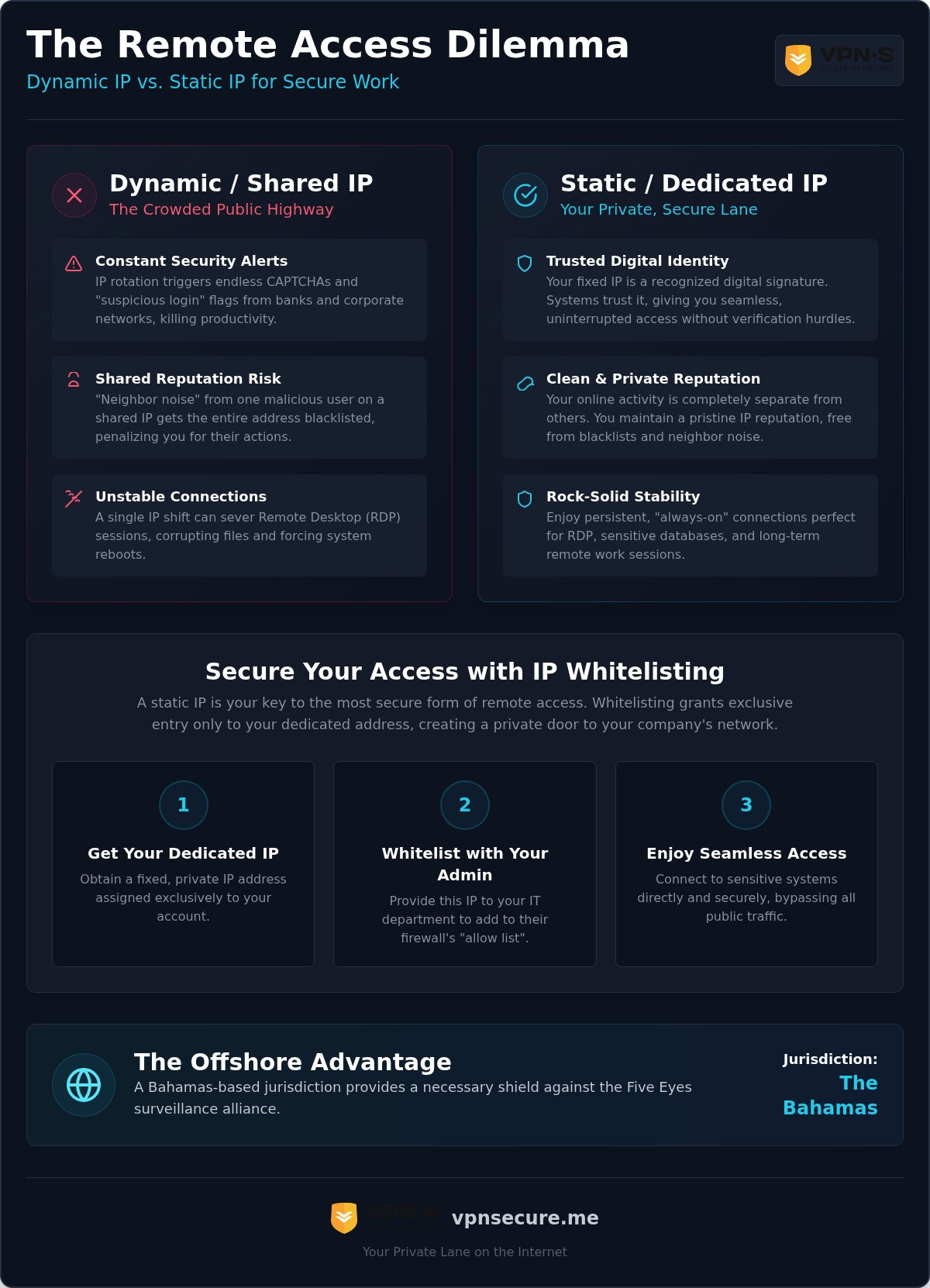
Whitelisting is the digital drawbridge to your corporate castle. If your name isn’t on the list, you aren’t getting in. By 2026, IT departments have stopped playing games with dynamic addresses; they want certainty. This is where a VPN with static IP for remote access becomes your most valuable tool. It transforms you from a suspicious, shifting variable into a trusted, permanent constant. Stop guessing if your connection will work today and start using a setup that forces the network to recognize your authority.
Executing this strategy requires a methodical approach. Follow these four steps to lock down your access:
- Step 1: Secure your Dedicated IP through your VPN provider to claim your private lane.
- Step 2: Provide your specific static address to your IT administrator. They’ll add this to the “Allow” list in the corporate gateway.
- Step 3: Configure your local firewall or router to only accept incoming traffic from your reserved IP, creating a secondary layer of defense.
- Step 4: Verify the connection. Attempt a login through RDP or your corporate portal to ensure the handshake is instant and uninterrupted.
Securing Your Corporate Gateway
IP whitelisting is the gold standard because it creates a “Zero Trust” environment where only pre-approved addresses exist. It’s the ultimate defense against credential stuffing. Before you attempt to log in, always confirm your static IP is active. A simple “what is my IP” check ensures you aren’t accidentally leaking your real location or using a shared server. If you encounter errors, it’s usually a DNS mismatch or a firewall rule that hasn’t propagated yet. Be direct with your IT team; tell them you’re using a fixed, encrypted tunnel anchored in the Bahamas. They’ll appreciate the security-first mindset. If you want to understand exactly how these protections stack up against real-world RDP attacks, our definitive guide to VPN for secure remote desktop walks through the complete security architecture step by step.
Banking and Sensitive Portals
Banks are increasingly hostile to anyone they can’t pin down. Registering your static VPN IP as a “trusted device” location is the only way to kill the “Verify Your Identity” loop. This is crucial when you’re working from abroad. By using a VPN with static IP for remote access, you avoid the “traveling” flag that freezes accounts the moment you cross a border. For international travelers and remote workers, pairing this setup with a secure VPN for travel ensures your connection remains trusted whether you’re at a hotel in Dubai or a café in Bangkok. For crypto traders, this stability is a requirement. Exchanges often trigger automated liquidations or account freezes if they detect a login from a high-risk dynamic IP. Using a dedicated IP for secure banking ensures your trades remain live and your assets stay accessible, regardless of where you’re physically sitting.
The Offshore Advantage: Why VPN Secure is Your Static IP Ally
Jurisdiction isn’t a footnote; it’s the foundation of your security. If you use a VPN with static IP for remote access from a provider based in the US, UK, or EU, your fixed identity is tied to a region with mandatory data retention. That static IP becomes a permanent beacon for state surveillance. VPN Secure chose a different path. Since 2012, we’ve operated out of the Bahamas to give our users a legal shield that doesn’t exist in the “Eyes” alliances. We don’t just promise privacy; we’ve built our entire infrastructure in a territory that respects it.
Your dedicated IP add-on isn’t a standalone feature. It integrates seamlessly with our global network of servers in 40+ countries. This means you get the surgical precision of a fixed address without sacrificing the reach of a world-class VPN. We’ve spent over a decade refining this balance between stability and stealth. While other providers are busy complying with data requests, we’re busy defending your right to exist online without a tail. It’s a narrative of us versus them, and we’re firmly on your side. If you’re a privacy advocate looking to extend that mission further, our VPN reseller program lets you build a profitable, privacy-first brand on top of the same Bahamas-based infrastructure.
Defending Against 14 Eyes Surveillance
Most users don’t realize that a “no-logs” policy is only as strong as the local law. In a 14 Eyes jurisdiction, a secret court order can force a provider to start logging a specific static IP without ever informing the user. It’s a trap designed to catch professionals who think they’re safe. By keeping our base in the Bahamas, we operate outside the reach of these intrusive agreements. Bahamian privacy laws act as a shield for your dedicated address. There are no mandatory data retention laws here, meaning our zero-logs claim is a legal reality, not just a marketing slogan.
Ready to Claim Your Private Lane?
Claiming your private lane on the internet is a simple process. Adding a Dedicated IP to your plan takes just a few clicks, transforming your connection from a shared variable into a trusted constant. We provide the tools and guidance needed for remote access configuration, ensuring your transition to a static setup is smooth and functional. You’ve fought the CAPTCHAs and the “suspicious login” flags long enough. It’s time to upgrade your professional toolkit.
Remote professionals need more than just encryption; they need recognized stability. Whether you’re on an annual or monthly VPN subscription, the dedicated add-on is the final piece of the puzzle. Secure your connection in 2026 with a VPN with static IP for remote access that answers to you, not a government agency. Claim your autonomy and start working on your own terms today.
Take Control of Your Digital Identity
The days of being treated like a suspicious intruder by your own network are over. You now have the blueprint to stop the “Verify Your Identity” loop and bypass the corporate firewalls that view dynamic IPs as a threat. By deploying a VPN with static IP for remote access, you claim a private lane that ensures your connection is always recognized and always trusted. You’ve stopped being a variable and started being a constant.
A static IP is only as secure as the laws governing its provider. Since 2012, VPN Secure has operated from the Bahamas, firmly outside the reach of the Five Eyes surveillance machine. Our no-log policy is a foundational promise for your digital autonomy. We provide the shield; you provide the ambition. Don’t let a rotating address dictate your professional stability any longer. It’s time to secure your connection on your own terms.
Get Your Dedicated IP and Secure Your Remote Access Now and experience the freedom of a connection that never blinks. Your remote office is waiting, and we’re ready to clear the path.
Frequently Asked Questions
Is a VPN with a static IP less secure than a standard VPN?
It depends on how you define security. While you lose the “crowd obfuscation” of a shared address, you gain protection against credential stuffing and account lockouts. A VPN with static IP for remote access is just as encrypted as a standard connection. Because VPN Secure is based in the Bahamas, your fixed identity remains private. We don’t log your activity, so there’s no trail for external agencies to follow, regardless of your IP type.
Can I use a dedicated IP for remote desktop (RDP) access?
Absolutely, and it’s actually the recommended setup for professional environments. Using a dedicated IP allows your IT department to whitelist your specific address, ensuring only you can initiate a connection. This prevents unauthorized users from even seeing your RDP gateway. It provides the stability of a direct cable with the encryption of an offshore tunnel. You’ll stop dropping sessions due to IP rotation and start working with total confidence.
Does a static IP help with unblocking streaming services like Netflix?
Yes, a dedicated IP is the ultimate weapon against streaming blocks. Shared IPs are often flagged because thousands of people are trying to watch the same show from one address. A static IP belongs only to you, making it look like a standard residential connection. While our global network covers 40+ countries, having your own reserved address ensures you won’t be caught in the “neighbor noise” that triggers those frustrating VPN detection errors.
Will a dedicated IP prevent me from being blocked by my bank?
It significantly reduces the risk. Banks use behavioral triggers to detect fraud; jumping between dynamic IPs across different cities is a major red flag. By using a VPN with static IP for remote access, you present a consistent digital location every time you log in. This allows you to register your IP as a trusted location, effectively ending the cycle of security freezes and identity verification prompts that plague international travelers. For those who frequently cross borders, combining this with a secure VPN for travel in 2026 provides a complete privacy solution that protects your data on hotel Wi-Fi and foreign networks alike.
What happens if my dedicated IP gets blacklisted?
Blacklisting is extremely rare for dedicated IPs because you’re the only one using the address. Shared IPs get burned when other users misbehave, but your dedicated lane is clean. If a specific site blocks your IP due to a broader range filter, our support team can investigate. Since we’ve been operating since 2012, we have the expertise to manage our IP reputation aggressively, ensuring your professional access remains uninterrupted and secure.
Can I use my static IP on multiple devices simultaneously?
Yes, you can use your static IP across all your major devices. Our service includes multi-device support, allowing you to secure your laptop, tablet, and phone under the same dedicated address. This is vital for maintaining a consistent identity across different platforms. Whether you’re accessing a corporate portal on your MacBook or checking a secure database on your phone, the network will recognize you as the same trusted user every single time.
Is it possible to switch back to a shared IP while using a dedicated plan?
Yes, you always have the option to switch. Your subscription includes access to our full network of shared servers in 40+ countries. If you want maximum anonymity for casual browsing, just connect to a standard server. When it’s time for high-stakes work or banking, toggle back to your dedicated IP. You get the best of both worlds: the “crowd” stealth of shared servers and the professional stability of a reserved address.
Why should I choose an offshore VPN for a static IP address?
Jurisdiction is the only thing standing between your data and a government subpoena. If your static IP provider is based in a Five Eyes country, they can be forced to log your activity in secret. VPN Secure is based in the Bahamas, operating outside these intrusive alliances. We’ve maintained a strict no-log policy since our founding in 2012. Choosing an offshore provider ensures your fixed digital identity isn’t a liability for your privacy.