



In short
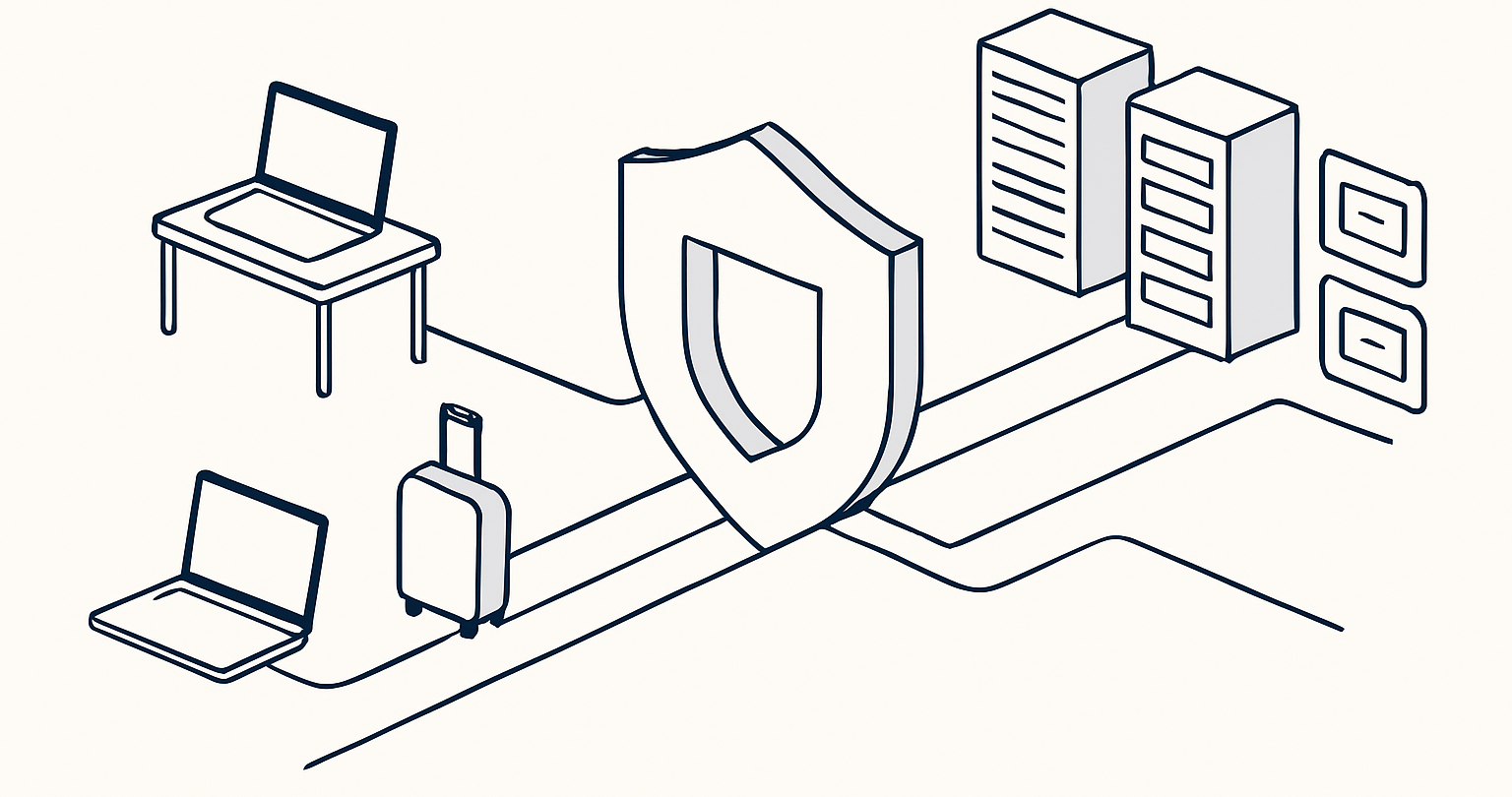
Remote access VPNs let an authorized laptop or phone reach private company resources through an encrypted connection, usually after the user signs in. For a small team, the right setup starts with the resource and access rules, then adds MFA, updated devices, and only the network reachability each person needs.
- A remote access VPN connects an individual device to private resources, while a consumer VPN usually protects or reroutes ordinary internet traffic.
- Encryption protects traffic in transit, but it does not make an unmanaged device or an over-permissioned account safe.
- Site-to-site VPNs connect networks to networks; remote access VPNs connect people and their devices to a network or specific resources.
- CISA advises organizations to require MFA for remote network access and keep VPN infrastructure and remote devices patched. CISA’s small-business MFA guidance supports that baseline. (cisa.gov)
- A tailored corporate deployment is worth discussing when a team needs private routing, tunnel termination, or access rules that a personal VPN subscription cannot define.
- What is a remote access VPN?
- How does a remote access VPN work?
- Is a consumer VPN enough for remote work?
- When does a team need a tailored corporate deployment?
- What security controls must sit around a remote access VPN?
- How is a remote access VPN different from a site-to-site VPN?
- How should a small team roll out remote access?
- What else do people ask about remote access VPNs?
A remote access VPN can be a sensible way to give employees, contractors, or owners a protected path to systems that should not be open to the public internet. It is not a substitute for identity controls, device maintenance, careful permissions, or an inventory of what the connection can reach.
The distinction matters because the phrase “use a VPN for work” describes two very different jobs. A freelancer using a VPN on airport Wi-Fi may need encrypted internet traffic. A finance employee reaching an internal file server needs authenticated access to a private business resource. The second job is remote access.
What is a remote access VPN?
A remote access VPN is a connection that lets an authorized individual device reach a private network or private resources over the internet. The user normally runs a VPN client, authenticates, and receives access according to the organization’s network and access rules.
NIST’s definition of a VPN describes a restricted-use logical network built through encryption and/or tunneling across an underlying physical network. In a business setting, the practical outcome is that a laptop outside the office can communicate with approved internal systems without those systems being broadly exposed to the internet. NIST’s VPN glossary provides the underlying definition. (csrc.nist.gov)
A remote access VPN is often called a client-to-site VPN because the client device connects to a company-side endpoint. The endpoint might sit at an office, a hosting environment, or another controlled network location. What matters is not where the gateway physically sits, but whether it can verify the user and device before granting limited access.
The connection does not turn a home laptop into a trusted office machine. NIST’s remote-access guidance stresses that every component, including organization-issued and bring-your-own devices, should be secured against expected threats. NIST SP 800-46 Rev. 2 was published in July 2016 and remains useful for this principle, although teams should pair it with current vendor and security guidance. (csrc.nist.gov)
A remote access VPN is a controlled path to private resources, not a blanket promise that every connected device or user is safe.
How does a remote access VPN work?
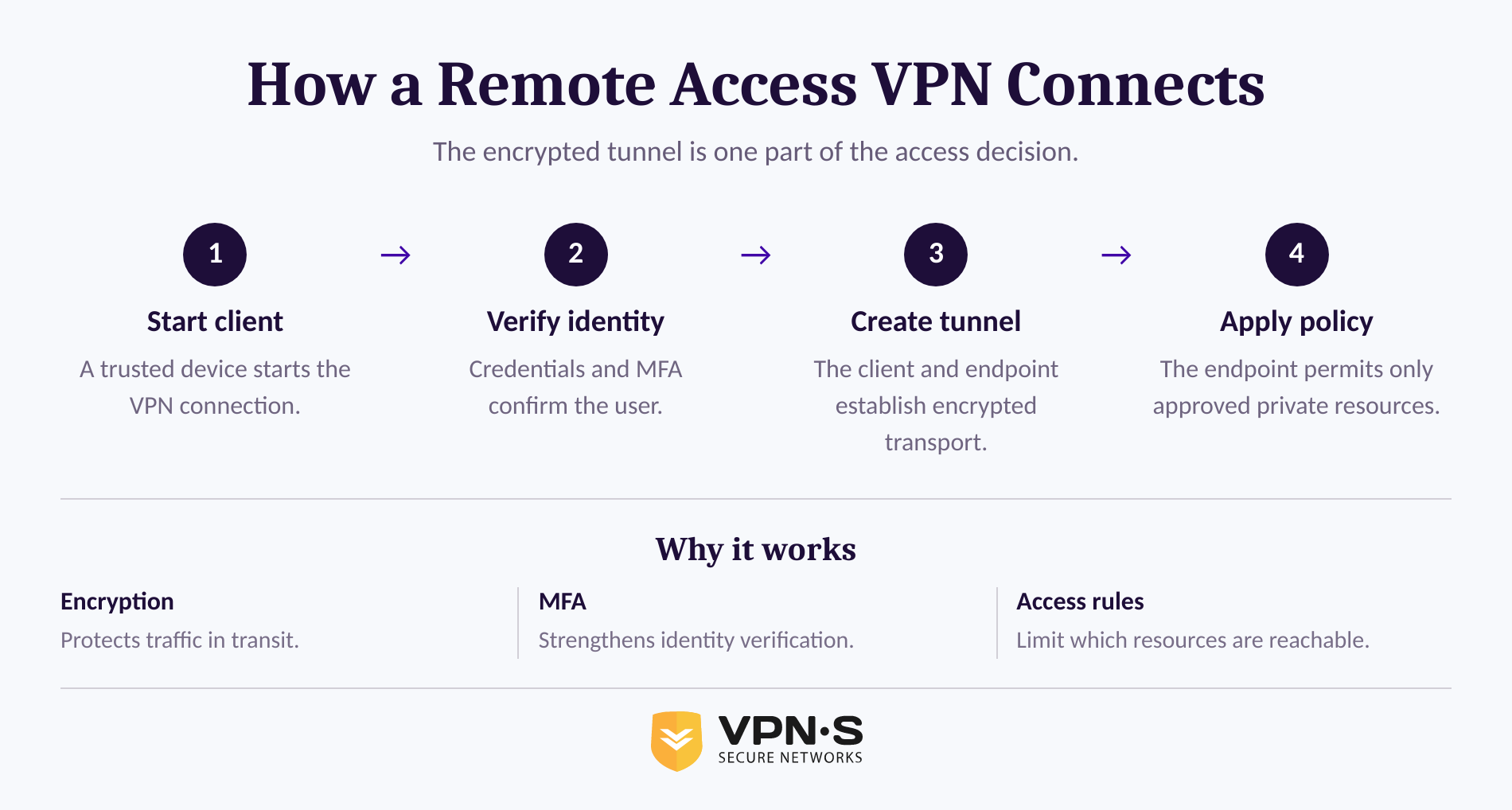
A remote access VPN creates an encrypted path between a user device and a VPN endpoint controlled for the organization’s use. After authentication, the endpoint permits traffic to approved destinations and rejects traffic that the access policy does not allow.
The exact protocol can vary, but the basic sequence stays similar. The user starts a trusted client, proves identity with credentials and MFA, the client and endpoint establish a protected tunnel, and traffic to authorized private services moves through that tunnel. The organization should log the access events it needs for operations and incident response while applying its own privacy and retention policies.
The tunnel protects data while it travels between the device and the VPN endpoint. It does not automatically protect the traffic after it reaches a private application, so sensitive web applications should still use HTTPS and sensitive services should retain their normal authentication controls.
For a plain-language refresher on tunnel encryption and traffic routing, see how VPNs work. The same basic tunnel mechanism can serve consumer privacy use or corporate access, but the destination and authorization model are different.
A remote access VPN works only as well as its identity checks, device condition, routing rules, and the private systems it exposes.
Is a consumer VPN enough for remote work?
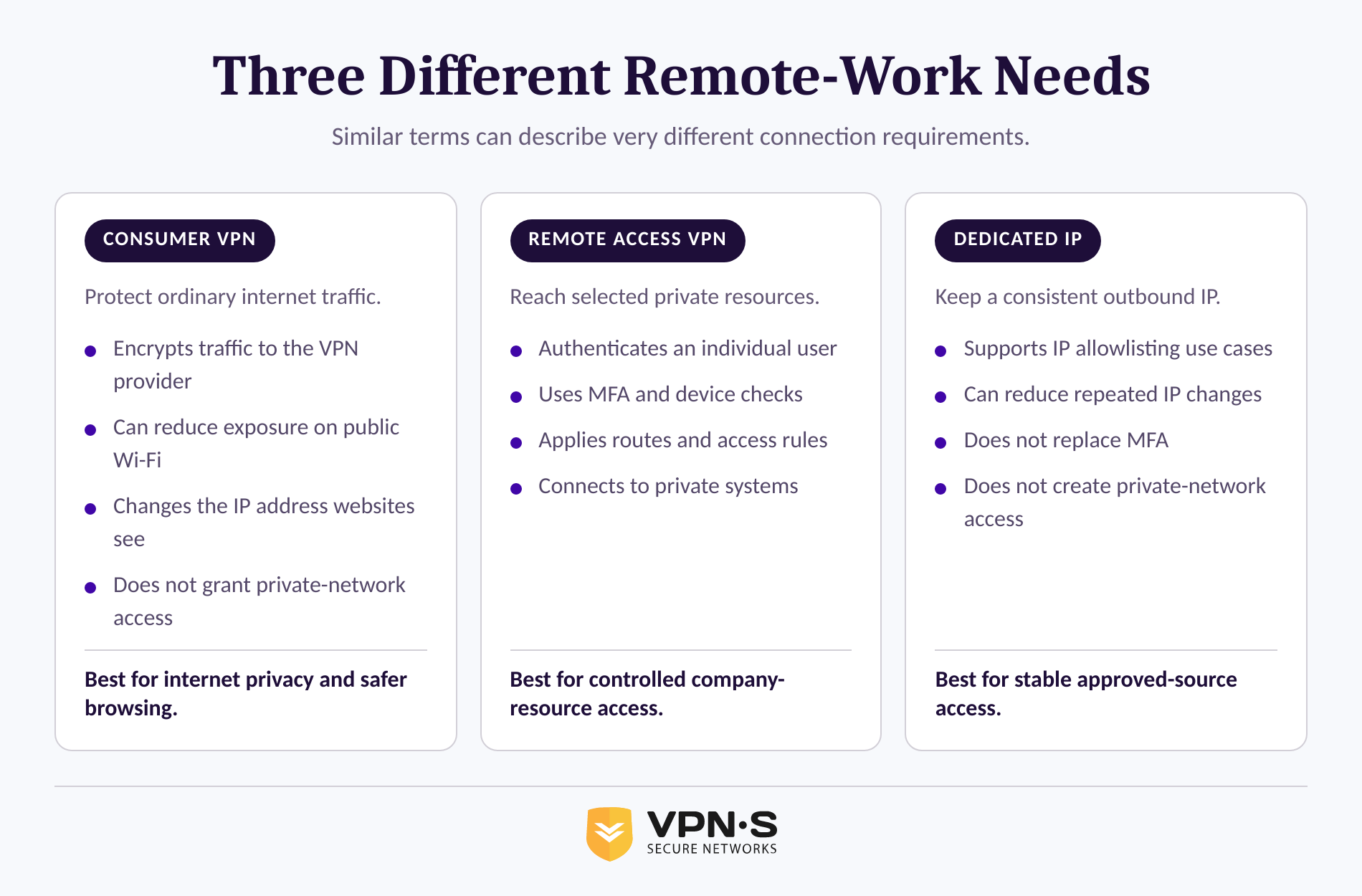
A consumer VPN can protect a remote worker’s ordinary internet traffic on an untrusted network, but it does not by itself grant access to a company’s private systems. A corporate remote access deployment is necessary when the user must reach resources that are deliberately unavailable from the public internet.
A personal VPN service commonly sends internet traffic through a provider-operated server. This can help reduce exposure on public Wi-Fi and change the IP address websites see. The U.S. Federal Trade Commission notes that VPN apps may encrypt traffic between a device and the VPN provider, but users should evaluate what permissions the app requests and what the provider does with traffic. The FTC’s VPN app guidance is a useful reminder that a VPN provider becomes part of the connection path. (ftc.gov)
That is different from reaching a private accounting application, a development environment, an internal database, or a file share. Those use cases require a company-controlled access decision. The team must decide who may connect, from which devices, to which resource, and for how long.
A dedicated IP can solve a narrower problem. If a third-party service only permits approved source IP addresses, a consistent isolated exit IP may reduce repeated access challenges. It does not create a private path into a company network, replace account authentication, or provide centralized user provisioning.
VPN Secure supports consumer VPN connections, Dedicated IP access, and browser-level HTTP proxy access. Those products can be useful for privacy, public Wi-Fi, and stable outbound IP needs. A browser proxy is especially limited because it only routes traffic from a configured browser or proxy-aware application, not all device traffic and not a private company network.
Use a consumer VPN for protected internet connectivity; use a remote access design when people need controlled entry to private resources.
When does a team need a tailored corporate deployment?
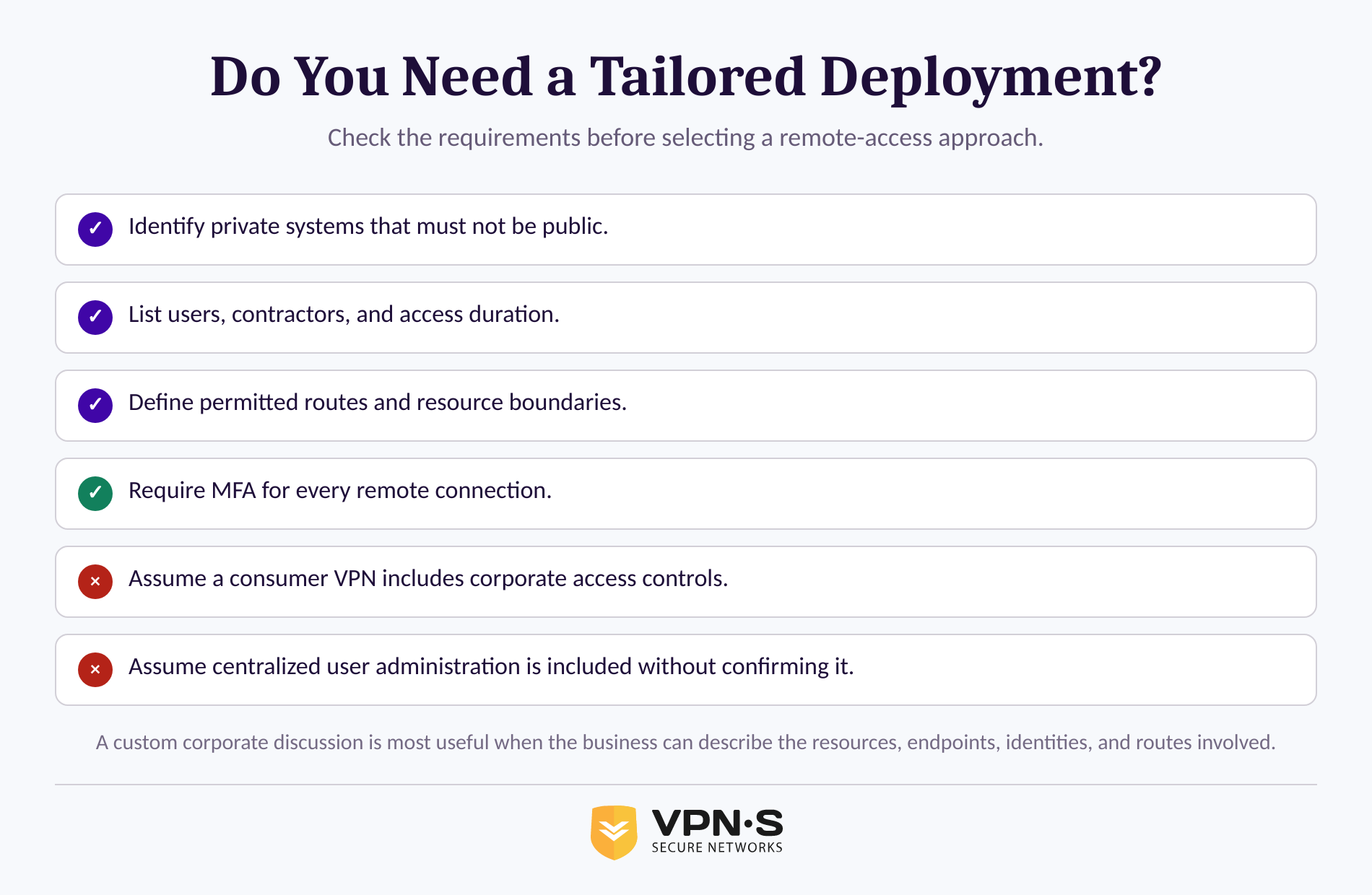
A team should consider a tailored corporate deployment when ordinary internet privacy is not the requirement and the business needs controlled routing into or between private environments. The decision should be based on the resources, identities, devices, and network boundaries involved, not on a protocol name alone.
Start with the resource. A small company with a cloud-based email suite and no private systems may not need a network-level remote access VPN at all. A company with an internal application, a private subnet, an office-based server, a restricted administrative console, or a vendor connection probably needs a more deliberate design.
A tailored design becomes more relevant when the requirements include one or more of the following:
- A private service must stay off the public internet.
- Remote staff need access to an office, hosted environment, or selected private subnets.
- Contractors need temporary access to one application without being able to browse the rest of the network.
- A business must terminate or route GRE, OpenVPN, or IPsec tunnels for a defined operational purpose.
- The team needs a documented traffic path, access boundary, and incident-response contact.
VPN Secure describes custom corporate connectivity for needs involving GRE, OpenVPN, IPsec tunnel termination, offshore servers, custom applications, and tailored routing. This is an inquiry-led custom solution, not a publicly documented package with centralized user and access administration. Teams that require an organization portal for self-service user lifecycle management, roles, and gateway administration should list those needs explicitly during procurement rather than assuming they are included.
A custom remote access deployment is justified by a clear private-resource or routing requirement, not by the fact that a team has remote workers.
What security controls must sit around a remote access VPN?
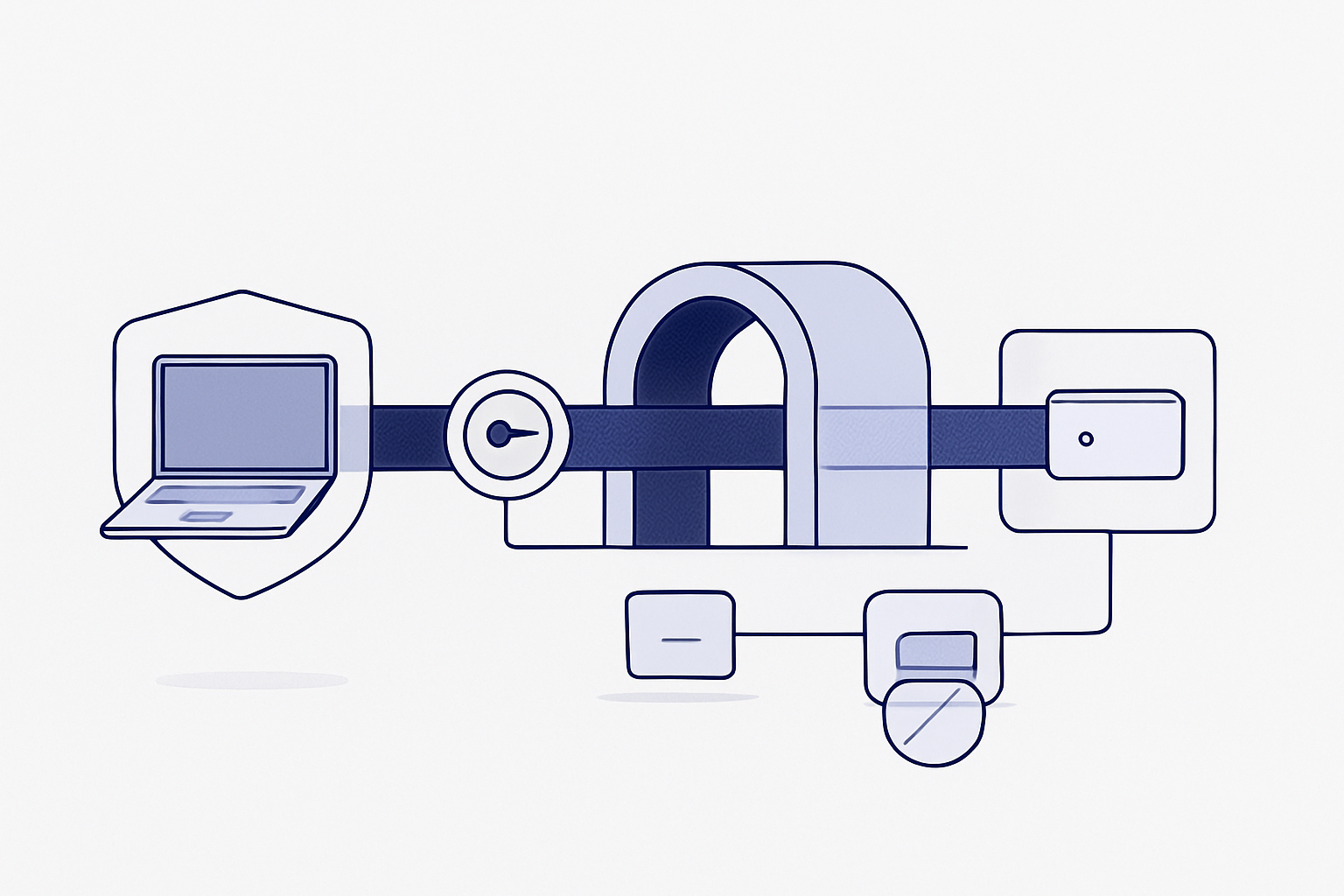
A secure remote access VPN needs MFA, current software, restricted permissions, and managed endpoints in addition to encrypted traffic. The safest design gives each verified user and device access only to the resources required for their work.
CISA’s guidance for small and medium businesses says organizations should confirm that all remote access to the organization’s network and all privileged access require MFA. CISA recommends aiming for phishing-resistant methods when possible, such as hardware security keys or stronger authenticator-based approaches. CISA’s MFA guidance explains the tradeoffs among common MFA methods. (cisa.gov)
Patching is equally important. CISA’s ransomware guidance advises organizations to update VPNs, network infrastructure, and devices used for remote work with current patches and security configurations. It also recommends MFA on VPN connections and warns that attackers can exploit VPNs or compromised credentials. CISA’s StopRansomware Guide provides the current operational context. (cisa.gov)
Use this minimum checklist before opening a private resource to remote users:
- Define the resource. Name the applications, servers, networks, or admin interfaces that must be reachable.
- Require MFA. Do not rely on a password alone for remote access, especially for privileged accounts.
- Limit routes and permissions. Give accounting access to accounting systems, not every reachable subnet.
- Check device readiness. Keep operating systems, VPN clients, browsers, and security tooling current.
- Remove unused accounts quickly. Revoke former employees, expired contractors, and old test accounts.
- Review access logs. Investigate unusual locations, impossible travel, repeated failures, and unexpected access times.
- Plan for loss of a device. Know how to revoke access and rotate credentials without waiting for the next business day.
NIST’s zero trust architecture describes a related principle: no implicit trust should be granted merely because a user or device is on a particular network. Authentication and authorization should happen before a session to an enterprise resource is established. NIST SP 800-207, published in August 2020, frames this resource-focused approach. (csrc.nist.gov)
Encryption protects the route, but MFA, current devices, limited permissions, and active account management protect the business.
How is a remote access VPN different from a site-to-site VPN?
A remote access VPN connects an individual user device to private resources. A site-to-site VPN connects one network to another network, such as a branch office to headquarters or a hosted environment to an office network.
The difference changes the design questions. Remote access requires decisions about users, devices, client software, MFA, and individual entitlements. Site-to-site VPNs require decisions about network ranges, routing, tunnel endpoints, traffic segmentation, and what systems each connected network may reach.
A company may use both. For example, a branch office could connect to a central environment through a site-to-site tunnel while an employee traveling outside both offices uses a remote access VPN to reach only a help-desk tool. Neither model is automatically safer. The safer model is the one that exposes fewer resources, has clear authentication and routing rules, and is kept current.
CISA’s 2024 network-access guidance notes that traditional remote access and VPN deployments can create business risk when misconfigured. The agency encourages organizations to consider modern access approaches, including zero trust and secure access service models, where they fit the organization’s needs. CISA’s June 2024 advisory does not make VPNs obsolete; it makes the case for reviewing whether the access model still matches the risk. (cisa.gov)
Use remote access VPNs for people, site-to-site VPNs for networks, and written routing rules for both.
How should a small team roll out remote access?
A small team should roll out remote access in stages: inventory the private resources, define who needs them, test a restricted pilot, then document support and offboarding. Starting with a broad “connect everyone to everything” rule is faster on day one and harder to secure afterward.
First, list the resources that cannot safely be public. For each resource, identify the owner, whether it already has its own secure web access method, which users need it, and whether access is permanent or temporary. A team may discover that several resources can be handled through application-level access instead of a network tunnel.
Second, decide which devices are eligible. Company-managed laptops are easier to patch, inventory, and revoke than unmanaged personal devices. If bring-your-own-device access is necessary, define the minimum operating system version, screen-lock requirement, update expectation, and procedure for lost or replaced devices.
Third, pilot with a small group and test failure cases. Confirm that MFA works, the intended applications work, unauthorized networks remain unreachable, logs are visible to the right administrator, and a lost device can be removed from access quickly. Document the actual process, not the process the team hopes it follows.
VPN Secure provides apps and configuration options across Windows, macOS, iOS, Android, and Linux. Review the available VPN Secure downloads when the requirement is a supported client connection for those platforms. For a custom private-network requirement, use the pilot findings to define the required tunnel type, endpoints, users, routes, and support expectations before requesting a solution.
A staged rollout finds access mistakes while the blast radius is small and the fixes are still simple.
What else do people ask about remote access VPNs?
Can I access remotely through a VPN?
Yes. A remote access VPN can let an authorized device reach a private company network or selected private resources over the internet. The VPN client creates a protected connection to an approved endpoint, but access still depends on the user identity, MFA, device condition, and the permissions configured for that account.
Can the FBI track a VPN?
A VPN can hide a device’s original IP address from a website, but it does not erase account logins, browser identifiers, endpoint evidence, payment records, or evidence available through lawful investigative processes. The U.S. Department of Justice notes that investigators may seek evidence through court-authorized warrants or wiretap orders when legal standards are met. DOJ’s lawful-access overview describes those authorities. (justice.gov)
Which VPN is best for remote access?
The best remote access VPN is the one that matches the resource and access model. A personal VPN can protect ordinary internet traffic, while a custom corporate deployment is more appropriate when users need controlled access to private networks, internal services, or tailored tunnel routing. Prioritize MFA, patching, limited permissions, eligible-device rules, and revocation procedures before comparing protocol labels.
Is using VPN illegal in the US?
For ordinary privacy and remote-work use, VPNs are widely discussed in U.S. government cybersecurity guidance as a way to protect remote connections. No general U.S. federal prohibition on ordinary VPN use was identified in the sources reviewed for this article as of September 11, 2026; however, a VPN does not make unlawful conduct lawful, and employer policies, service terms, and rules in other jurisdictions can still apply. This is general information, not legal advice. FTC small-business guidance recommends considering VPNs for employees and vendors connecting remotely. (ftc.gov)
What should your team do next?
Write a one-page remote-access requirement before choosing a tool: the private resources involved, the people who need access, permitted devices, MFA method, routes, logging, offboarding steps, and support owner. That document will expose whether a standard client connection is enough or whether the business needs a tailored network design.
For requirements involving custom tunnel termination, controlled routing, or corporate connectivity, contact VPN Secure about a custom network solution. Include the resource list and access boundaries in the first conversation so the technical discussion starts with the real problem.