



In short
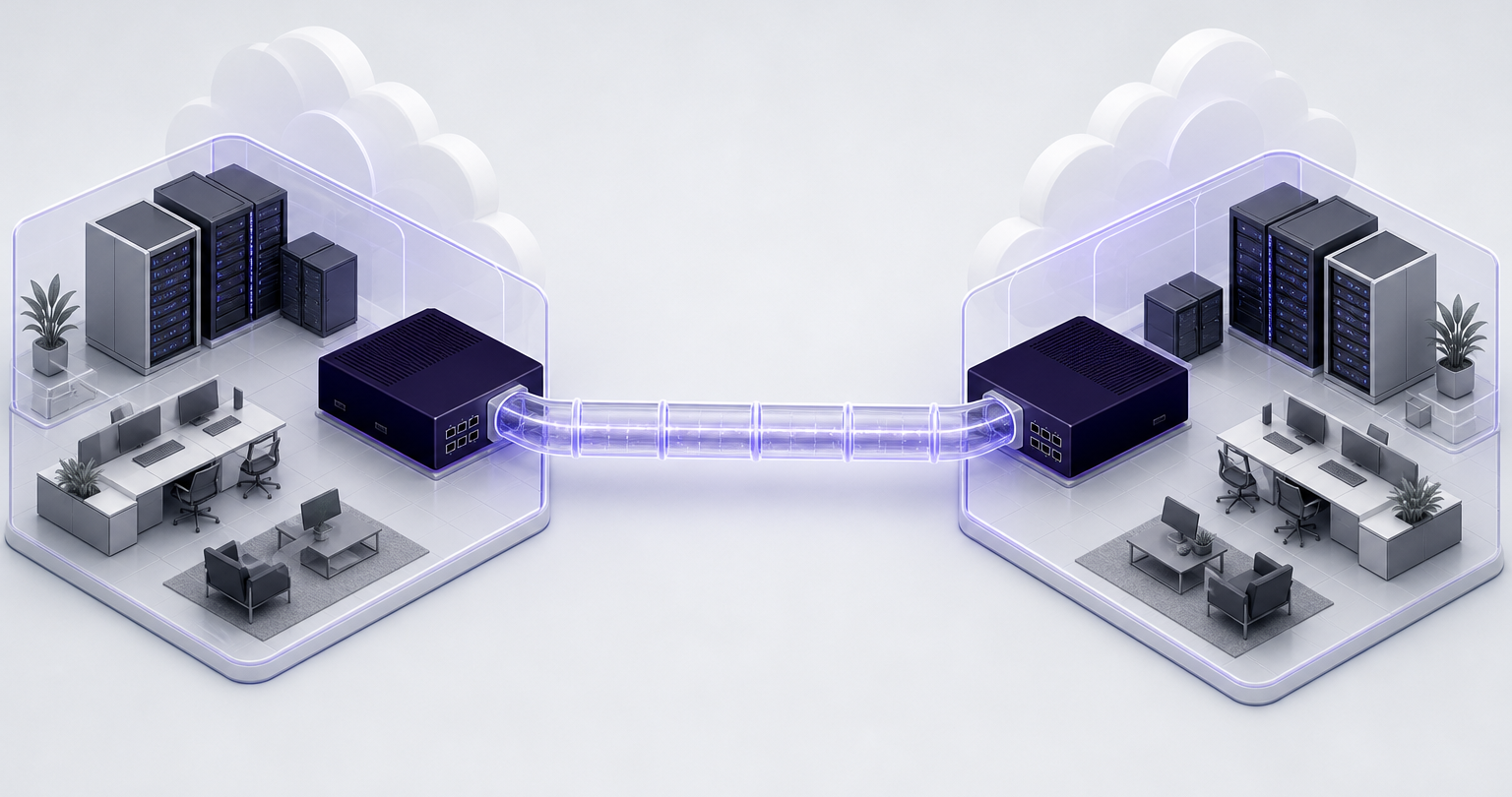
A site-to-site VPN securely connects two or more private networks through encrypted gateway-to-gateway tunnels, so devices at each location can reach approved resources without each user starting a VPN session. It suits permanent office, data center, cloud, and partner-network connections, but it requires deliberate routing, firewall, monitoring, and access-control decisions.
Key takeaways
- A site-to-site VPN connects networks through gateways, while a remote-access VPN connects individual users or devices.
- IPsec is commonly used for site-to-site VPNs, and IKE negotiates authentication, encryption settings, and the security associations used by IPsec.
- A direct tunnel can work well for two stable locations, but many sites usually need a hub-and-spoke or cloud-routing design to avoid an unmanageable mesh.
- The total cost includes gateway capacity, internet links, implementation time, monitoring, support, and any cloud connection or data-transfer charges.
- A site-to-site VPN protects traffic between approved networks, but it does not replace endpoint security, identity controls, segmentation, or secure application design.
Table of contents
- What does site-to-site VPN mean?
- How does a site-to-site VPN work?
- When should you use site-to-site rather than remote access?
- Which site-to-site VPN architecture fits your network?
- What must be decided before deployment?
- How much does a site-to-site VPN cost?
- What are the downsides of using a site-to-site VPN?
- How do you deploy a site-to-site VPN safely?
- Site-to-site VPN FAQ
- What should you do next?
What does site-to-site VPN mean?
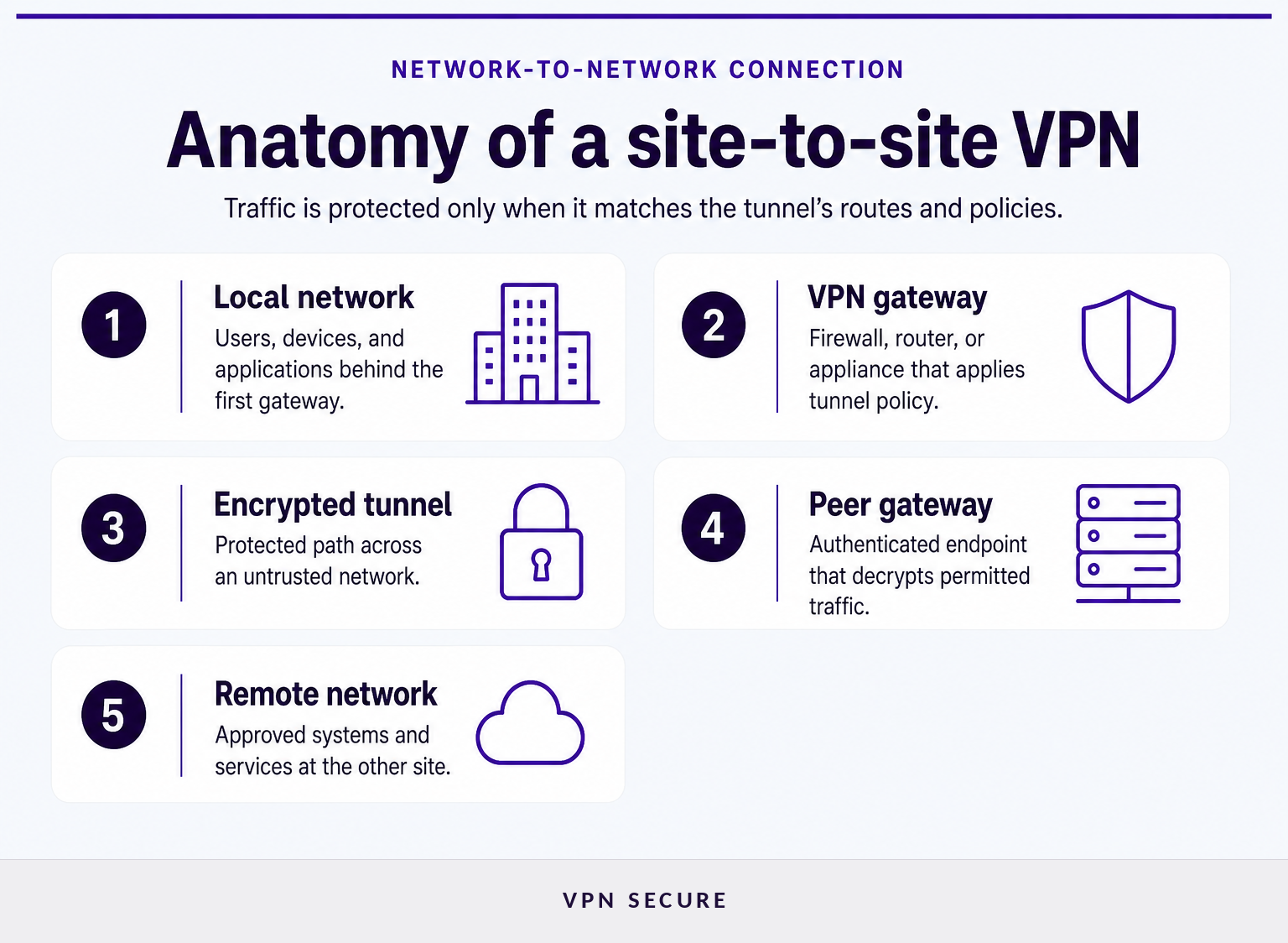
A site-to-site VPN is an encrypted connection between networks rather than between a network and one person’s laptop. A gateway, usually a firewall, router, or VPN appliance, encrypts approved traffic leaving one network and decrypts it when it reaches the other gateway.
The word site can mean an office LAN, a branch, a data center, a cloud virtual network, a warehouse, or a partner network. The important point is that the tunnel endpoints are network gateways. Individual devices behind those gateways normally do not need separate VPN client software for traffic that matches the tunnel’s routing and security policies.
This is usually implemented with IPsec in tunnel mode. The Internet Engineering Task Force’s RFC 4301 security architecture describes IPsec security gateways as intermediate systems, such as IPsec-enabled routers or firewalls, that protect IP traffic according to defined policy. The National Institute of Standards and Technology’s 2020 IPsec VPN guide similarly describes IPsec as a network-layer control for protecting communications across IP networks.
A simple example is a headquarters network using the private range 10.10.0.0/16 and a branch network using 10.20.0.0/16. The gateways can be configured to send traffic between those approved ranges through the encrypted tunnel, while ordinary internet traffic follows each location’s normal internet connection.
A site-to-site VPN is a network-to-network connection: its value comes from controlled routing between sites, not from asking every employee to connect separately.
How does a site-to-site VPN work?
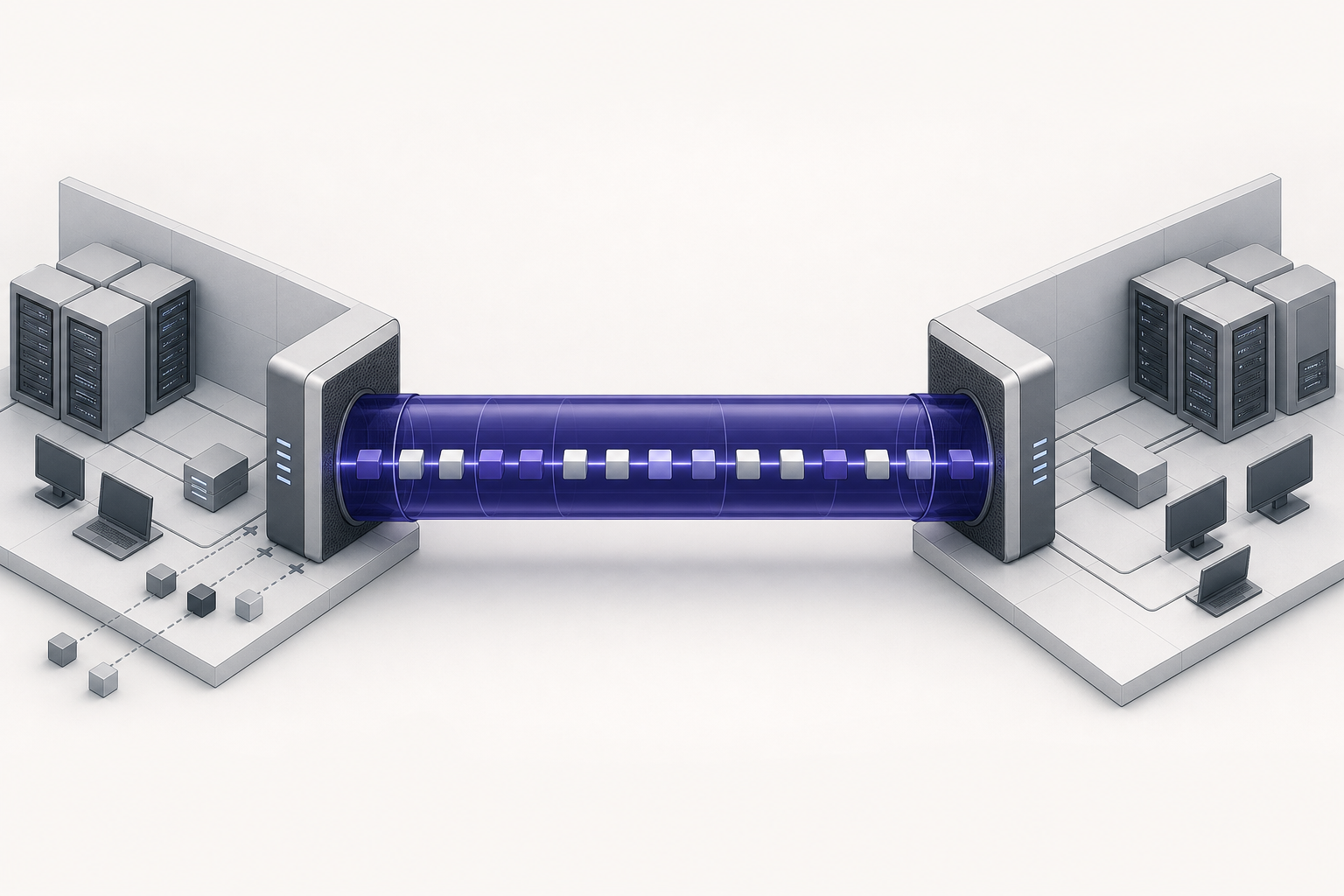
A site-to-site VPN works by authenticating two gateways, agreeing on security settings, and encapsulating permitted packets before they cross an untrusted network. The tunnel is transparent to many internal users, but only because the gateways, routes, and firewall policies have been configured correctly.
At a high level, the process has five parts:
- Traffic selection: A route and security policy identify which source and destination networks are allowed to use the tunnel.
- Peer authentication: Each gateway proves its identity using a pre-shared key, certificate, or another supported method.
- Security negotiation: The gateways agree on encryption, integrity protection, key exchange, and lifetime settings.
- Tunnel establishment: The devices create IPsec security associations and begin protecting matching traffic.
- Rekeying and monitoring: The tunnel periodically refreshes keying material and should be monitored for availability, errors, and unexpected traffic patterns.
IPsec does the packet protection, while Internet Key Exchange handles much of the negotiation work. RFC 7296 defines IKEv2 as the IPsec component used for mutual authentication and for establishing and maintaining security associations. That distinction matters during troubleshooting: an unreachable peer, an authentication failure, a proposal mismatch, and a missing route can all look like “the VPN is down,” but they occur at different stages.
You may also hear “Phase 1” and “Phase 2” during site-to-site VPN configuration. Those terms are often used for older IKEv1 workflows, where one stage establishes a protected management channel and another creates IPsec security associations. Treat the labels as vendor configuration shorthand, not as a substitute for confirming the chosen IKE version, algorithms, traffic selectors, and routing behavior.
A working tunnel is not enough: the right networks, routes, policies, and return paths must all agree before applications can communicate.
When should you use site-to-site rather than remote access?
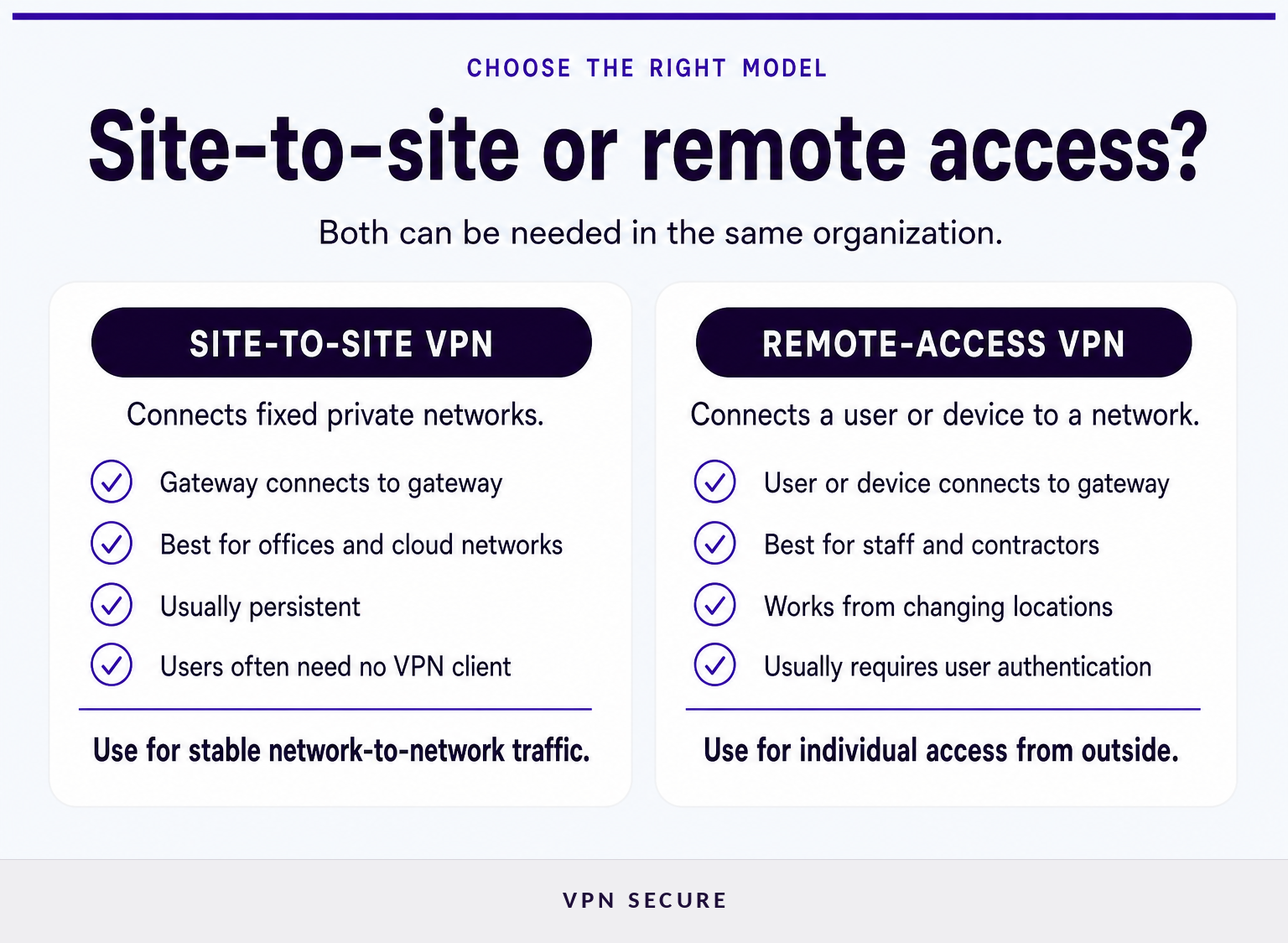
Use a site-to-site VPN when the requirement is persistent connectivity between known networks. Use a remote-access VPN when individual people need secure access from changing devices and changing locations.
A site-to-site design is usually the better fit when a branch office must reach a central file service, a warehouse system needs a controlled path to a data center, or an on-premises network must exchange traffic with a cloud workload. The connection can remain active without relying on each employee to start a client application.
Remote access solves a different problem. It gives a specific user or managed device a secure path into selected internal resources, often with identity checks and device-specific access rules. For a fuller comparison of the user-access model, see remote access VPNs.
Many organizations need both. A site-to-site VPN can connect the branch network to shared services, while a remote-access VPN gives traveling staff, home workers, contractors, or administrators an authenticated route into the environment. Neither model automatically replaces the other.
Do not choose based on the word “VPN” alone: choose site-to-site for stable network links and remote access for people connecting from individual devices.
Which site-to-site VPN architecture fits your network?
The right architecture depends mainly on the number of networks, where applications live, and how much routing complexity the team can operate. A design that is tidy for two locations can become difficult to troubleshoot when every new location needs direct tunnels to every existing one.
For two stable sites, a direct gateway-to-gateway tunnel is usually the simplest topology. Each gateway protects traffic to the other site’s approved subnets. This can be effective when there is little overlap in address space, one clear owner at each end, and modest routing requirements.
For several branches connected to one central environment, a hub-and-spoke design is often easier to govern. Each branch connects to a central gateway or routing point. The tradeoff is that the hub becomes operationally important, so capacity, redundancy, monitoring, and failure handling need attention.
For many sites, multiple cloud networks, or partner connections, the decision becomes more architectural. Teams may need a central transit layer, dynamic routing, separate security zones, or deliberately isolated partner paths. The goal is not to connect every network to every other network. The goal is to permit only the application flows that the business actually needs.
An intranet site-to-site VPN connects networks controlled by the same organization. An extranet site-to-site VPN connects an organization to a supplier, customer, or partner network. Extranet connections deserve tighter segmentation because another organization’s network is not simply an extension of your own trusted environment.
The best topology is the one that limits unnecessary trust relationships while remaining understandable enough to operate during an outage.
What must be decided before deployment?
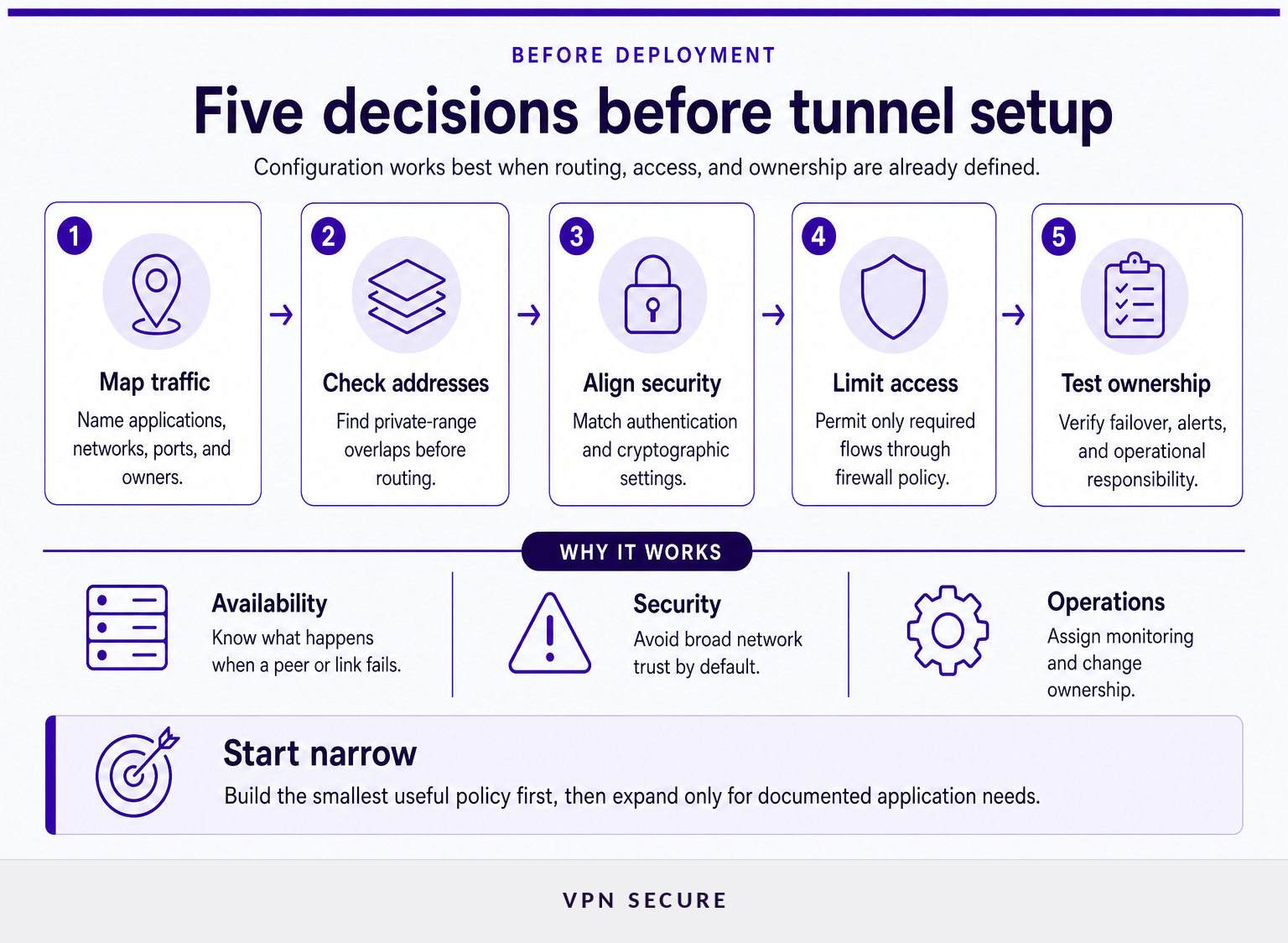
A site-to-site VPN project should begin with traffic and ownership decisions, not a copied configuration template. The technical tunnel settings are only one part of the deployment; unclear scope is a common reason apparently healthy tunnels fail to support the intended application.
Start with this handoff checklist:
- Name the business flows. Identify the applications, ports, protocols, source networks, destination networks, and owners. “Connect the office to the cloud” is not specific enough.
- Check address space. Private IP ranges must not overlap if the networks need ordinary routing between them. Overlap can require translation or a redesign, both of which add complexity.
- Choose peer identity and addressing. Confirm whether each gateway has a stable public address, how peer changes are handled, and whether certificates or pre-shared keys fit the security model.
- Agree on cryptography and IKE settings. Both ends must support compatible IKE versions, encryption and integrity algorithms, Diffie-Hellman groups, lifetimes, and authentication methods.
- Define routing and return paths. Decide whether routes are static or dynamic, how failover works, and how return traffic reaches the original sender.
- Write firewall rules narrowly. Permit only the ports, protocols, and destination systems that the application requires. A tunnel should not automatically mean unrestricted lateral movement.
- Plan observability. Assign who watches tunnel status, authentication failures, rekey events, route changes, throughput, packet loss, and logs.
- Test failure behavior. Test a peer restart, internet-link failure, expired credential, changed route, and failed application connection before treating the design as complete.
For gateway hardening, the Cybersecurity and Infrastructure Security Agency advises limiting externally exposed VPN services, using strong cryptography, disabling unused VPN features and algorithms, and restricting device management to trusted devices and networks. Review its communications infrastructure hardening guidance alongside your gateway vendor’s current documentation.
The deployment plan should state exactly which traffic is allowed, who owns each gateway, and how the team will know when the connection stops behaving as intended.
How much does a site-to-site VPN cost?
There is no single site-to-site VPN price because the tunnel is only one component of the design. A small two-site deployment using existing capable firewalls can cost far less than a redundant multi-site design with cloud routing, managed connectivity, formal support, and round-the-clock monitoring.
Budget in five categories:
- Gateway capacity: Existing firewall or router licensing may be enough, or the organization may need appliances, virtual gateways, subscriptions, or higher-throughput models.
- Internet connectivity: Each site needs reliable upstream connectivity. Dedicated connections, backup links, public addressing, and service-level commitments can change the budget more than the tunnel itself.
- Implementation: Design, change control, configuration, testing, documentation, and partner coordination require engineering time.
- Operations: Monitoring, log retention, certificate or key rotation, patching, incident response, and support contracts are ongoing costs.
- Cloud networking: A cloud-connected design may add hourly connection, attachment, transit, acceleration, or data-transfer charges, depending on the provider and region.
Ask for a quote based on the number of sites, peak encrypted throughput, redundancy target, routing design, cloud networks, partner connections, and support requirements. Comparing only the advertised tunnel price can hide the costs that determine whether the connection is reliable six months later.
A useful cost estimate counts the network, the people, and the operating model, not just the encrypted tunnel.
What are the downsides of using a site-to-site VPN?
Site-to-site VPNs can be secure and practical, but they add network dependencies that must be designed and maintained. Their main downsides are configuration complexity, limited visibility without good monitoring, performance constraints, and the risk of creating broader trust than the application requires.
A tunnel can fail because of an internet outage, peer-address change, expired certificate, key mismatch, incompatible settings, route change, firewall update, or software defect. Redundancy reduces some risks, but it also adds routes, policies, and failure modes to understand.
Performance is another consideration. Encryption and decryption consume gateway resources, and the public internet path can introduce latency, jitter, or packet loss. A site-to-site VPN can protect traffic in transit, but it cannot make a slow upstream connection faster or solve poor application design.
Security boundaries also matter. If broad internal ranges are reachable across the tunnel, an incident at one site may have a larger blast radius. Network segmentation, least-privilege firewall rules, endpoint security, identity controls, and application-layer protections remain necessary. A site-to-site VPN is a transport security control, not a complete security program.
The biggest downside is usually not encryption overhead: it is treating a network-to-network trust relationship as if it needs no ongoing ownership.
How do you deploy a site-to-site VPN safely?
Deploy a site-to-site VPN in a controlled sequence: define the allowed flows, build the smallest useful tunnel, validate it, and then expand only when there is a documented need. Avoid opening broad any-to-any access simply because the gateways can establish an encrypted tunnel.
- Document the desired flow. Record source and destination subnets, ports, protocols, application owner, and business reason.
- Verify address ranges and routing. Resolve overlapping private ranges and confirm return routes before configuring encryption.
- Harden both gateways. Patch supported software, restrict administrative access, remove unused algorithms, and store credentials or keys securely.
- Configure matching proposals. Align IKE version, authentication method, encryption, integrity, key-exchange settings, lifetimes, and traffic selectors.
- Start with narrow policies. Allow only the approved application flows. Confirm that unrelated networks cannot use the tunnel.
- Test normal and failure conditions. Validate application traffic, DNS behavior where relevant, logging, peer restart behavior, rekeying, and failover.
- Monitor and review. Alert on tunnel state changes and review rules when applications, offices, cloud networks, or partners change.
Teams that need help with tunnel termination, custom routing, or tailored VPN infrastructure can talk to VPN Secure about a custom corporate deployment. Before choosing protocols, it can also help to review VPN architecture basics and the supported VPN protocols available for different connectivity requirements.
A safe deployment begins small, documents every permitted flow, and treats changes to routes or trust boundaries as security changes.
Site-to-site VPN FAQ
These answers address the questions that commonly come up when organizations compare site-to-site VPNs with other connectivity options.
What does site-to-site VPN mean?
A site-to-site VPN means an encrypted connection between two or more private networks through VPN gateways. Instead of each employee running a client, the gateways protect traffic that matches agreed routes and security policies. It is commonly used to connect offices, data centers, cloud networks, or selected partner systems.
Can the FBI see through VPNs?
A site-to-site VPN does not make an organization invisible or exempt from lawful investigation. It protects selected traffic while it travels between VPN gateways, but endpoints, user devices, online services, business records, and account activity can create information outside the tunnel. Legal powers and record availability depend on jurisdiction and circumstances.
How much does a site-to-site VPN cost?
Site-to-site VPN costs vary with gateway hardware or licensing, internet connections, engineering time, cloud-network charges, redundancy, monitoring, and support. A small tunnel between existing capable firewalls may have a modest incremental cost, while a multi-site resilient design can require substantial infrastructure and operational investment.
What are the downsides of using a site-to-site VPN?
Site-to-site VPNs require careful routing, compatible security settings, ongoing patching, and monitoring. They can add latency, depend on internet availability, and create excessive network trust if firewall rules are too broad. They also do not replace endpoint protection, identity controls, network segmentation, or secure application configuration.
The right question is not whether a site-to-site VPN is good or bad, but whether its operational requirements match the networks and applications you need to connect.
What should you do next?
List the networks and applications that must communicate, then decide whether the requirement is network-to-network connectivity, user-to-network access, or both. That decision will narrow the architecture before anyone starts exchanging tunnel settings.
For a custom corporate design, prepare the address ranges, expected traffic, required application flows, existing gateways, cloud environments, redundancy needs, and support expectations before starting the conversation.