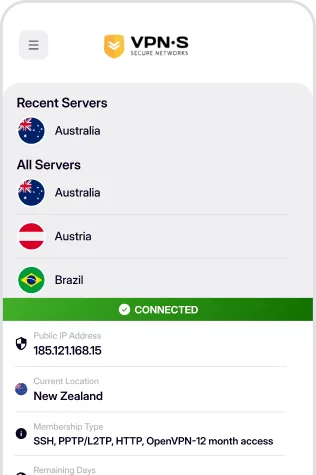
Secure your Android device with a fast and reliable VPN. Protect your personal data, browse safely on public Wi-Fi, and enjoy private internet access anywhere.
Get it on Google Play
Download For
Hand crafted Android VPN application that gives you a similar user experience to the friendly desktop application, auto connect on Boot, select your favourite server & more.
Download For
Don't have access to the Google Play store? Wish to install direct to your device? Simply download the APK file.
SHA 256:
8f5d2da81ce5975a1cdb0939f258940da1654b1416d4a7f6424e7dde046f166d
VPN Secure 8.0.5 (build 20), 34.1 MB, signed with the same key as the Play Store release. Android blocks installs from outside the Play Store until you allow them: when prompted, open Settings and enable Install unknown apps for the browser or file manager you open the APK with. Android TV (Google TV, Nvidia Shield and similar) has Google Play: install from the store or use this same APK. Amazon Fire TV has no Google services and needs the separate Fire TV build (33.3 MB) below; the step-by-step guide is on the Fire TV download page.
Once you have downloaded and installed the appropriate app from above, enabling your VPN is as simple as open, click and go!
Login, then choose a server to connect to & connect! You are now enjoying the internet as it should be. Open, secure and anonymously.

Enter your credentials to access the app.
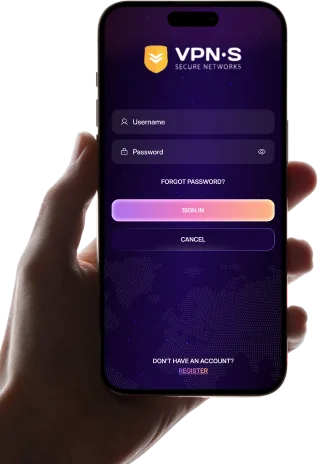

Select a location from the list to connect to.
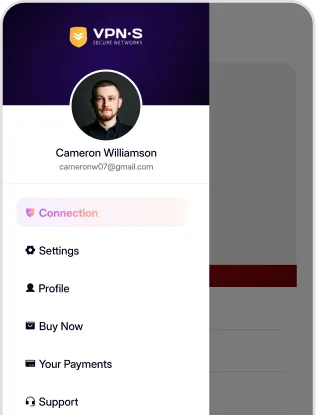

Enjoy a secure, private and anonymous internet experience.