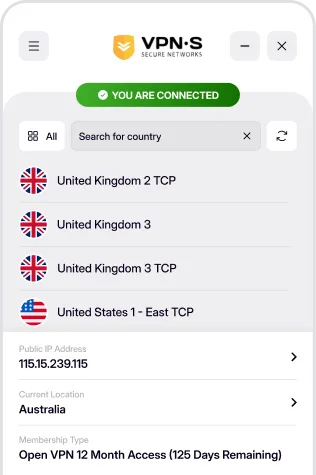
Secure your internet connection on Windows 10 or later. Fast setup, military-grade encryption, and one-click protection for private, unrestricted browsing
GET IT ON MICROSOFT STORE
Download For
If you are using Windows 11 or 10 this is the download for you! With a few clicks you will be able to unlock the internet while remaining anonymous and secure. Requires Windows 10 or later.
SHA 256:
2abe03ab8e20bb58e7a286e691cd0ed1abf79cbb7212f61794fcacd6f605774d
The installer is not code-signed, so Windows may show a SmartScreen or unknown-publisher warning: choose "More info", then "Run anyway".

Download For
Windows 8.1, 8 and 7 cannot run the current app: download the VPNSecure legacy app 2.2.0 below (84 MB), with the same servers and your same login. It upgrades an installed 2.x legacy app in place. Windows XP has its own compatible app.
SHA 256:
7fc45ab1930c7750d10dec9fffa3bd0dcc373ed1ed693c634bd6ccdf05737cfa
The installer is not code-signed, so Windows may show a SmartScreen or unknown-publisher warning: choose "More info", then "Run anyway". Windows 7 needs the SHA-2 code-signing update KB4474419 installed before the TAP network driver can load.
Once you have downloaded and installed the appropriate app from above, enabling your VPN is as simple as open, click and go!
Login, then choose a server to connect to & connect! You are now enjoying the internet as it should be. Open, secure and anonymously.

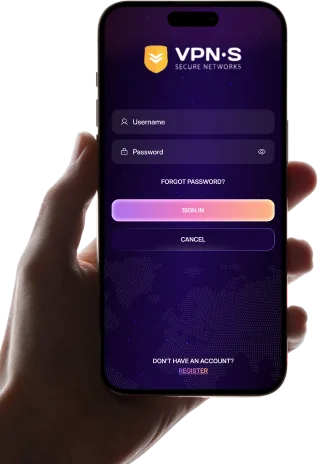
Enter your credentials to access the app.

Select a location from the list to connect to.
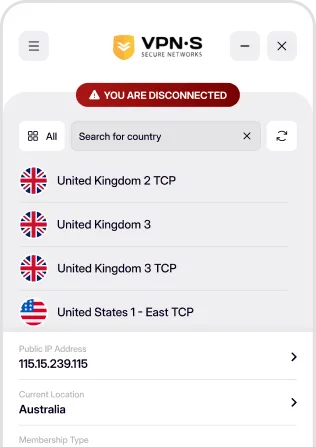

Enjoy a secure, private and anonymous internet experience.