VPNs for Canada should give you a real Canadian server option, clear privacy documentation, and apps that fit the devices you use. Canadian residents usually need safer everyday connections, while travelers often want a stable, secure connection to their own Canadian accounts; in both cases, every service applies its own terms.
Key takeaways
A Canadian resident normally gets the best speed by choosing a nearby server, while a traveler abroad can choose a Canadian server for a consistent connection to their own Canadian accounts, subject to each service's terms.
As of November 2026, VPNSecure lists four servers in Montréal, including two that support the Advanced protocol, on its Canadian location page. (vpnsecure.me)
A VPN can encrypt traffic on untrusted networks and hide your IP address from trackers, but it does not change any service's own terms or guarantee access to a particular service.
Free access can be useful for a short test, but ads, session limits, device limits, and fewer configuration options can make a paid plan more practical for regular use.
The deciding question is not simply which VPN is best. It is whether you need privacy while physically in Canada, a secure connection to your Canadian accounts while away, or both. That choice determines the server location, the features worth paying for, and what a VPN can realistically do for you.
Who needs a VPN for Canada?
Choose the server based on whether you need local connection privacy or a consistent Canadian connection for your own accounts while abroad.
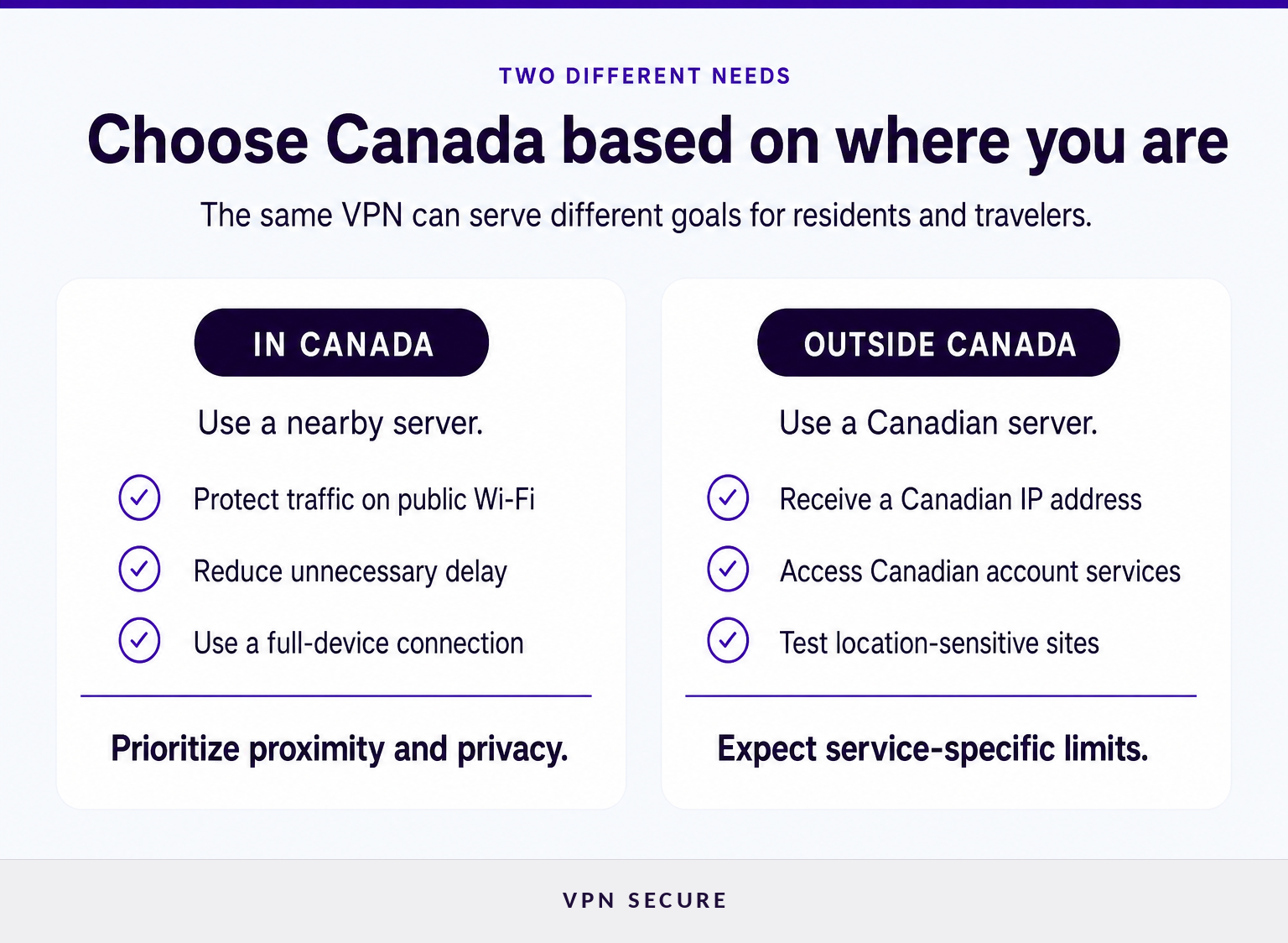
A VPN for Canada is useful for people in Canada who want an encrypted connection on public or shared networks, and for Canadians abroad who want a secure connection to their own accounts back home. The right setup is different for each group, even when they use the same VPN app.
If you are in Canada, start with a server close to your physical location. A nearby server generally adds less delay than one across an ocean, which matters for video calls, gaming, and ordinary browsing. The aim is privacy and safer routing, not making the connection appear to originate in a different country.
If you are traveling outside Canada, you can connect to a Canadian server for a consistent connection to your own Canadian accounts, such as online banking, which may otherwise flag sign-ins from an unfamiliar country. It does not change account rules, payment-country checks, or a service's own terms, which always apply.
A Canadian VPN is most useful when the server location matches the job: nearby for everyday connection privacy, or in Canada for a consistent connection to your own accounts while abroad.
Where should your Canadian VPN server be?
Choose a Canadian server when you want a consistent Canadian connection for your own accounts; choose the nearest practical server when privacy and responsiveness matter more than location. Do not assume that every Canadian city is available, because server inventories change.
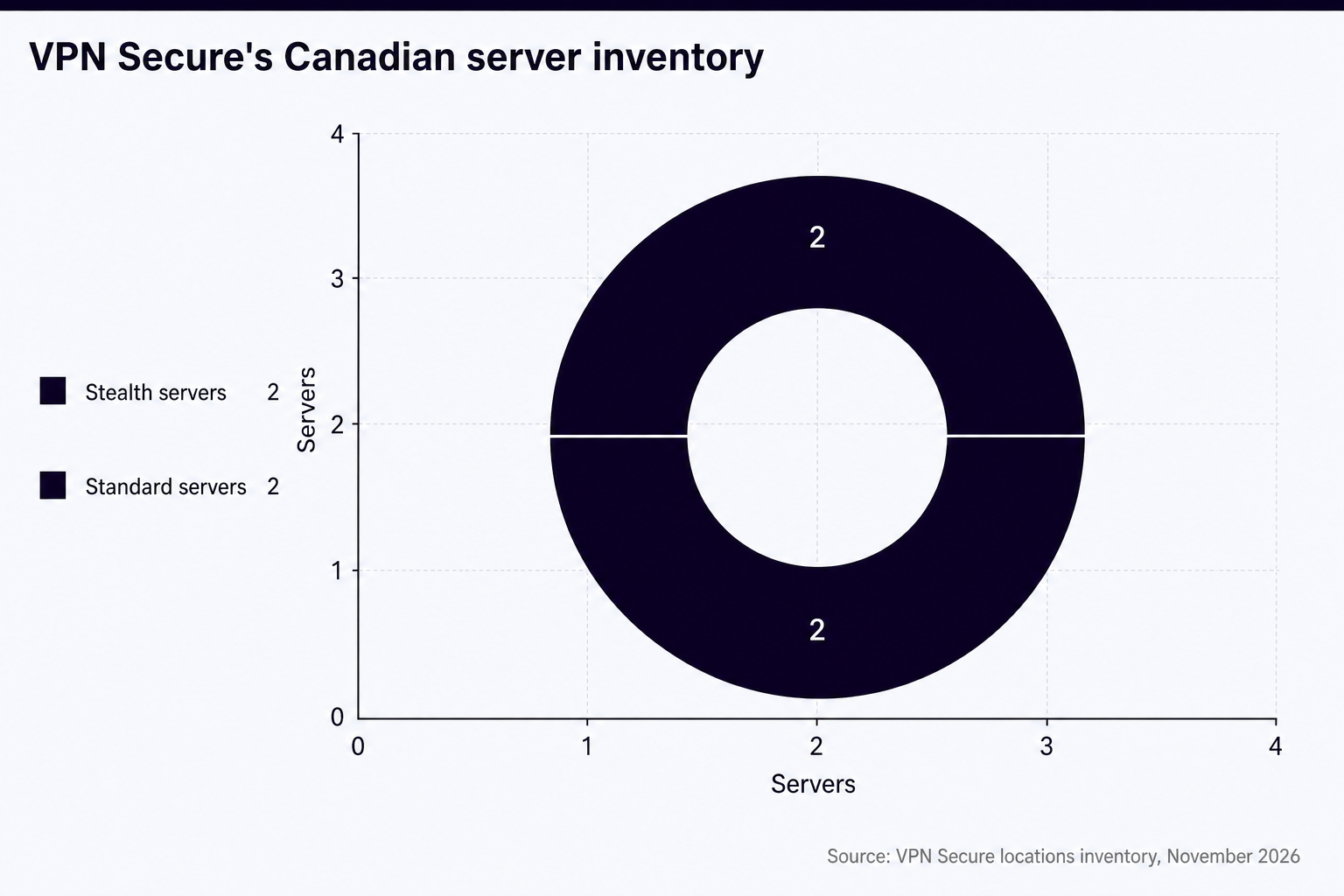
VPNSecure's current Canadian VPN servers page lists four servers in Montréal as of November 2026, including two that support the Advanced protocol. The same page says that every listed server supports WireGuard, OpenVPN, and HTTP proxy access, and recommends a nearby location for lower ping. (vpnsecure.me)
For a traveler, the practical sequence is simple: select Canada, connect, then sign in to the account you need. If one shared server IP triggers repeated security checks, try another Canadian server before assuming the VPN is broken. Shared VPN IP addresses are used by many customers, so some sites treat them more cautiously than ordinary residential connections.
VPNSecure’s locations inventory, November 2026: four Canadian servers in Montréal, two of them supporting the Advanced protocol. (vpnsecure.me)
A Canadian IP is a location signal, not a universal access pass, so test the specific site or app you need after connecting.
What should you compare before choosing?
Check the live server list and product documentation before subscribing.
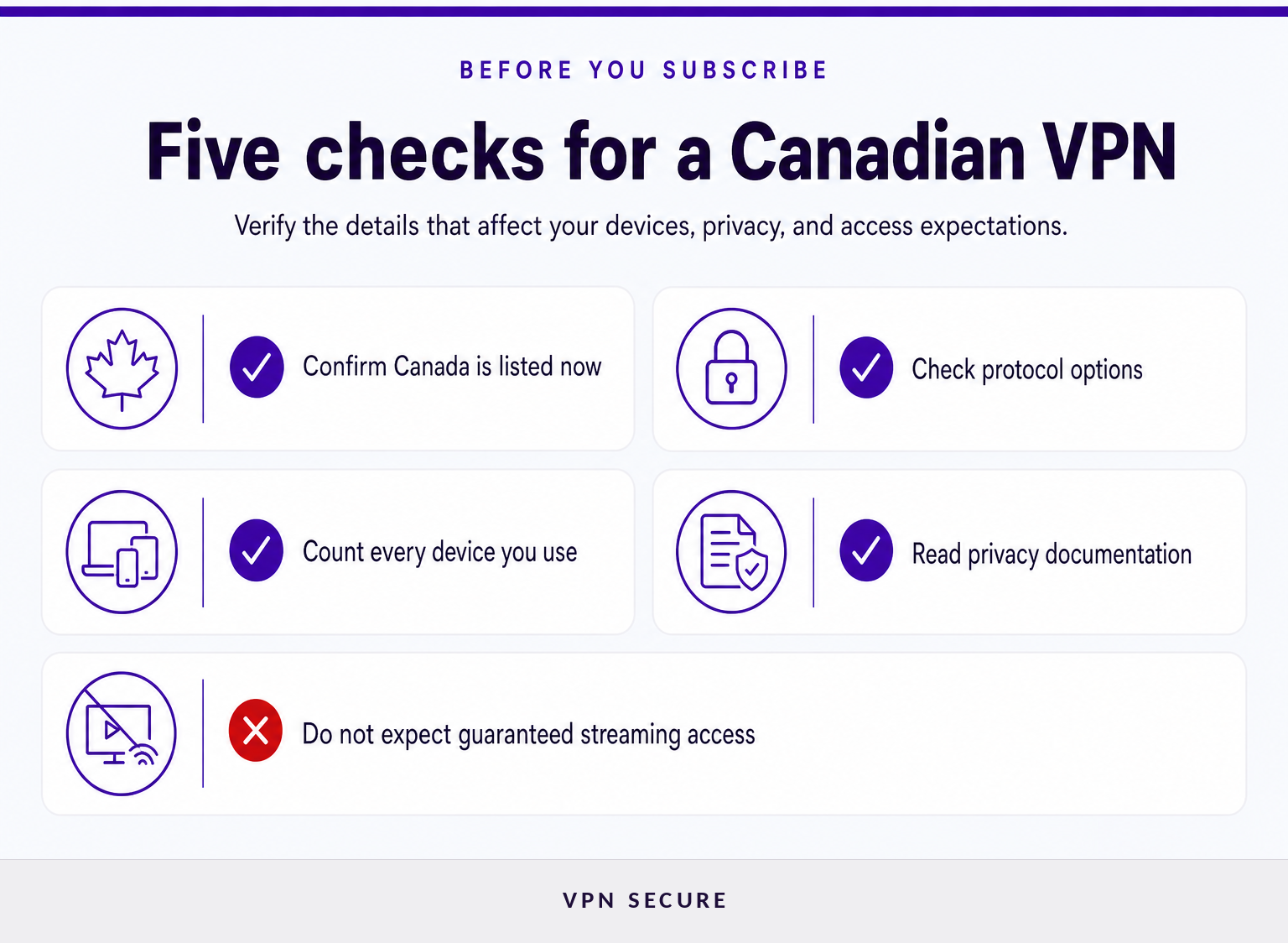
Compare current Canadian server availability, supported protocols, privacy disclosures, device support, and the practical limits of shared IP addresses. Marketing phrases alone do not tell you whether a VPN will fit your connection, devices, or travel plans.
Start with the basics:
Canadian location: Confirm that Canada is listed now, and check the city if that matters to you.
Protocols: WireGuard and OpenVPN are established VPN protocols; choice matters for speed and stability on different networks, or when you need manual configuration.
Device coverage: Count phones, computers, tablets, and TVs before subscribing. VPNSecure states that one Premium subscription can cover up to 10 devices. (vpnsecure.me)
Privacy documentation: Read the provider's no-logging and privacy-policy pages. A no-logging statement is a provider claim, so look for specific descriptions of what is and is not retained, plus independent assurance where available.
Kill switch and IPv6 handling: A kill switch can stop traffic if the VPN drops. IPv6 support matters because a connection can otherwise use a route that a VPN does not protect.
VPNSecure's VPN privacy features page states that its servers support WireGuard and OpenVPN, and that its network carries both IPv4 and IPv6 traffic in the VPN tunnel. It also documents kill-switch availability by platform, so check the feature against the operating system you actually use. (vpnsecure.me)
The best VPN comparison is a requirements check: confirm the Canadian location, the devices, the privacy documentation, and the access limits before committing.
Are free VPNs enough for Canada?
A free VPN can be enough for a brief test or occasional low-stakes use, but it may be a poor fit for regular travel, several devices, or long streaming sessions. Read the limits carefully because free access can involve advertising, time limits, fewer locations, or limited configuration options.
VPNSecure's pricing page currently distinguishes its ad-supported free option from Premium access: the free option begins with a five-minute session and requires users to earn additional time, while Premium removes ads, has no time limits, and supports up to 10 devices. The same page lists a 30-day money-back policy for website card and PayPal payments. (vpnsecure.me)
The useful question is not whether free is always bad. It is whether the free option gives you enough uninterrupted time, device coverage, and Canadian availability for the task you actually have.
Free VPN access is best treated as a way to test basic connectivity, while regular privacy use and multi-device travel usually need clearer limits and more consistent access.
How do streaming services treat VPN connections?
A VPN encrypts your connection, but streaming platforms set their own rules. They can use account information, payment details, device signals, and IP location, and their terms apply whatever connection you use.
Do not buy a VPN expecting it to change what a streaming service offers you. Each platform sets its own terms and can limit or end accounts that break them; Netflix's Terms of Use, for example, say this explicitly. (help.netflix.com)
If you stream with the VPN connected, choose the nearest server for the best speed and test playback during any refund period. For platform-specific tips, see our guide to VPNs for Netflix.
A VPN protects your connection, but each service's own terms still apply.
How do I change my VPN to Canada?
Open the VPN app, choose Canada from the location list, select a Canadian server, and connect before opening the account or app you want to use. If the connection is slow, try a different Canadian server and confirm the IP address has changed.
For better results, close and reopen the affected app after connecting, especially on a phone or streaming device. If you are already in Canada and only want a more private connection, choose the closest available server rather than changing countries unnecessarily.
Changing your VPN to Canada is a server-selection task: connect to a current Canadian location, then verify the IP address and test the service you need.
What else do people ask about VPNs for Canada?
How do I change my VPN to Canada?
To change a VPN to Canada, open the VPN app, choose Canada in the server list, select an available Canadian server, and connect. Then refresh the website or reopen the app you want to use. Confirm that the displayed IP address is Canadian; each service's own terms still apply.
What do Netflix's terms say about VPN use?
Netflix's published terms say it may limit or end service for terms violations. A VPN does not guarantee Netflix access, so an account holder should review the current Netflix terms before using one. (help.netflix.com)
Do I need a VPN on my phone?
A VPN on a phone can be useful when you use public Wi-Fi, travel frequently, or want to hide your IP address from trackers. Check that the VPN supports your mobile operating system and understand its kill-switch behavior, battery use, and whether all apps or only browser traffic are covered.
The phone use case is simple: a full-device VPN can protect more than browser traffic, but the app settings and operating system still determine how reliably that protection applies.
What should you do next?
List the devices you need to cover, decide whether you need a Canadian connection for your own accounts or simply private browsing, and check the current server list before subscribing. When those answers point to Premium access, compare the VPN subscription plans and test the Canadian connection during the applicable refund period.
Choose the Canadian server for the job you actually need, then verify the connection before relying on it.
Planning a trip to China? Learn which VPN features matter, why Stealth VPN helps, how to prepare before departure, and what legal and access limits to consider.