





















VPN & Privacy
VPN options for Mac compared by privacy, protocols, and protection
A Mac’s polished interface isn’t a privacy shield. Yes, MacBook Air and MacBook Pro can use a VPN, and macOS includes a client that supports L2TP,...
In short
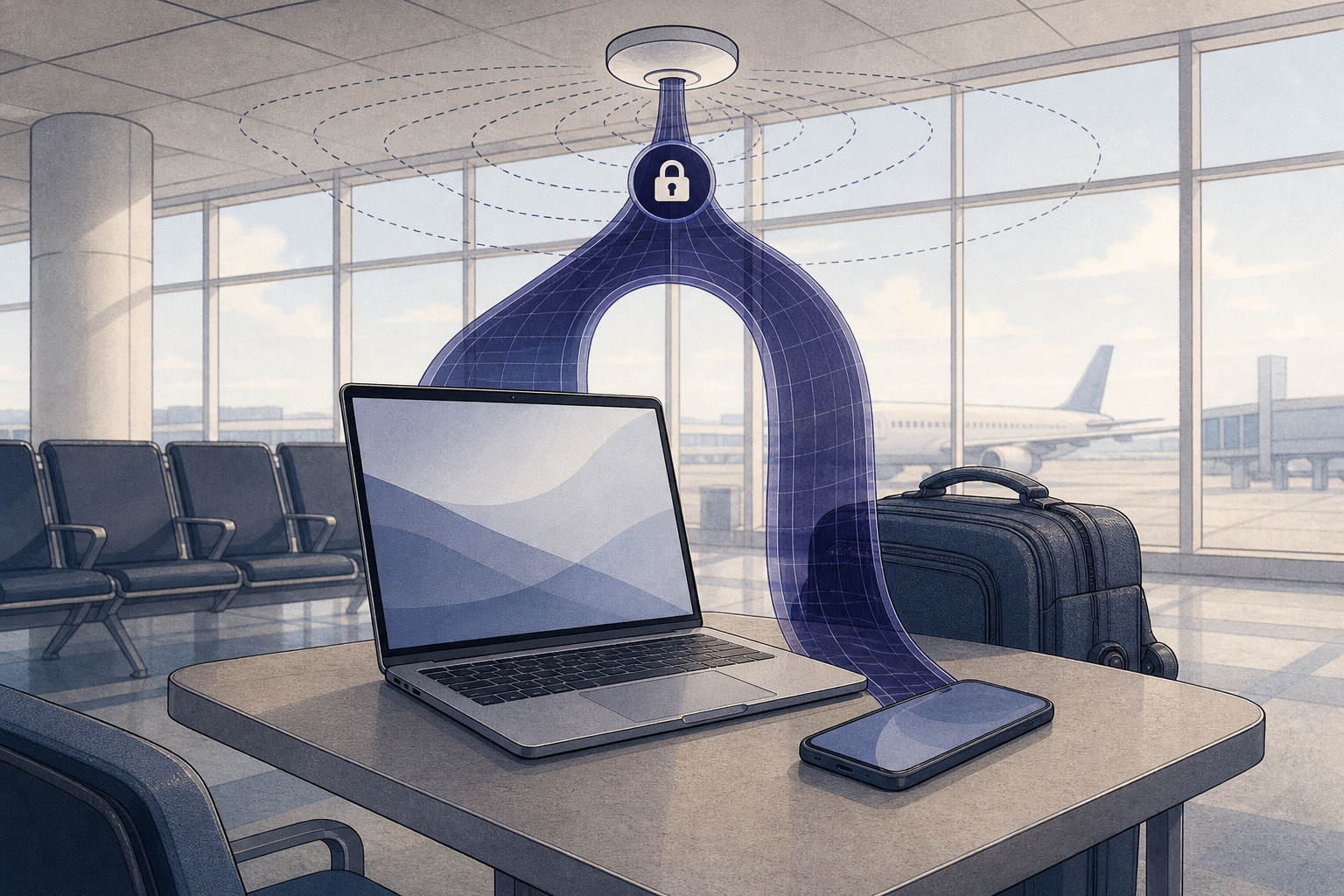
Airport Wi-Fi is safe enough for routine browsing only when travelers treat it as an untrusted network. Verify the official hotspot, complete any sign-in page, then activate a VPN before doing anything sensitive; keep HTTPS, updated software, and careful account habits in place because a VPN does not make every online risk disappear.
Key takeaways
Airport Wi-Fi is not automatically unsafe, but travelers should assume that it is a network they do not control. A VPN is a useful extra layer because it encrypts eligible traffic between the device and VPN server, but it must be used alongside HTTPS and ordinary security habits.
Public hotspots can be imitated by rogue access points with convincing names. NIST's Mobile Threat Catalogue warns that unsecure public access points can enable man-in-the-middle attacks and recommends verifying the correct network with the venue's representative before connecting. NIST's guidance on rogue access points (pages.nist.gov)
That does not mean every person in an airport lounge can read all of your traffic. Many websites and services use HTTPS, which encrypts the connection between your browser and that website. However, the 2022 NIST National Cybersecurity Center of Excellence travel guidance notes that public Wi-Fi may still expose metadata such as domains, IP addresses, and services, while a VPN can encrypt communications before they leave the device. Read the NIST public Wi-Fi travel tip (nccoe.nist.gov)
Before joining an airport hotspot, check the network name on official airport signage or ask staff. The U.S. Cybersecurity and Infrastructure Security Agency also recommends avoiding sensitive activity on public Wi-Fi where possible and says a mobile connection is generally more secure than a public wireless network. See CISA's travel cybersecurity advice (cisa.gov)
For a broader explanation of risks and safeguards beyond airports, see public wi-fi VPN, explained.
Airport Wi-Fi is best treated as untrusted: verify the hotspot, encrypt the connection, and avoid unnecessary sensitive activity.
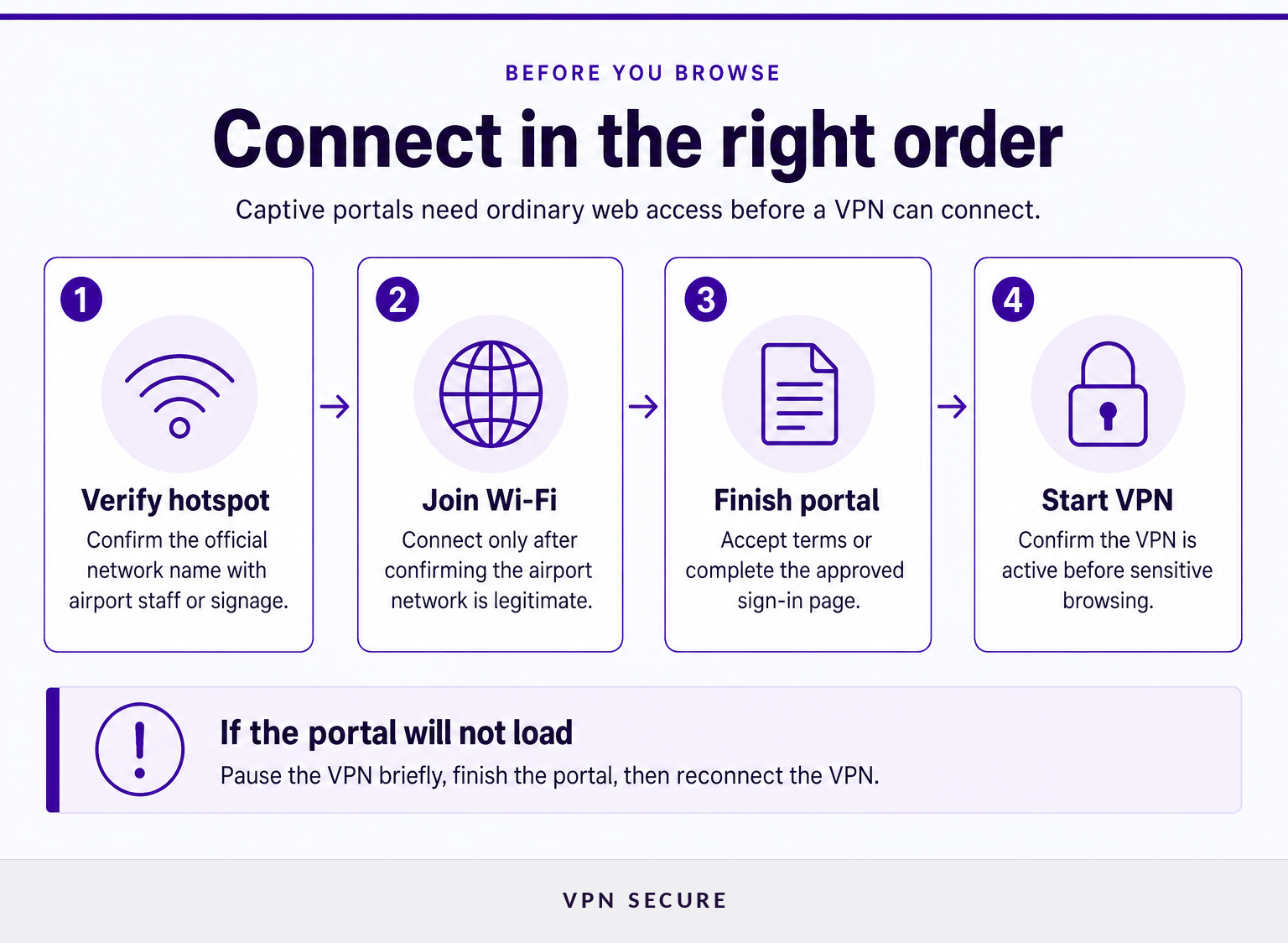
The reliable order is simple: join the airport network, complete its sign-in or payment page, confirm that the internet works, then connect the VPN. This order matters because a captive portal may hold back the encrypted VPN connection until you accept the airport's terms or finish authentication.
A VPN works by routing protected traffic through an encrypted tunnel to a VPN server. The destination sees the VPN server's public IP address instead of the usual network-facing IP address, but the protected tunnel still has an endpoint. Learn how a VPN works.
Connect to the airport portal first, then turn on the VPN before doing anything that exposes accounts, work, or payment details.
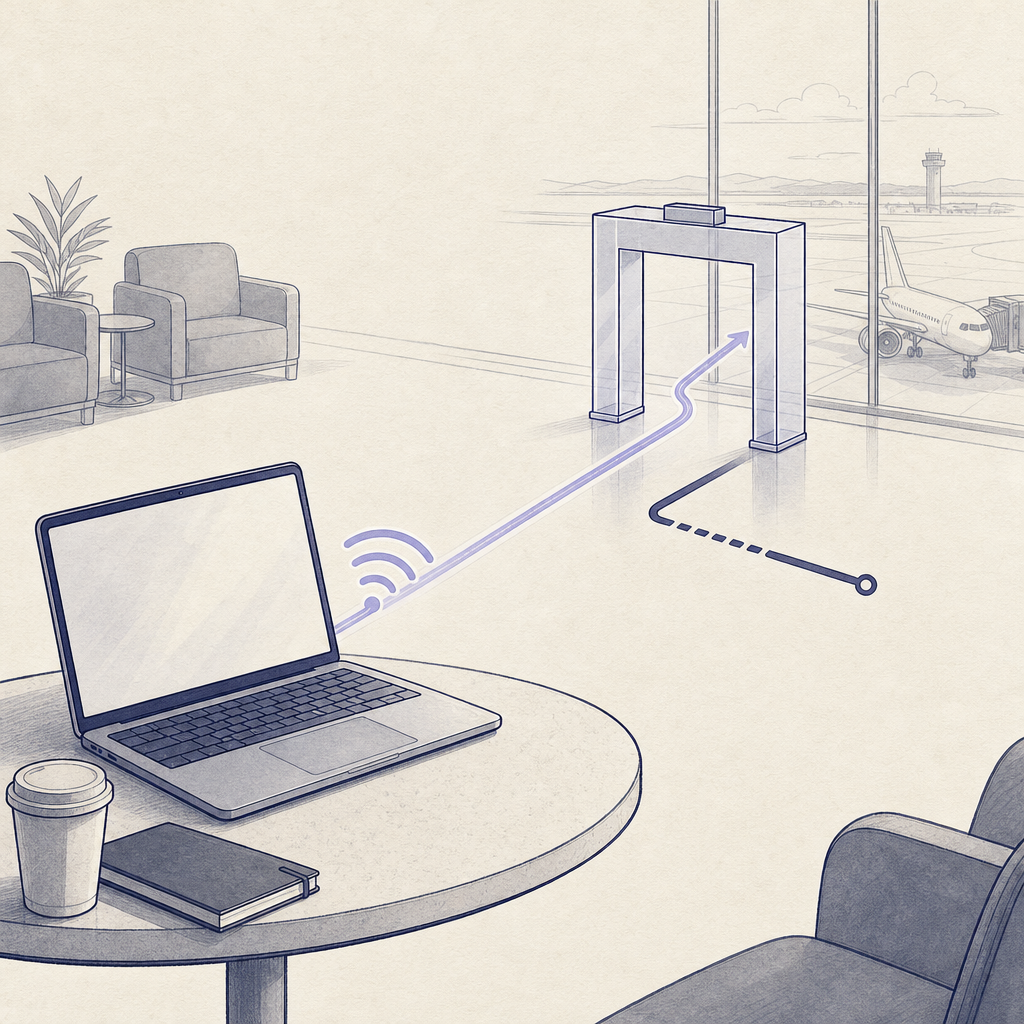
A VPN may fail on airport or hotel Wi-Fi because the captive portal has not granted internet access yet, the network does not support some connection methods, or the signal is unstable. Start by confirming that ordinary internet access works without the VPN, then reconnect the VPN and try a different protocol if the app provides one.
First, disconnect the VPN briefly and load a standard webpage in the browser. If the airport portal appears, complete it and reconnect the VPN immediately afterward. Cloudflare's captive-portal documentation explains that these portals can hold back HTTPS traffic until the browser sign-in flow is completed, which can prevent a VPN client from establishing its connection. Read Cloudflare's captive-portal explanation (developers.cloudflare.com)
If the portal has been completed and the VPN still fails, try these steps:
VPNSecure states that its apps use WireGuard by default and support OpenVPN as an alternative. Its current download documentation says the apps can fall back to TCP port 443 when the usual VPN ports are unavailable, and the Advanced protocol, a modern encrypted protocol, helps keep connections stable and private on hotel, airport or office Wi-Fi. Download VPNSecure apps and review protocol options (vpnsecure.me)
A VPN connection problem at an airport is often a network-access problem first: finish the captive portal, verify ordinary connectivity, then reconnect the VPN.
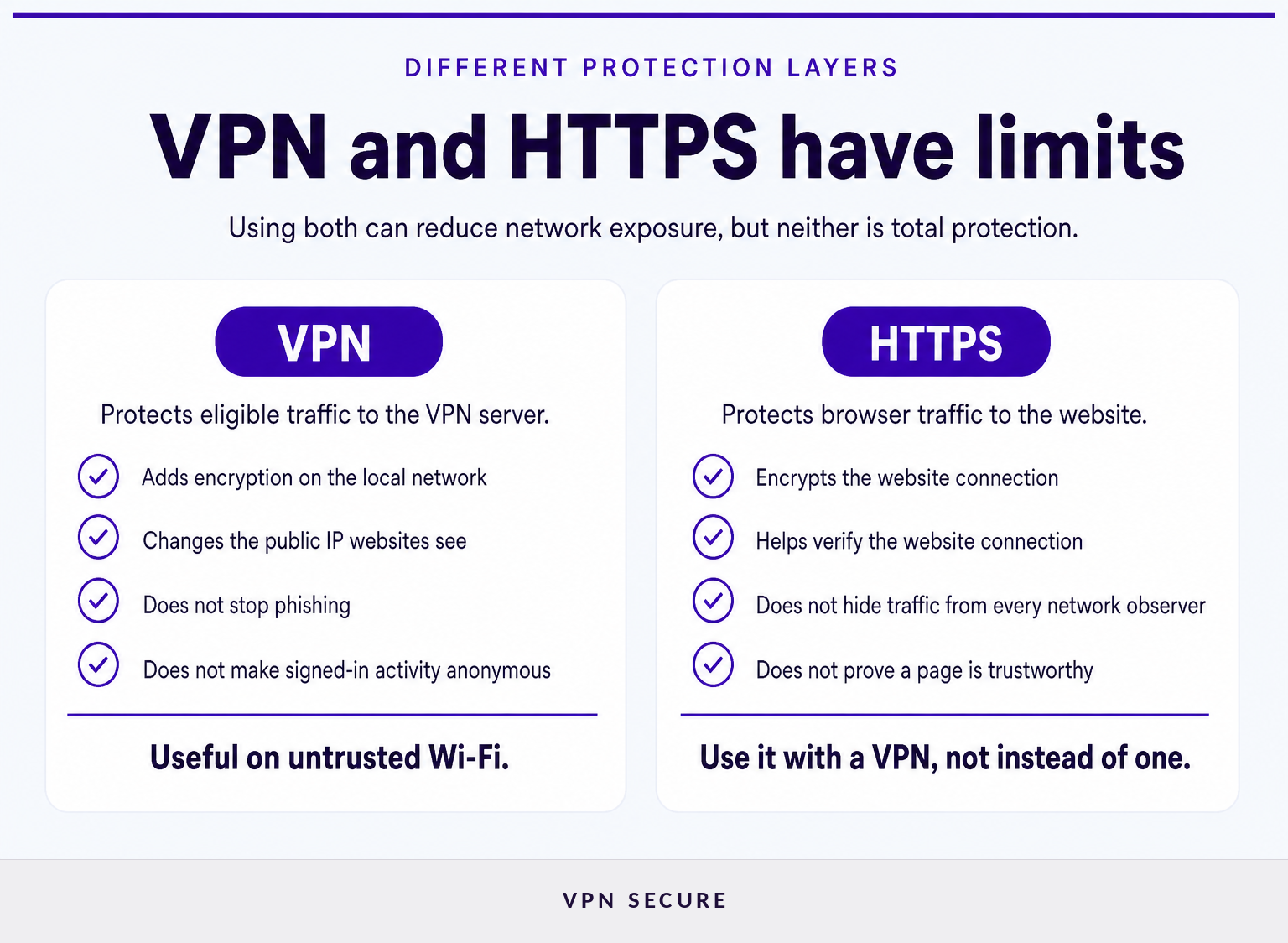
HTTPS and a VPN reduce exposure while data travels across networks, but neither tool proves that a website, message, download, or account request is legitimate. They also cannot repair a compromised device or hide activity from a service after you sign in to that service.
A VPN can make it harder for someone watching the airport network to inspect traffic that travels through the VPN tunnel. HTTPS separately protects the browser-to-website connection. Those protections complement each other, but neither prevents a traveler from entering a password into a fraudulent page, opening a malicious attachment, or installing unsafe software.
A VPN also does not make signed-in browsing anonymous. A retailer, airline, bank, or social platform can still associate activity with the account being used. Cookies, browser characteristics, account details, and information voluntarily shared can also identify a user. VPNSecure's own explanation of encrypted connections makes the same distinction: the encrypted tunnel runs from the device to the VPN server, while websites and accounts can still identify activity beyond that tunnel. Read about VPN encryption limits (vpnsecure.me)
For that reason, keep the basics in place: use a locked device, install updates, inspect unexpected links, and sign in only through the official app or a known website. A VPN subscription should be one layer in a travel-security routine, not the whole routine. Review VPNSecure subscription plans if protected connections on public Wi-Fi are part of your regular travel setup.
HTTPS and a VPN protect traffic in transit, not every decision, device, account, or website involved in a trip.
Travelers often need quick answers about captive portals, router setups, VPN protocols, and whether a VPN changes the price or availability of airport Wi-Fi. The answers below separate connection privacy from access to the network itself.
Hotel Wi-Fi often uses a captive portal that requires travelers to accept terms, enter a room number, or make a payment before internet access is available. Disconnect the VPN briefly, complete the hotel's sign-in page, test a normal webpage, and then reconnect the VPN. If it still fails, try another supported VPN protocol or use cellular data for sensitive activity.
A VPN protocol is the set of technical rules that a VPN app and server use to establish and maintain a protected connection. Protocols can differ in speed, network compatibility, and connection behavior. WireGuard and OpenVPN are examples of protocols; they are not interchangeable terms for encryption, privacy policy, or anonymity.
A travel router can create a private local network for your devices, but it does not automatically encrypt traffic between the router and the internet. A VPN configured on the travel router can add that protection for compatible devices. Travelers should still verify the hotel's or airport's official Wi-Fi network and complete any required captive portal first.
No. A VPN does not create internet access, remove a hotspot's payment requirement, or replace an airport's sign-in process. A VPN only protects traffic after the device has a working internet connection and the VPN has connected. Complete the airport's approved Wi-Fi process, or use a cellular connection if airport Wi-Fi is unavailable.
The key distinction is simple: Wi-Fi provides access, while a VPN adds protection to eligible traffic after access is available.
Treat airport Wi-Fi as a convenience network, not a trusted workspace. Verify the airport hotspot, complete the portal without exposing more information than necessary, activate the VPN, and move sensitive work to cellular data if anything about the connection seems wrong.
For travelers who regularly work, bank, shop, or access private accounts on the move, install the VPN app before the trip and choose a plan before arriving at the terminal. Compare VPNSecure plans.
The safest airport connection is the one that combines verified Wi-Fi, an active VPN, HTTPS, an updated device, and cautious account behavior.
Keep reading
A Mac’s polished interface isn’t a privacy shield. Yes, MacBook Air and MacBook Pro can use a VPN, and macOS includes a client that supports L2TP,...

Planning a trip to China? Learn which VPN features matter, why Stealth VPN helps, how to prepare before departure, and what legal and access limits to consider.

A VPN for accessing region-locked games can change the IP location a game sees, but it won’t automatically change your Steam store region. Steam...
No logs, ever. Start with Free with ads in under a minute.