



In short
To unblock websites safely, first identify what is blocking access: the website itself, your device or browser, a managed school or work network, or your apparent location. Fix a local problem locally; use a VPN only when an authorized network or geographic restriction is the real obstacle, and never ignore certificate warnings.
Key takeaways
- A website that fails on every device and connection may be down rather than blocked, so test before changing settings.
- Mozilla Support advises treating secure-connection warnings as a security problem to investigate, not a prompt to bypass.
- If Chrome is managed by a school or employer, its administrator can apply browser policies and extensions that a personal setting may not override.
- A full-device VPN can help with location-based restrictions, while a browser proxy only routes compatible browser traffic.
- A VPN or proxy cannot fix a website outage, a mistyped address, or account rules set by the service itself.
Contents
- What kind of block are you seeing?
- What should you try before changing your connection?
- When is a VPN the right tool?
- What should you avoid when a website is blocked?
- What else do people ask about unblocking websites?
- What should you do next?
What kind of block are you seeing?
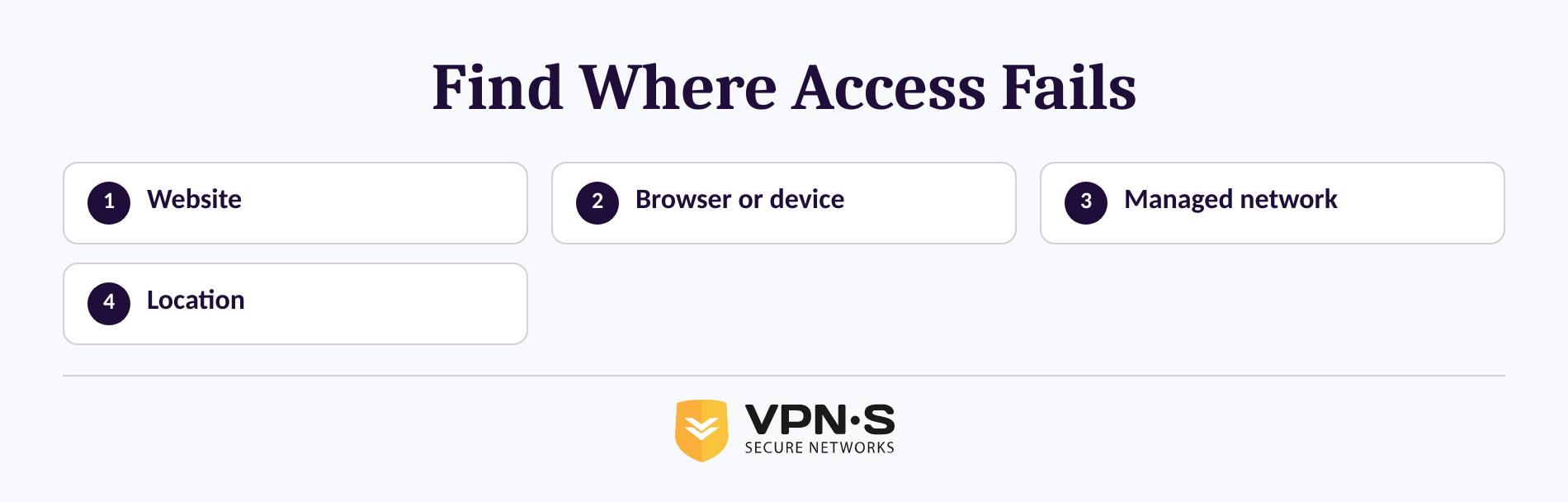
A site that will not open is not automatically censored or restricted. The fastest safe fix comes from checking whether the problem follows your device, your network, or your apparent location.
The website may be unavailable. If the page fails on your home Wi-Fi, mobile data, and another device, the site may be offline or having a server problem. A VPN will not repair a site that is unavailable to everyone.
Your browser or device may be stopping it. A broken extension, incorrect proxy setting, security software, an outdated browser, or a wrong device clock can stop a page from loading. Mozilla Support notes that an incorrect date, time, or time zone can trigger certificate-validation problems, and that security software can also interfere with connections. Read Mozilla Support's 2025 troubleshooting guidance before changing network tools.
The device or network may be managed. On a school, workplace, library, or employer-issued device, a network administrator may apply access rules. Chrome Help says a managed browser can have policies, restrictions, and administrator-installed extensions. Check chrome://management or chrome://policy to understand whether Chrome is managed, then ask the administrator for legitimate access if the site is needed for work or study. Chrome Help explains how to check management status.
The site may be using your apparent location. Some services decide what to show based on the IP address used for the connection. This is the situation where changing the connection route can be relevant, provided use is lawful and permitted by the network and service involved.
The useful question is not simply how do I unblock sites. It is where the restriction is being applied.
What should you try before changing your connection?
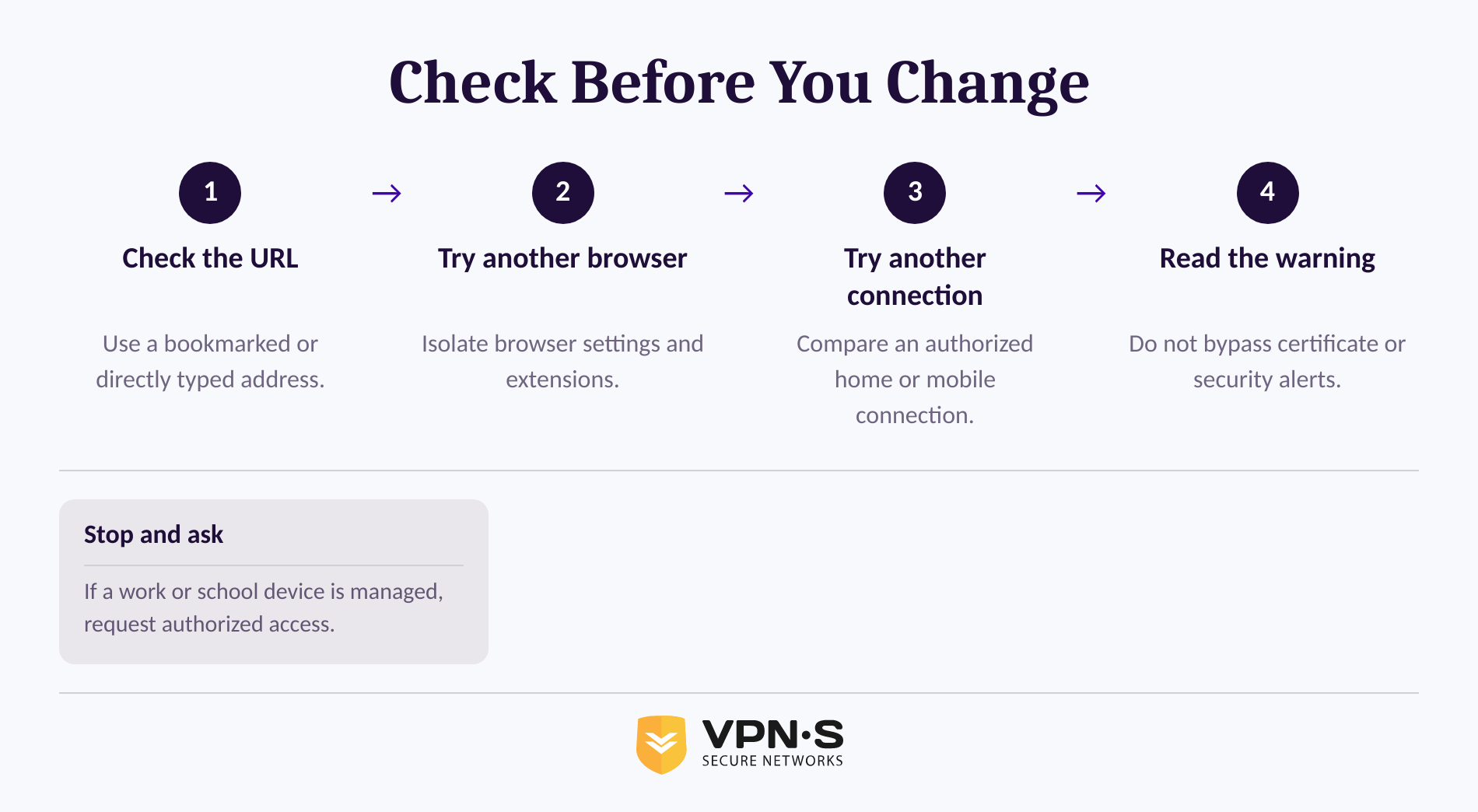
Start with checks that do not weaken device security or violate an organization’s rules. These tests take minutes and can prevent you from installing the wrong tool for a problem that has a simple local cause.
- Check the address carefully. Look for a misspelling, a missing part of the domain, or a suspicious lookalike. Use a bookmarked link or type the address directly when signing in.
- Try another browser. If the site works in one browser but not another, disable nonessential extensions temporarily, review browser proxy settings, and clear the affected browser's site data. Do not disable security controls on a managed device without approval.
- Try another connection. Test the same site on mobile data or a personal home connection. If the page works there but not on office or school Wi-Fi, the restriction is probably being applied by that network.
- Check the device clock and warnings. Do not continue through a certificate or secure-connection warning simply to reach a page. Mozilla Support explains that some secure-connection failures cannot safely be bypassed because the browser cannot verify the authenticity of the received data. See Mozilla's secure-connection guidance.
- Treat DNS as a diagnostic, not a universal bypass. DNS translates a website name into a network address. A resolver problem can stop names from loading, but changing DNS will not overcome an account-level restriction, repair a broken website, or reliably override a managed network rule. Use only a resolver approved for a network you administer.
Test the site on another browser and another authorized connection before you assume you need a VPN or proxy.
When is a VPN the right tool?
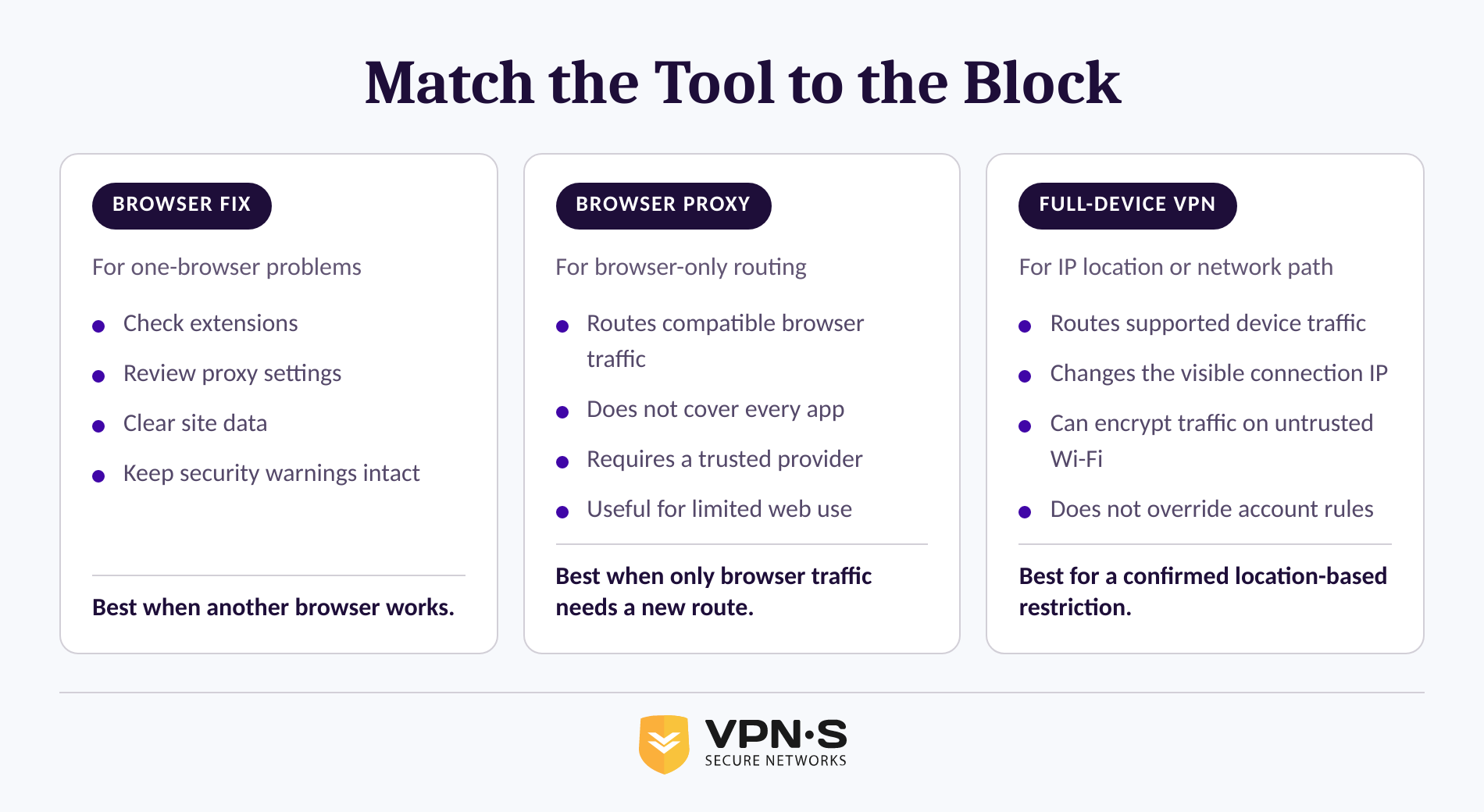
A VPN is most useful when a legitimate website is available but is treating your connection differently because of its apparent IP location or a restrictive network path. A VPN is not the right answer for browser certificate errors, site outages, or rules tied to your account, payment method, or identity.
A local browser fix is best when only one browser has the problem. It keeps the change limited to the setting or extension that caused the issue.
A browser proxy can be useful when only browser traffic needs another route. It is not a full-device connection, so other apps on the same device may still use the ordinary network path. As of September 2026, VPN Secure documents browser-level HTTP proxy access alongside its VPN service in its privacy and access features.
A full-device VPN routes supported device traffic through a VPN server and presents websites with the server's IP address rather than the connection's usual public IP. That can help when a service is limited by location or when you need encrypted traffic on an untrusted network. See how a VPN changes the connection path, then select from the provider's available VPN locations only when the relevant location is available.
A VPN does not make every site accessible. Services can still recognize an account, reject a connection for their own reasons, require local eligibility, or block particular IP addresses. If that happens, do not cycle through random extensions or unfamiliar proxy websites. Review the service's message, use its official support channel, or choose another legitimate route.
Use a VPN for a confirmed location or network-path restriction, not as a substitute for diagnosing an unrelated access error.
What should you avoid when a website is blocked?
Avoid shortcuts that put credentials, devices, or employment and school access at risk. The safest method is the one that fixes the confirmed problem while keeping security warnings and administrator policies intact.
Do not enter passwords, payment details, recovery codes, or sensitive work information into an unfamiliar free proxy page. A web proxy sits between the browser and the site, which makes trust in the operator material.
Do not install a random extension because it promises to unblock websites for school or work. Extensions can request broad browser permissions, and managed browsers may already have rules that govern which extensions can run.
Do not bypass a certificate warning. A secure-connection error can indicate an incorrect device clock, incompatible site security, or interference with the connection. The right response is to identify the cause or contact the website owner, not to force the browser through the warning.
Do not use a personal VPN or proxy to access systems where an employer, school, service agreement, or local law prohibits it. This guide is not legal advice, and rules vary by jurisdiction and network. Ask the network administrator when access is required for a legitimate task.
Never trade away account security or authorization merely to make a blocked page load.
What else do people ask about unblocking websites?
These answers cover the questions that come up after the initial diagnosis. Each answer assumes you are seeking legitimate access and will follow applicable rules.
How do I unblock a website?
To unblock a website, first test it in another browser and on another authorized connection. If the issue is local, fix the browser, extension, security setting, or DNS problem. If the site is limited by your apparent location, a VPN may help. If a school or employer blocks it, request access from the administrator.
Is it legal to unblock websites?
The legality of unblocking websites depends on the country, the website, the network agreement, and the method used. A personal VPN may be lawful in one jurisdiction but restricted in another, while school and employer policies can separately prohibit circumvention. Check local rules and network terms before attempting to bypass a restriction.
Why is a website still blocked after using a VPN or proxy?
A website can remain blocked after using a VPN or proxy because the site is down, the account is restricted, the service detects or rejects the connection, or the block is happening inside the browser or device. Re-test on another browser and network, then read the exact error message before changing tools again.
The same method will not solve every kind of block, which is why the diagnosis matters more than the first tool you try.
What should you do next?
If the site works on another connection and access is permitted, choose a tool that matches the cause: fix the browser for a browser-only issue, use an approved proxy for browser-only routing, or use a VPN for a location or network-path restriction. If the evidence points to a managed policy, contact the administrator rather than trying to work around it.
For an authorized location-based or restrictive-network access problem, compare VPN Secure plans and select the connection option that fits the devices and locations you need.