



A VPN for ad tracking prevention can help, but it won’t make ads disappear. To choose a VPN for ad tracking prevention, understand its limits: it can protect your connection and hide your IP address, while cookies, local storage, and browser fingerprinting can still track activity.
That distinction matters. You’ll learn what VPNs can and can’t block, how encryption affects what others can see, and why logged-in accounts and device details still matter. We’ll also compare practical privacy options, from ad blockers to browser settings, so you can choose a setup suited to the tracking you want to reduce.
Key Takeaways
- A VPN can hide your IP address and encrypt traffic, but it usually won’t remove ads from web pages.
- Pair a VPN with an ad blocker and regular cookie clearing to reduce more forms of tracking.
- Cookies, local storage, browser fingerprinting, and logged-in accounts can still reveal information about your activity.
- Choose privacy tools based on what you want to limit: ad blocking and connection privacy solve different problems.
Do VPNs Block Ads?
Usually, no. A VPN encrypts traffic and hides your IP address, while an ad blocker filters requests that load ads or trackers. A VPN for ad tracking prevention can reduce IP-based tracking, but it doesn’t automatically remove ads from webpages.
VPN Ad-Blocking Features
Some VPN apps offer DNS filtering to block connections to known advertising or tracking domains. This differs from browser blockers, which can filter page requests and elements. In the United States, compare features by their stated blocking scope, not simply by the VPN label.
Independent tests can differ in the websites, devices, and blocking criteria they use. Compare results only when test conditions match, including blocked requests, false positives, and site functionality. To enable a VPN app’s feature, open its privacy or security settings and turn on ad or tracker blocking. Menu names vary.
Combined VPN and Ad-Blocker Use
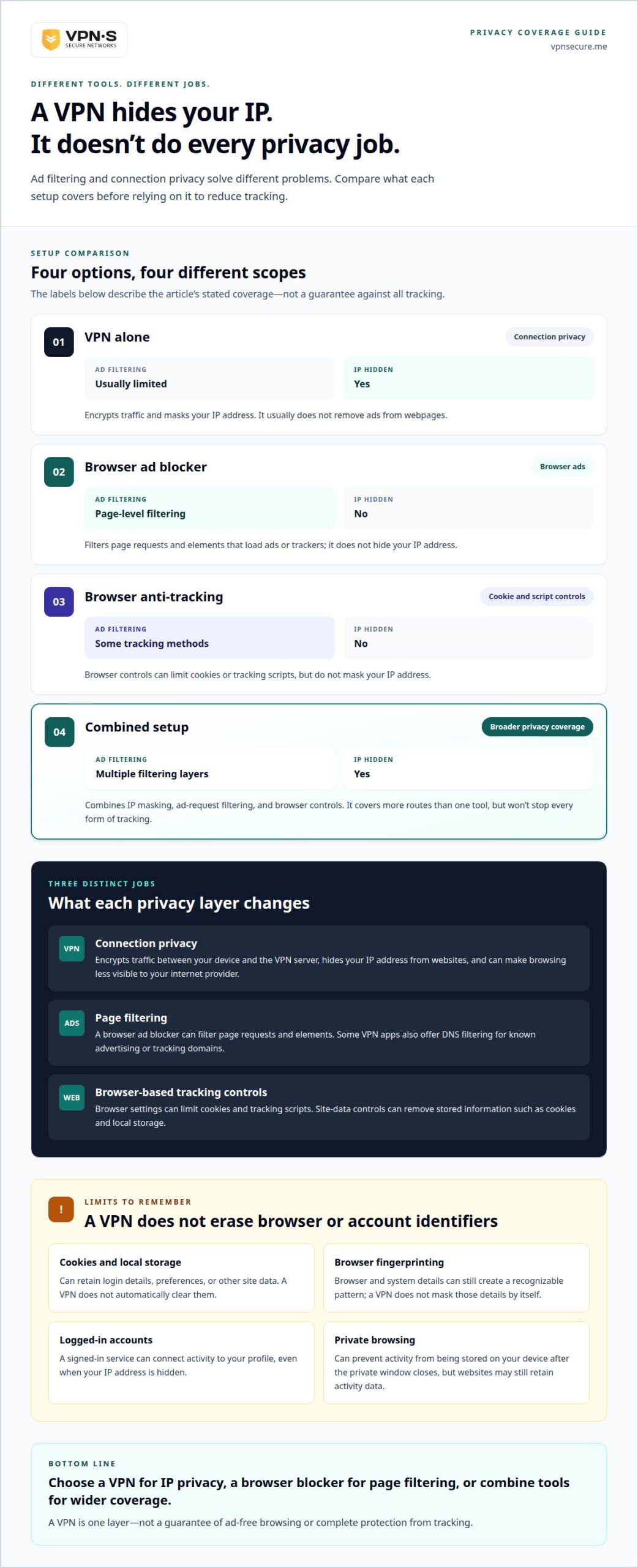
A VPN, browser ad blocker, and anti-tracking settings each address different parts of browsing. The VPN masks your IP address, the blocker filters ad requests, and browser controls limit cookies or tracking scripts. Combining them covers more routes than relying on one tool, though it won’t stop every form of tracking.
If a site breaks, pause the blocker for that site and reload. Restore protection afterward. Ad-supported pages may rely on ad requests for content or layout, so targeted exceptions can help you avoid disabling all filtering.
Ad and tracker blocking is a software feature, but it doesn’t override laws or a site’s terms. Before choosing a VPN, read its privacy policy and logging practices, including whether it records browsing or connection data.
| Option | Ad filtering | IP hidden | Useful for |
|---|---|---|---|
| VPN alone | Usually limited | Yes | Connection privacy |
| Browser ad blocker | Page-level filtering | No | Browser ads |
| Browser anti-tracking | Some tracking methods | No | Cookie and script controls |
| Combined setup | Multiple filtering layers | Yes | Broader privacy coverage |
Choose a VPN for IP privacy, a browser blocker for page filtering, or combine tools for wider coverage. A VPN for ad tracking prevention is one layer, not a guarantee of ad-free browsing.
Why VPNs generally do not remove web-page ads
A VPN changes the route your internet traffic takes, not the content a webpage displays. Your browser still requests a news page, and that page can still load ad images, scripts, and video placements. The VPN tunnel protects traffic between your device and the VPN server. It doesn’t automatically remove advertising elements after the page arrives.
Imagine a recipe site loading a banner from its own domain. A VPN handles the network connection, but the browser still receives and displays the banner as part of the page. Pop-ups work similarly: the website or an embedded script tells the browser to open them. Blocking those elements requires filtering requests or page content, not simply changing your apparent IP address.
Ad delivery can also share infrastructure with useful site features. A broad network-level block might stop an advertising domain, but it could also break a video player, login widget, or page layout. Browser ad blockers can apply page rules to target specific elements. VPN filtering typically works at the connection or DNS level, so it may miss ads served from the same domain as the content.
Changing your location can alter the ads you see without removing them. For example, a VPN server in another country may lead a travel site to show different offers based on your apparent location. The page still contains advertising, but the selection has changed. YouTube ads also generally require a dedicated blocker in a supported browser, since a VPN alone doesn’t filter ad content in the video player.
If a site stops working, reload it after pausing one blocker at a time. If the page returns, allow that site in the blocker’s settings rather than disabling every protection. For a clearer picture of what an encrypted connection covers, explore VPN connection privacy.
Cookies, local storage, and browser fingerprinting
A VPN doesn’t erase identifiers already stored in your browser. Cookies can remember a login, language preference, or shopping cart, then help a site recognize the same browser later. Because privacy regulations require consent for many of these trackers, websites rely on banners to collect permission—a topic explored from the site owner’s perspective at getconzent.com. For users, clearing cookies removes stored cookie data, but may also sign you out or reset preferences. For example, clearing a shopping-site cookie can empty a remembered cart.
Local storage gives websites another place to keep information in your browser. A site may use it to retain settings or data between visits. A VPN changes the network path and hides your IP address, but it doesn’t automatically clear local storage. Use your browser’s site-data controls to remove stored information for a specific website or across sites.
Fingerprinting works differently. A website can combine browser and system details to distinguish one setup from others, even without relying only on an IP address. A VPN doesn’t mask those details by itself. Browser type, settings, and device characteristics can still create a recognizable pattern as you move between pages.
Private browsing isn’t a tracking shield either. Incognito mode can prevent browsing activity from being stored on your device after the private window closes, but websites may still retain activity data. If you’re logged into Google or a social platform, that account can connect browsing activity to your profile. Hiding your IP address doesn’t hide cookies or account activity from the service.
Reduce these trails with deliberate browser habits. Clear cookies and site data regularly, use a privacy-focused browser, and enable an ad blocker to filter supported tracking requests. Keep logged-in browsing separate from general surfing with distinct browser profiles or containers. For example, use one profile for a signed-in social account and another for reading news. These steps address browser-based identifiers that a VPN doesn’t remove.
VPN encryption and targeted-ad limitations
A VPN encrypts traffic between your device and the internet, but it doesn’t erase advertising signals. It can hide your IP address from websites and make browsing less visible to your internet provider.
Targeted-Ad Limitations
Advertisers can use signals beyond your IP address. For example, a social platform can associate activity with your account when you’re logged in. Websites you visit, browser identifiers, and cookies can also contribute to ad targeting. A VPN changes the IP-address signal, but it doesn’t control what a site or app collects after you interact with it.
That’s the key difference: encryption protects data in transit, while ad controls filter requests or limit tracking methods. If a travel site displays an ad based on pages you visited, changing your apparent location may affect location-based content. It won’t necessarily erase the browsing signals behind that ad.
Tracking Across Apps, Websites, and Smart TVs
No. VPN ad blocking cannot stop all tracking across apps, websites, and smart TVs. A VPN protects traffic routed through it, but apps and streaming services may still associate activity with a signed-in account. A television app can also show ads within its own service, which a VPN doesn’t inherently remove.
Coverage depends on where the VPN runs and how each app connects. For example, a phone’s browser traffic may use a VPN while a separate device or app continues to link activity to an account. A VPN can mask the IP address seen by online services, but it can’t prevent every identifier from connecting activity across screens.
For a stronger privacy setup, combine encrypted connections with browser anti-tracking controls and content blockers. Review account privacy settings in services such as Google or social platforms, and limit activity-based ad personalization where those settings are available. This addresses account signals that encryption alone leaves untouched.
Use a VPN for connection privacy, not as a promise of ad-free apps. Protect your internet connection with a VPN while using separate controls for browser and account tracking.
VPNSecure: Monthly VPN Subscription
VPNSecure’s Monthly VPN Subscription encrypts your internet traffic, adding connection privacy while you browse, work, or use public Wi-Fi. It’s a practical option if you want VPN protection without an annual subscription. A VPN can hide your IP address from websites, but it doesn’t replace a browser ad blocker or erase cookies, so pair it with those tools to address other tracking methods.
Choose the Monthly VPN Subscription if you want encrypted access on your devices and prefer a monthly plan. If you expect to use the service longer, VPNSecure also offers an Annual VPN Subscription. The right fit depends on how you plan to use VPN protection, not on expecting every ad to disappear.
Visit vpnsecure.me to explore VPNSecure’s subscription options.
Make your next privacy move count
Build your setup around the information you want to protect, not the promise of disappearing ads. A VPN for ad tracking prevention is one part of that plan, alongside browser controls and the privacy settings on accounts you use every day. Choose a practical next step: review those settings, decide which devices need an encrypted connection, and consider whether a Dedicated IP fits your needs.
Privacy works best as a habit, not a one-time switch. Revisit your browser and account choices as your online routines change, and keep each tool focused on what it can actually do. That gives you more control without expecting one setting to solve every tracking problem.
For guidance on a VPN option that fits your privacy goals, contact VPNSecure about privacy. Take the next step with clear expectations and a setup you control.
Frequently Asked Questions
How does a VPN prevent ad tracking, and what tracking methods does it not block?
A VPN limits tracking based on your IP address and encrypts traffic between your device and the VPN server. For example, a café’s Wi-Fi operator has less visibility into your browsing activity. But a VPN doesn’t remove identifiers held by websites or apps. Cookies, account activity, and browser or device characteristics can still connect visits, especially when you sign in.
What is the difference between a VPN ad blocker and a browser ad blocker?
A VPN’s filtering feature may block connections to known ad or tracker domains, while a browser blocker can apply rules to page requests and elements. That difference matters outside the browser: browser extensions generally work within their supported browser, while VPN-level filtering may cover traffic from other apps using the connection. Either can interfere with site features, so adjust the relevant tool if something stops loading.
What are the monthly and annual prices of VPNs with ad and tracker blocking?
There isn’t one standard monthly or annual price for VPNs with filtering features. Plans and included tools vary, so compare the billing period, renewal terms, and whether ad or tracker blocking is included. A monthly subscription suits readers who prefer shorter commitments; an annual plan uses a longer billing period. Check the plan terms before choosing rather than assuming every VPN includes the same controls.
Can VPN ad blocking break websites, apps, or advertising-supported services?
Yes. A filter can block a domain or request that a page, app, or ad-supported video service also needs to function. If a login, player, or page element fails, pause the blocker for that service and reload. If it works, add only that site to the blocker’s allowed list, where available. Keep other protections enabled instead of turning off every filter.
How do leading VPN ad-blocking features compare in independent tests?
Independent tests can differ in the websites, devices, and blocking criteria they use. Compare results only when conditions match, including blocked requests, false positives, and site functionality.