



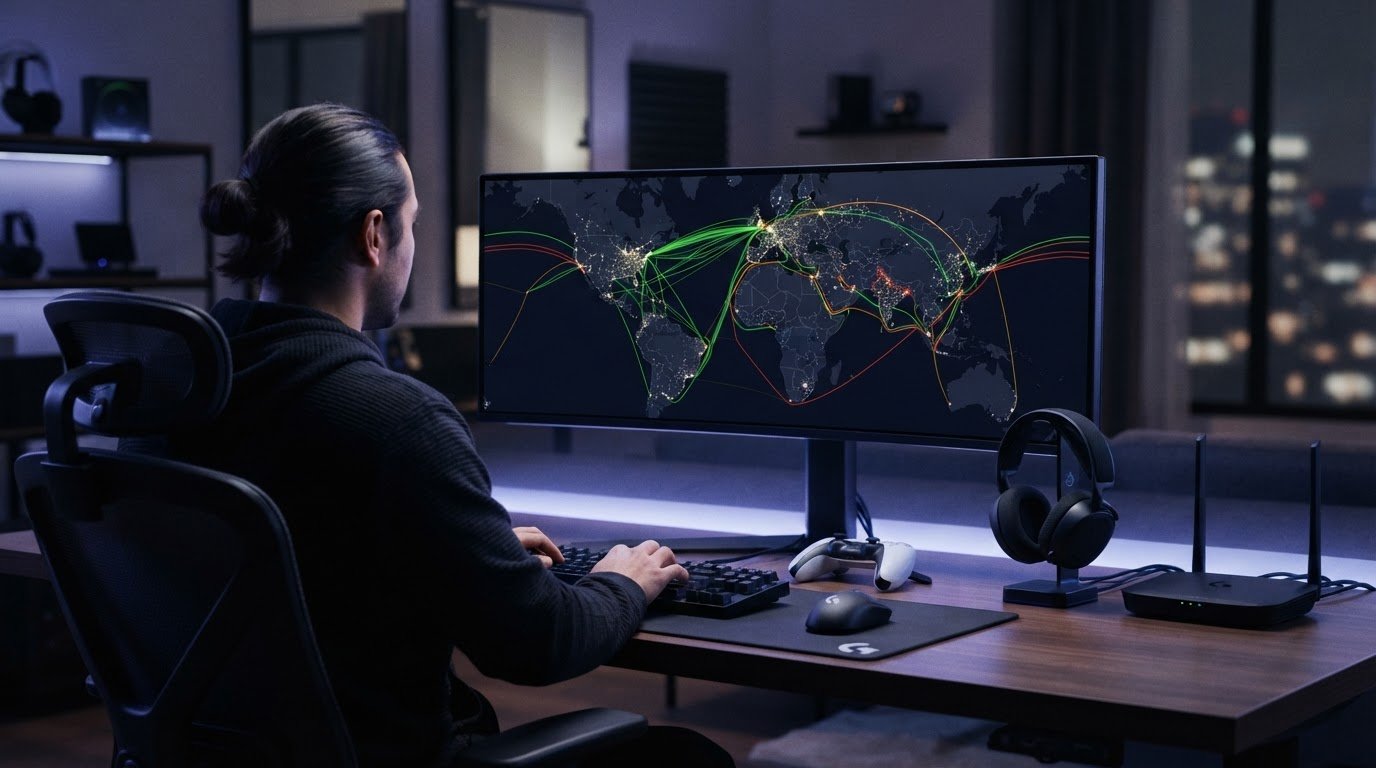
A VPN can change your route to a game server, but it can’t promise a better one. If your preferred region won’t load or your connection feels unstable, it’s fair to ask whether a VPN for gaming servers access will solve the problem or add more lag. The answer depends on your route, the VPN server’s location, and the game’s account rules.
Choosing a VPN for gaming isn’t about trusting a “gaming-optimized” label. A VPN may help if your current route is inefficient, but the extra connection can also increase latency or disrupt a stable session. This guide explains how VPNs affect apparent location and server access, what to compare across general-purpose and gaming-marketed options, and how to test latency, stability, and privacy before settling on a setup. You’ll also learn when a consistent IP may be useful and why no VPN can guarantee access to every server or protect an account from publisher action. The aim is to find a setup that fits your game, device, and connection without relying on bold marketing claims.
Key Takeaways
- Start with the problem you’re solving: reaching a different region is not the same as reducing ping or improving stability.
- For VPN for gaming servers access, compare server location and route consistency rather than relying on “gaming VPN” marketing claims.
- Measure your connection before and after connecting. Keep your game, device, network, and test conditions consistent.
- Check the game’s account rules before attempting to connect through another region.
- VPN Secure offers encrypted traffic, servers in more than 40 countries, and unlimited bandwidth. These features don’t guarantee lower ping or access to every game server.
VPN for gaming server access: what problem are you trying to solve?
Start with your goal, not the VPN label. A VPN creates an encrypted connection between your device and a VPN server, then routes your internet traffic through that server before it reaches its destination. The Virtual Private Network (VPN) Explained overview covers the broader technology. For gaming, the key point is that a VPN changes your network route and the apparent source of your connection.
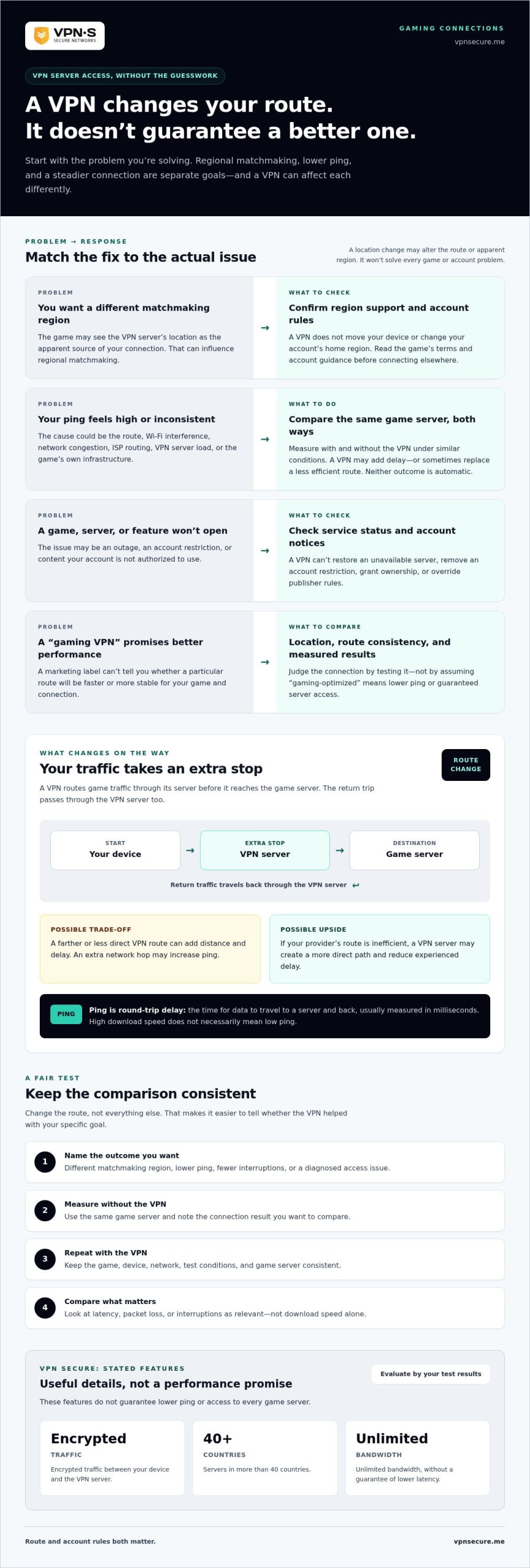
Server access means changing the route or apparent region your connection comes from, not guaranteeing better gameplay. Reaching a regional matchmaking pool, lowering ping, and stabilizing a connection are separate goals. A VPN may affect each differently, so first identify what is getting in the way: regional matchmaking, a service restriction, an account issue, or a poor network route.
Accessing a game server in another region
When you connect through a VPN server in another country or region, the game may see that server’s location as the apparent source of your connection. This can influence regional matchmaking, where the game groups players partly according to their network location. It doesn’t move your device or change your account’s home region.
Being matched with players in another region is different from accessing a game or service restricted there. A changed IP address doesn’t grant ownership, unlock an entitlement, or override publisher rules. Availability can still depend on where the game is offered and what your account is authorized to use. Before trying a different region for VPN for gaming servers access, read the game’s terms and account guidance.
When a VPN may not solve the real problem
A VPN can’t restore a game server during an outage, remove an account restriction, or provide content your account doesn’t have access to. If the game itself is unavailable, changing your connection route won’t fix the underlying cause. Check the game’s service status and account notices before changing network settings.
Latency can rise, too. Your traffic makes an extra stop at the VPN server before continuing to the game server. If that route is farther away or less direct than your normal connection, the added distance may make response times worse. A VPN changes the path your traffic takes, but it can’t guarantee a shorter or steadier one.
Before comparing providers or installing an app, write down the outcome you want:
- Different matchmaking region: Check whether the game supports regional matchmaking and whether your account can use that region.
- Lower ping or fewer interruptions: Identify whether the issue is latency, packet loss, or a game-side problem before testing a new route.
- Access to restricted content: Confirm your entitlement and the publisher’s rules. A VPN changes neither.
That diagnosis gives you a fair test. Without it, a location change can look like a fix even when it hasn’t addressed the problem.
How a gaming VPN changes routing, location, and ping
When you use a VPN, your game traffic doesn’t travel directly from your device to the game server. It passes through an extra stop first:
Device → VPN server → game server → VPN server → device
That detour changes the route and the IP address the game server sees. It can also affect how long each exchange takes. Ping is the round-trip delay for data to travel to a server and back, usually measured in milliseconds. Download speed measures how quickly data arrives; high download speed doesn’t necessarily mean low ping. A game can download quickly and still feel delayed during play.
The route is only one part of the picture. Physical distance matters, as do congestion on your home network, Wi-Fi interference, your internet provider’s routing, the VPN server’s current load, and the game’s own infrastructure. A crowded Wi-Fi channel or a distant game server can add delay before the VPN comes into play.
Why a VPN can increase or sometimes reduce ping
A VPN adds a network hop, so it may increase delay, especially if its server is far from you or the game. But your internet provider may send traffic along an inefficient route. In some cases, a VPN server may create a more direct path to the game server and reduce the delay you experience.
VPN routing may raise ping by adding distance and another hop, or lower it if it replaces a less efficient route. Neither result is automatic. The outcome can vary with your location, time of day, ISP routing, VPN server conditions, and the game server you’re trying to reach. Encryption protects traffic between your device and the VPN server, but encryption alone doesn’t improve gameplay performance.
For VPN for gaming servers access, treat ping as something to measure, not a promise implied by a provider’s label. Compare the same game server with and without the VPN under similar network conditions. This gives you a clearer picture than download speed alone.
What changes when you select a VPN server location
Selecting a VPN server changes your connection’s apparent IP location to that server’s region. It doesn’t determine where the game’s servers are or force the game to place you in a particular matchmaking pool. The game uses its own systems to assign regions and sessions, and platforms may apply separate location, account, or login checks.
Distance can add up. If you’re in one region, connect to a VPN server far away, then play on a game server near home, your traffic may travel much farther than necessary. A nearby VPN server is a sensible starting point, but the best route depends on where the game server is and how traffic moves between networks.
If you’re considering a general-purpose option, explore VPN connection options with your actual route in mind. Then test the game connection before deciding whether the changed path helps.
General VPN or gaming VPN: compare the options that matter
The label tells you less than the route. A general-purpose VPN typically combines encrypted traffic with a network of locations for broader online use. A gaming-focused service may emphasize routing game traffic or reducing connection problems. Neither category is a universal winner. What matters is whether it fits your target game, device, privacy needs, and actual connection.
Compare results you can measure, not promises like “lag-free” or “fastest.” For VPN for gaming servers access, first check whether the service has a location relevant to the game server, then test connection stability and in-game latency. Bandwidth matters for downloads and other data-heavy use, but a large bandwidth claim alone doesn’t prove low ping or a reliable session.
Which VPN criteria matter for game-server access?
Use the criteria below to compare options against your specific goal. A nearby VPN location is a useful starting point, but the route to the game server still determines the result. Check supported devices and account limits, too, so the service fits the platform you play on.
Criterion: Relevant locations
What to check: Whether the VPN has a server in a country or region useful for your target game server.
Trade-off: A distant location may change your apparent region while adding travel time to the route.
Criterion: Stability and latency
What to check: In-game ping and connection consistency over real sessions, compared with your normal connection.
Trade-off: A strong speed-test result or high bandwidth figure doesn’t guarantee stable gameplay.
Criterion: Privacy and encryption
What to check: How the provider describes its encryption and privacy practices.
Trade-off: Privacy features matter, but they don’t establish that a route is faster.
Criterion: Device fit
What to check: Support for the device you play on and the number of devices your account allows.
Trade-off: A service that fits one platform may not suit your full gaming setup.
A general VPN may suit you if you want encryption and multiple online uses, along with the option to test different routes. A gaming-focused routing service may appeal if its specific approach addresses your network path. Compare both using the same measures, not just the category name.
When a dedicated IP may be worth comparing
A dedicated IP is assigned for your individual use rather than shared among subscribers, giving you a consistent IP address. That consistency may be useful for services where you prefer to connect from the same address. It doesn’t guarantee access to a game server, change account entitlements, or prevent bans. For background on the concept, see this VPN with static IP for remote access guide.
Keep the decision practical: match locations, privacy, device support, and measured gameplay results to your needs. Treat marketing language as a reason to test, not as proof of performance.
How to test VPN access for a game without guessing
A useful test changes one thing at a time. Before connecting, check the game’s publisher rules and account guidance. If using a VPN to change regions conflicts with those rules, don’t proceed. A connection test isn’t worth risking an account review.
A repeatable before-and-after connection test
Keep the comparison fair: use the same device, game, network, in-game destination, and test method. Run the tests at comparable times where possible, since network load can change throughout the day. Record ping, packet loss if the game or a trusted network tool displays it, and whether the session stays connected.
- Record your baseline. Connect normally and enter the game mode or server you want to evaluate. Note the displayed region, ping, any packet loss reading, and interruptions such as freezes or disconnects.
- Connect to one VPN location. Choose a nearby location relevant to your target game server, provided the game’s rules allow the region change. Don’t switch locations mid-test.
- Retest the same destination. Use the same game mode and repeat the same actions. Record the same measurements, then compare access, latency, and stability with your baseline.
- Repeat before drawing a conclusion. Test again under similar conditions. If the results vary, note the variation rather than treating one unusually good or bad session as proof.
If you’re evaluating a VPN through a subscription, a flexible term can make it easier to assess your own connection before choosing a longer commitment. This affordable monthly VPN plan guide explains what to consider when comparing monthly options.
Troubleshoot access problems safely
Separate an access failure from poor performance. If the game won’t connect, first confirm your login credentials, install available game updates, review account-region settings, and check the game’s service status. These checks help rule out account or game-side causes before you change the route.
Only try a closer VPN location if doing so fits the publisher’s rules. If a region change leads to a security prompt or account review, stop switching locations and follow the platform’s instructions. Repeated changes can make it harder to identify the cause, and they won’t grant account entitlements.
Use this quick checklist to identify what needs attention:
- Access failure: Check credentials, updates, account settings, service status, and whether the game permits the intended region.
- High ping: Compare the same in-game destination with and without the VPN, then note whether the route changes the measured delay.
- Unstable connection: Look for packet loss or repeated interruptions, and keep the device and network conditions consistent during retests.
Once you’ve identified the issue, evaluate VPN for gaming servers access using your actual results. Explore VPN Secure’s VPN subscriptions as a general-purpose option for encrypted traffic and server locations, then judge the route by how it performs for your game.
Choosing VPN Secure for gaming server access: make an informed decision
The right choice depends on what you need from the connection. If your goal is encrypted traffic and a choice of connection regions, VPN Secure offers a general-purpose VPN with servers in more than 40 countries, unlimited bandwidth, and support for multiple devices. These features give you options to compare, but they don’t guarantee lower ping, a stable gaming session, or access to every game server.
Use your own route as the measure. For VPN for gaming servers access, consider whether a VPN location is relevant to the game server you want, then compare the actual session with your usual connection. A broad server network gives you more locations to test, but it can’t determine how the game assigns matchmaking or what your account can access.
Where VPN Secure fits the comparison
VPN Secure encrypts internet traffic and describes its service as no-log. That privacy position is relevant when comparing providers, but it shouldn’t be confused with complete anonymity. A VPN changes how traffic is routed, not what you own, what your account can access, or the game’s rules. Subscriptions include unlimited bandwidth and multi-device support, useful if you want to use the VPN across supported devices as well as for gaming.
A dedicated IP is available as a separate add-on for users who want a consistent IP address. Consider it only if that consistency fits your needs. It doesn’t promise access to a restricted server or protect an account from enforcement. Compare it separately from the standard VPN connection and from any performance claims.
Your next steps before subscribing
Make the decision in order. First, review the target game’s region, account, and VPN policies before changing your connection location. Then run the same-game baseline test: record your normal ping and connection stability, connect through a relevant VPN location, and retest the same destination under comparable conditions. If access fails or performance worsens, don’t assume another region will fix the cause.
Keep the result specific to your setup. A nearby server may be a sensible starting point, but the route between your device, the VPN server, and the game server determines what you experience. Unlimited bandwidth removes a bandwidth cap from the comparison, but it doesn’t mean unlimited speed or lower latency. Judge the connection by in-game results, not a slogan.
If your priorities are encrypted traffic, broad location choice, and multi-device support, compare those features with your game’s rules and your test results. VPN Secure’s subscription options are available once you’ve weighed the trade-offs and decided what you need from a VPN.
Explore VPN Secure subscription options and choose with your connection goals in view.
Make your next connection test count
Your best setup is the one that fits your game, account rules, and real connection, not the one with the boldest performance claim. Treat your first test as a reference point. Keep a brief record of the server location, ping, and connection stability so you can compare again if your network or game setup changes.
That measured approach puts you in control of VPN for gaming servers access. If a VPN route works for your goal, keep it. If it adds delay or doesn’t change access, return to your normal connection and investigate the game, account, or network instead. There’s no reason to force a route that doesn’t help.
VPN Secure offers an encrypted VPN service with broad location choice, unlimited bandwidth, multi-device support, and a dedicated IP add-on. Choose based on the features you need, then use your own results to guide your decision.
Explore VPN Secure and choose your VPN plan. Make your next move with clear expectations and confidence in your own test.
Frequently Asked Questions
Can a VPN give me access to game servers in another country?
Sometimes, if the game uses your connection’s apparent region for matchmaking and allows you to join that region. A VPN won’t make an unavailable game purchasable or add region-specific content to your account. For example, you might be routed toward a different matchmaking pool but still be unable to use a service that requires a separate regional account or entitlement. Check the game’s region and account rules before trying.
Will a VPN lower my ping when gaming?
It might, but don’t count on it. A VPN can add distance and another network hop, which may increase delay. In some cases, it may route around an inefficient path from your internet provider. Compare the same game and destination with and without the VPN, ideally more than once. If ping rises or becomes inconsistent, disconnecting may be the better choice for that session.
Can I use a VPN on PlayStation, Xbox, or Nintendo Switch?
Possibly, but the setup depends on the console, network configuration, and VPN service. Don’t assume the console has a native VPN app or that every provider supports every platform. Check the console maker’s current network guidance and the VPN’s supported-device information before changing settings. If you play across several devices, confirm that your chosen method won’t disrupt other people or devices using the same network.
Can using a VPN get my gaming account banned?
A VPN doesn’t automatically mean a ban, but a publisher may restrict certain uses, including attempts to bypass regional limits. Account systems can also flag unusual login locations or activity. Read the game’s terms and regional-access rules before connecting through another location. If you receive a security alert, stop switching regions and follow the publisher’s account-recovery or verification instructions rather than trying to work around them.
Does a gaming VPN protect me from DDoS attacks?
A VPN may hide your home IP address from other players in some situations, such as certain peer-to-peer connections, but it isn’t a shield against every denial-of-service attack. It can’t guarantee protection if the attack targets the game server or VPN server instead. Keep your account credentials private, use the game platform’s security settings, and report threats through its official channels.
Is a dedicated IP better for online gaming?
Not automatically. A dedicated IP gives you a consistent address that isn’t shared with other subscribers, which may suit services where a steady source IP is useful. It doesn’t inherently lower ping, improve stability, or unlock a game region. Consider whether you specifically need a consistent address, then judge gaming performance separately by testing the connection you’ll actually use.
Should I use a free VPN to access game servers?
Usually, it’s a poor fit for consistent gaming. Free VPNs may impose bandwidth limits, have crowded servers, or deliver higher latency, making a session less predictable. Don’t choose one based only on the word “free”; consider whether its privacy practices and connection limits suit your needs. If you test any VPN, compare it against your normal connection and stop if the game’s rules prohibit the intended use.