


In short
A VPN for Mac should use a trusted macOS app or a properly configured connection, protect the traffic you intend to send through it, and offer clear privacy terms. Choose a full-device VPN for system-wide protection; use a browser proxy only when browser-only routing is genuinely enough.
Key takeaways
- A full-device VPN is the better fit when applications beyond the browser need protected routing on a Mac.
- A provider app is usually simpler than manual macOS setup because it supplies the server and authentication details for you.
- Apple’s manual VPN settings require the exact connection type, server address, account details, and authentication information from the provider or network administrator.
- Protocol names matter less than compatible, maintained software and reliable performance on the networks you actually use.
- Free VPN access can be useful for limited tasks, but privacy terms, data limits, routing restrictions, and support still need scrutiny.
Contents
- What should Mac users compare before choosing a VPN?
- Should you use a macOS app or configure VPN manually?
- Is a browser proxy the same as a full-device VPN?
- Which VPN protocol should a Mac use?
- Can one VPN subscription cover a Mac and iPhone?
- How do you add a VPN to your Mac?
- Is a free VPN for Mac worth using?
- Frequently asked questions
- What should you do next?
The best VPN for a MacBook is not automatically the service with the loudest speed claim or the longest server list. The right choice depends on whether you need a secure connection for all Mac traffic, browser-only routing, travel, work access, or coverage across several Apple devices.
What should Mac users compare before choosing a VPN?
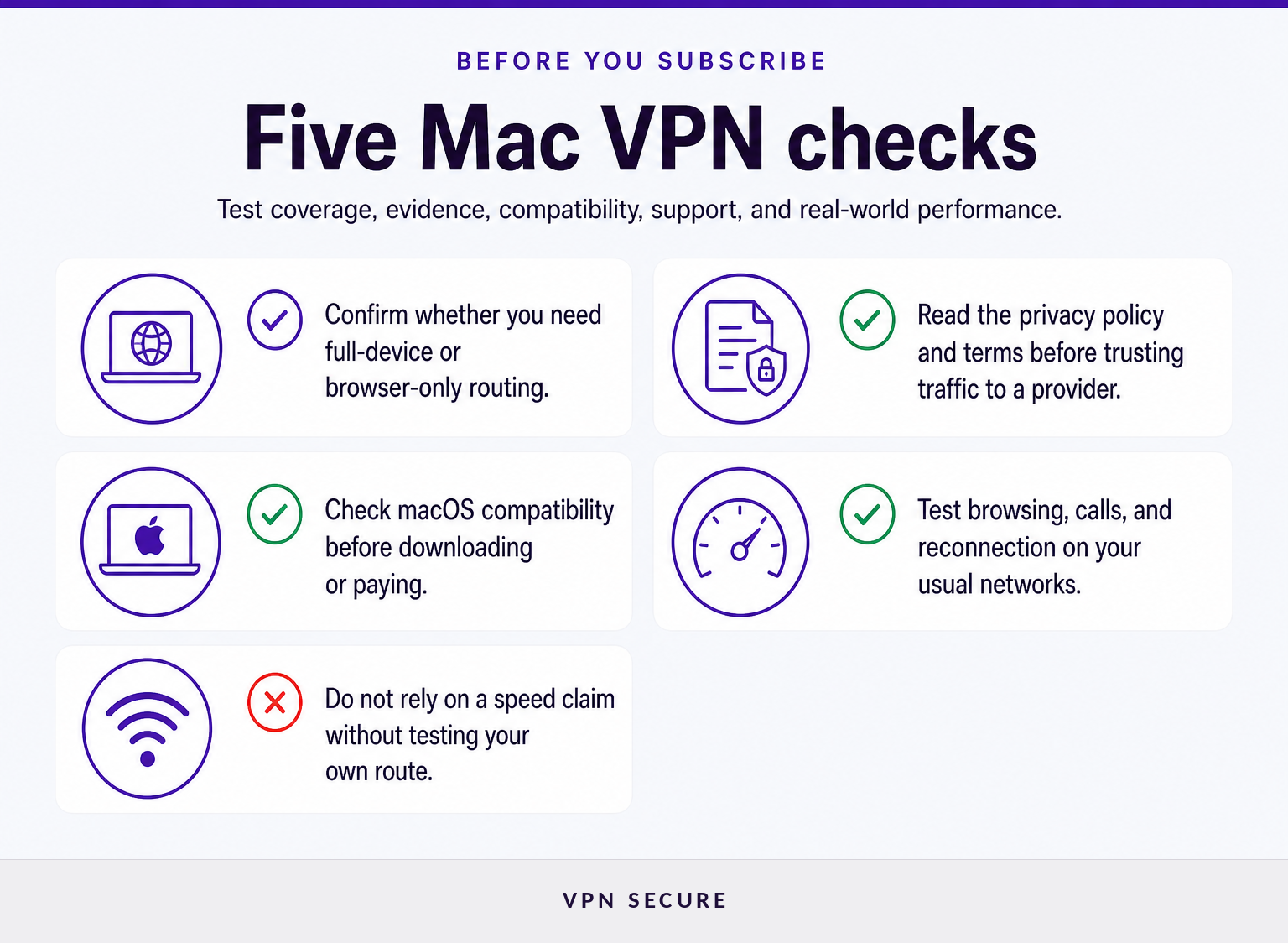
Start by deciding what traffic needs protection and which networks create the risk. Then compare providers on evidence, app compatibility, routing scope, and the time available to test the service before relying on it.
A useful comparison starts with four questions.
- What needs routing? If the goal is to cover Safari, desktop apps, file-sync tools, video-call software, and other internet-connected software, look for a full-device VPN. If the task is limited to web browsing in one browser, a proxy can be enough.
- What is the provider asking you to trust? A VPN provider handles traffic that would otherwise travel through the local network and internet provider. Read the privacy policy, terms, support documentation, and any explanation of logging practices before treating a privacy slogan as proof.
- Will the Mac app work on your version of macOS? Check the supported operating system before paying. VPNSecure’s current Mac download page lists its main app for macOS 12 Monterey and later, plus a legacy app for macOS 10.15 Catalina and macOS 11 Big Sur. The macOS download page also publishes a checksum for each listed download.
- Can you test the connection where it matters? A VPN can feel fast at home and behave differently on hotel Wi-Fi, a crowded airport network, or a work connection. Test normal browsing, calls, downloads, and reconnection after sleep before depending on it for travel or work.
The Federal Trade Commission advises consumers to look beyond a VPN app’s promises because the provider may be able to intercept internet traffic, and some free VPN apps fund themselves through advertising or third-party data sharing. Its consumer guidance on VPN apps is a useful starting point. (ftc.gov)
A good Mac VPN choice is a match between the traffic you need to protect, the evidence behind the provider’s claims, and the networks where you will actually use it.
Should you use a macOS app or configure VPN manually?
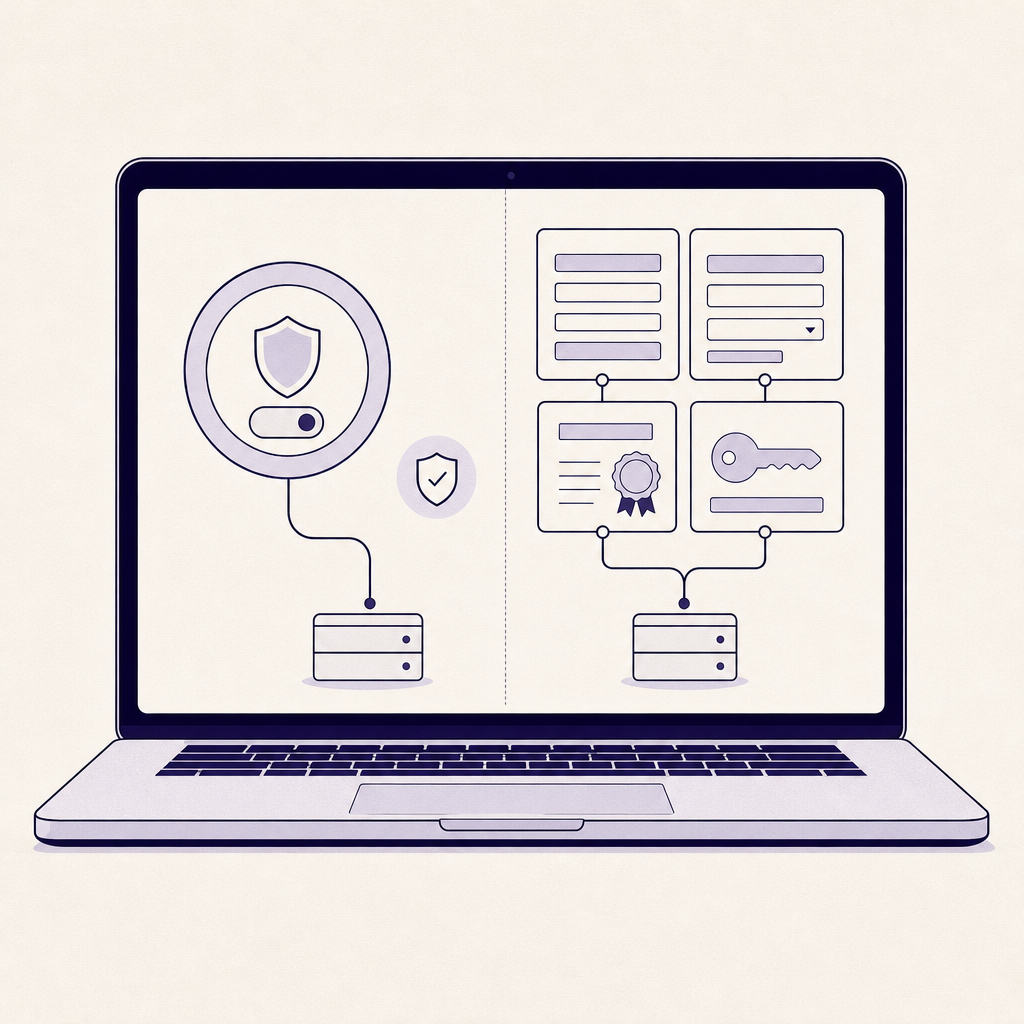
For most personal use, a provider’s macOS app is the simpler option because it manages server selection and connection details in one place. Manual configuration is for a work, school, self-managed, or provider-supplied connection where you have every required setting.
An app-based setup generally follows a short path: install the software from the provider’s official download page, sign in, choose a location, approve the connection when macOS asks, and connect. The provider app should supply the server address, authentication method, and protocol configuration rather than asking you to copy them from an unrelated guide.
Manual setup has a different purpose. Apple’s current instructions say a Mac needs the VPN type, server address, account name, and any relevant password, certificate, or other authentication information. Apple directs users to System Settings, then Network, where they can add a VPN configuration and enter the details supplied by the organization or provider. Apple’s manual Mac VPN instructions explain the available fields and connection types. (support.apple.com)
Manual setup is not a shortcut around an app that already exists. If one value is wrong, the connection may fail or behave differently from what you expect. Do not copy a server address, shared secret, or profile from a forum post or a setup guide written for another service.
For an app-led route, download VPNSecure for macOS only from the official page, then confirm that the listed macOS version matches your Mac before installation.
For personal Mac use, choose the provider app unless the organization operating the VPN gives you complete manual configuration details.
Is a browser proxy the same as a full-device VPN?
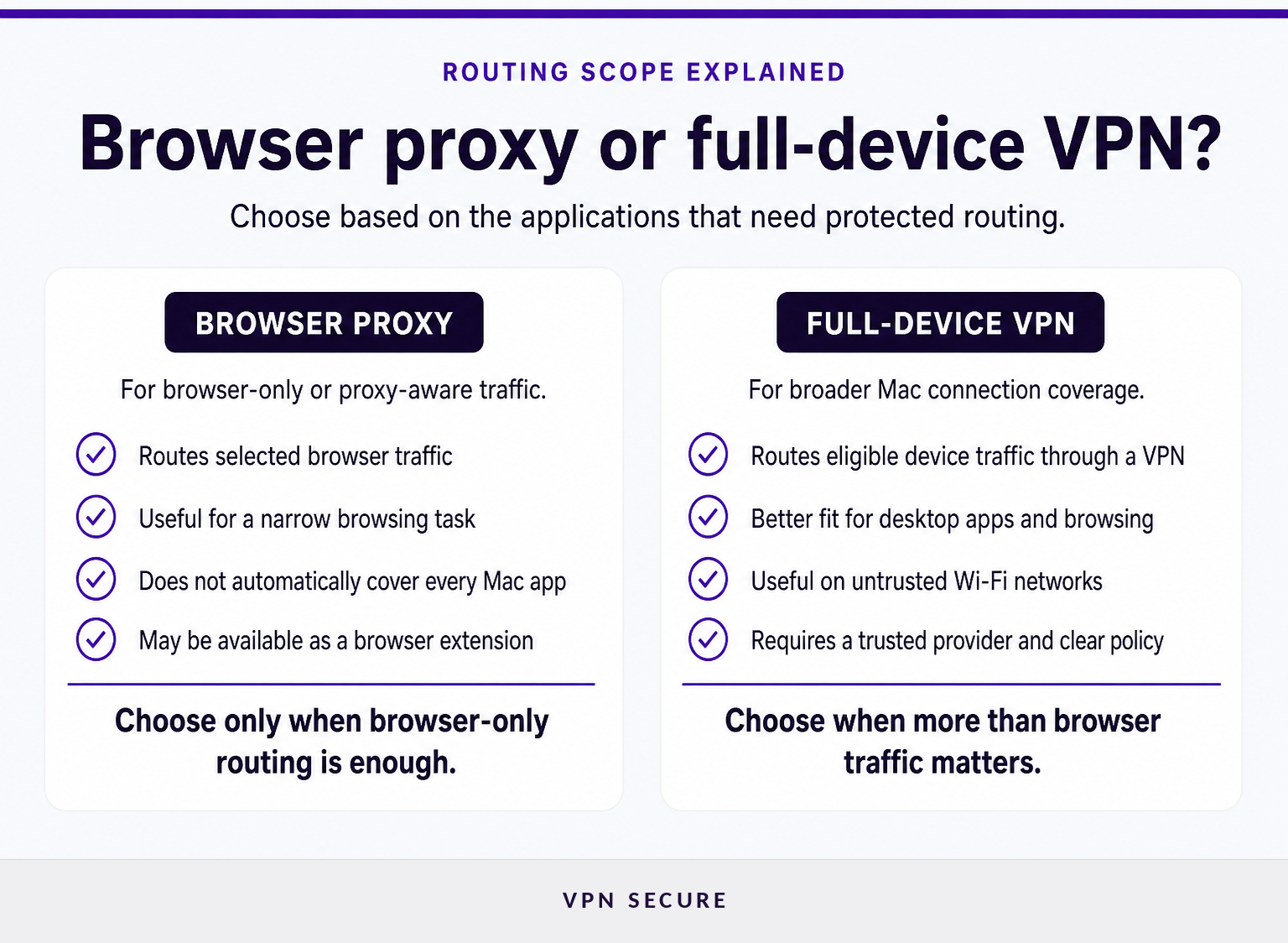
No. A browser proxy routes browser or proxy-aware application traffic, while a full-device VPN is intended to route eligible internet traffic from the Mac through the VPN connection.
This difference matters on a Mac because a browser is only one part of daily internet use. Mail clients, cloud storage, messaging tools, software updates, video-call apps, and other desktop applications can connect independently of Safari, Chrome, or Firefox. If those applications are part of the reason for using a VPN, browser-only proxy routing is too narrow.
A browser proxy can still be practical when the requirement is deliberately limited. For example, a reader may want one browser session to use a different IP address without changing the routing of every application on the Mac. VPNSecure describes its HTTP proxy as browser-level protection for browser extensions or proxy-aware applications, rather than a substitute for a full tunnel. Its feature documentation makes that distinction explicit.
Do not treat a browser extension badge as proof that every Mac connection is protected. Verify whether the tool is a browser proxy, a full-device VPN, or both.
Choose a full-device VPN when the goal is device-wide coverage; choose a browser proxy only when browser-only routing is the stated requirement.
Which VPN protocol should a Mac use?
The best protocol is the one your provider supports well on your Mac and can keep stable on your usual networks. Protocol labels alone do not guarantee privacy, speed, or reliable reconnection.
Apple supports several VPN approaches on macOS, including built-in configurations such as IKEv2, IPsec, and L2TP over IPsec, plus provider apps built with Apple’s Network Extension framework. Apple’s deployment documentation also notes that a provider companion app can configure a device for that provider’s custom VPN solution. Apple’s VPN deployment overview is the primary source for those macOS capabilities. (support.apple.com)
For a consumer VPN, start with the provider’s recommended app and default protocol. It is usually the route that receives the provider’s updates and support. If the app offers a protocol choice, test the default first, then compare alternatives only when there is a real reason, such as an unstable connection, a restrictive network, or a requirement from an employer.
VPNSecure lists OpenVPN and WireGuard support among its subscription features, alongside an HTTP proxy option. Review the current protocol and feature details before assuming that a specific protocol is available in every app or configuration path.
Performance is shaped by more than the protocol: distance to the server, local Wi-Fi quality, network congestion, and the service you are accessing all matter. A short trial on your own connections is more meaningful than a generic speed table.
Use the provider’s maintained default first, then change protocols only to solve a specific compatibility or reliability problem.
Can one VPN subscription cover a Mac and iPhone?
It can, if the subscription includes the devices you use and the provider supports both macOS and iOS. The practical test is whether the service offers clear app support, account limits, and reliable behavior on each device, not whether two apps share the same brand.
Mac and iPhone use different operating systems and often move through different networks. A MacBook may spend hours on office Wi-Fi or hotel networks, while an iPhone moves between Wi-Fi and cellular data. Test each device in its normal environment, including reconnecting after a network change.
Readers comparing protection across Apple devices can use this guide to best VPNs for iPhone for an iOS-specific selection checklist. If the iPhone also needs configuring, follow the separate steps to set up a VPN on iPhone, rather than assuming that a Mac configuration transfers automatically.
For remote work, also ask whether the requirement is simply encrypted connectivity or a consistent exit IP for an allowlisted system. Those are different needs. A dedicated IP may be useful for the latter, but it should not be treated as a replacement for reviewing the security and privacy terms of the underlying VPN service.
One subscription is useful only when every device has a supported app or configuration path that works on the networks where that device is used.
How do you add a VPN to your Mac?
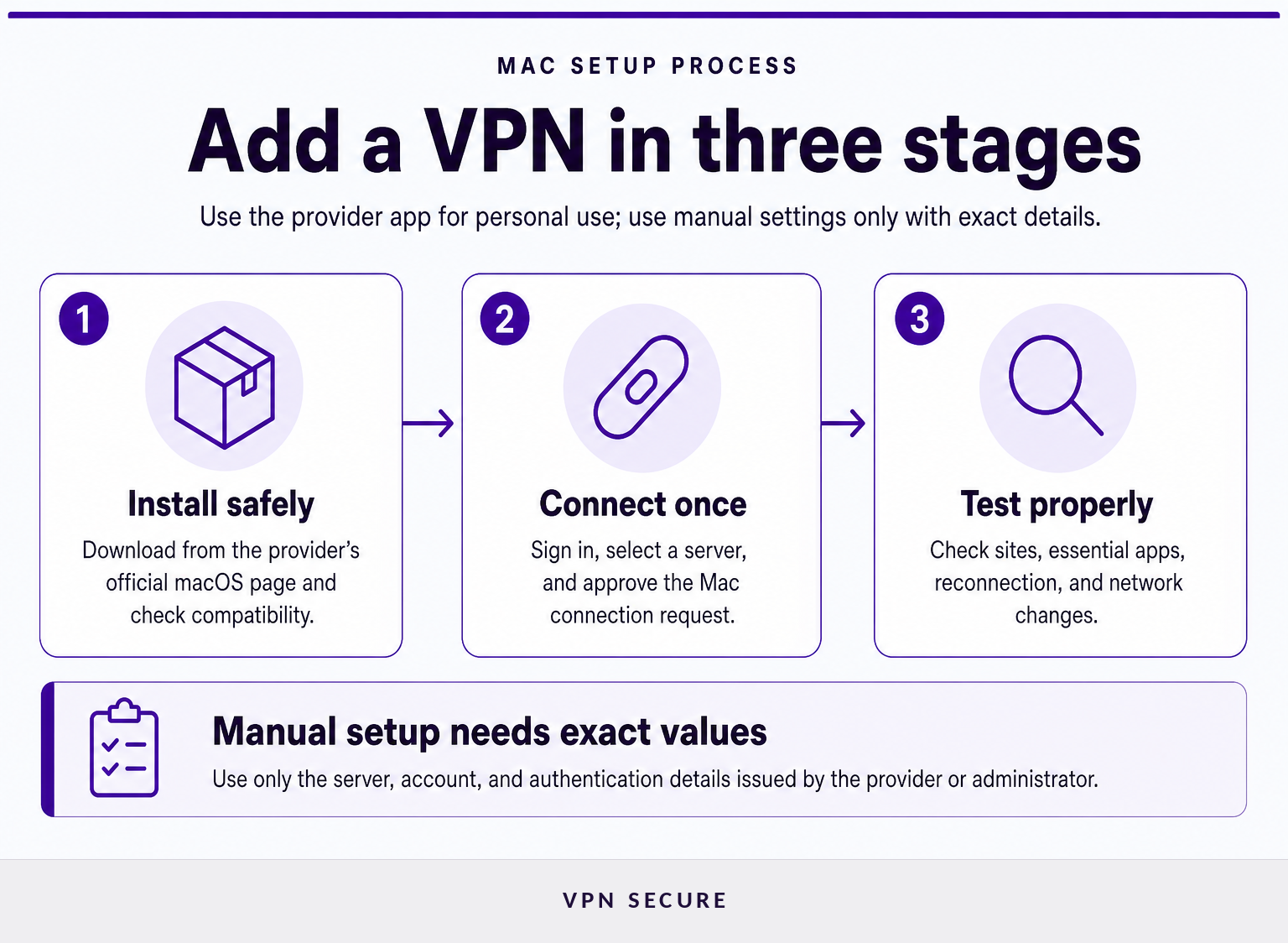
To add a VPN to a Mac, install the provider’s macOS app, sign in, select a server, approve the system connection request, and confirm that normal internet access works. For a manual connection, open System Settings and enter the exact details supplied by the provider or network administrator.
For an app-based VPN, use this sequence:
- Download the macOS software from the provider’s official page.
- Install it and sign in with the account connected to the subscription.
- Select a server location that fits the immediate task. A nearby location is usually a sensible first test for ordinary browsing.
- Approve the VPN connection if macOS asks for permission.
- Open several sites and the apps that matter to you, then confirm that they still work as expected.
- Disconnect and reconnect once, and test again after the Mac wakes from sleep or joins another network.
For manual setup, do not begin until you have the connection type, server hostname or address, account name, password or certificate information, and any required identifiers. Apple notes that the fields vary by VPN type, which is why manual setup should follow the instructions from the organization operating that particular server. (support.apple.com)
A VPN connection is ready only after it works on the sites and applications you actually depend on, not merely because the app says connected.
Is a free VPN for Mac worth using?
A free VPN for Mac can be adequate for a narrow, low-risk task, but free access does not remove the need to assess privacy, routing, support, and technical limits. Treat the provider’s business model as part of the security decision.
Before installing a free service, read the policy on connection data, account data, advertising, and third-party sharing. Check the data allowance, available locations, device limits, performance restrictions, and whether the app receives current macOS updates. A service that is vague about what it records or how it funds free access is not a strong choice for sensitive work, banking, or regular travel.
The FTC specifically warns that some free VPN apps earn revenue through advertising, sharing information with third parties, or redirecting traffic through third parties. It also notes that a VPN does not make a person completely anonymous, because websites can still identify users through account logins and other information they provide directly. (ftc.gov)
A free plan is worth considering only after its data practices, limitations, and suitability for your actual task are clear.
Frequently asked questions
How do you add a VPN to your Mac?
To add a VPN to a Mac, install the provider’s macOS app, sign in, select a server, and approve the system connection request. For a manual connection, open System Settings, choose Network or VPN, add the connection type, then enter the exact server and authentication details supplied by the provider or administrator.
Is it legal to use a VPN?
VPN use is governed by the laws and rules that apply where you are, as well as the terms of the services you use. A VPN does not make prohibited activity lawful. Before traveling or using one on a restricted network, check current local rules and your employer, school, or network policy.
Is there any 100% free VPN?
A 100% free VPN can exist, but free access is not enough to establish that a service is suitable for sensitive browsing. Review its privacy policy, data limit, server choice, connection restrictions, and support before relying on it. The FTC warns that some free VPN apps use advertising or share information with third parties.
The practical rule is simple: use the app or configuration you understand, and verify the policy and routing scope before trusting it with important traffic.
What should you do next?
Make a short list of the Mac applications and networks you need to protect, then decide whether you need a full-device tunnel or browser-only proxy routing. If an app-based full-device VPN fits that list, download VPNSecure for macOS, verify compatibility with your macOS version, and test it on the networks you use before relying on it.
The right Mac VPN is the one whose coverage, setup path, and privacy terms you can verify for yourself.