





















VPN & Privacy
VPN options for Mac compared by privacy, protocols, and protection
A Mac’s polished interface isn’t a privacy shield. Yes, MacBook Air and MacBook Pro can use a VPN, and macOS includes a client that supports L2TP,...
In short
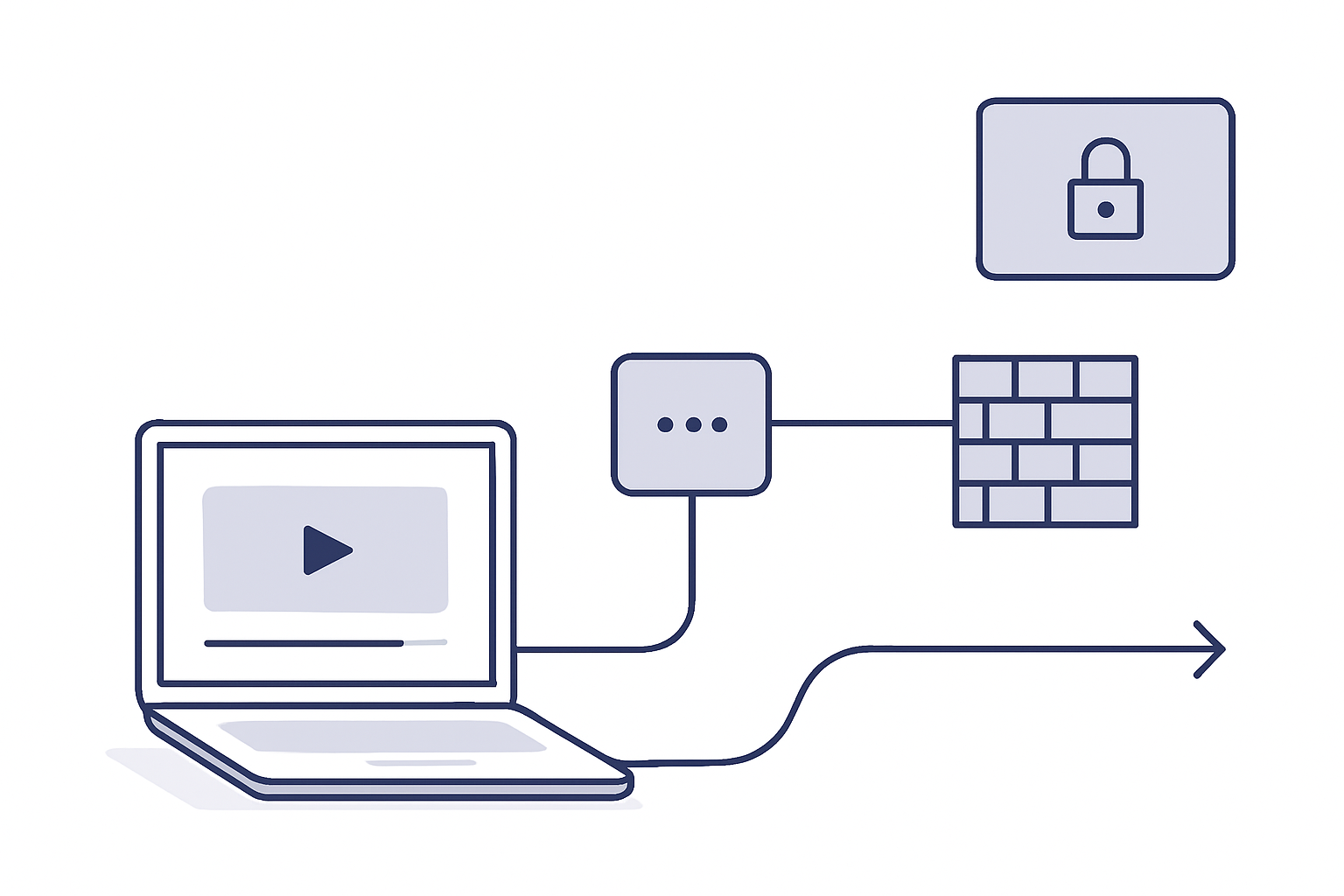
A VPN can help protect your YouTube viewing on hotel, airport, café, or office Wi-Fi by encrypting your connection and hiding your IP address from trackers. A VPN cannot make private videos public, remove age or supervised-account limits, change where a video is offered, or override YouTube and administrator rules.
Key takeaways
A VPN is a good first step when YouTube is slow or unstable on public or shared Wi-Fi, or when you want privacy on a network you do not control. A VPN encrypts your traffic and sends it through one of our servers, which also hides your IP address from the websites and trackers you visit.
That is different from fixing every YouTube problem. YouTube’s Help Center says that a network administrator or ISP may manage access to YouTube, and that some videos are unavailable in particular countries because of rights-holder choices or local-law compliance; a VPN does not change those decisions. How a VPN works explains the encryption and routing behind a VPN connection. (support.google.com)
A VPN may also protect the connection between your device and the local network. It does not change what your Google account is allowed to watch, nor does it change a video creator’s privacy setting.
A VPN is a routing tool, not a universal key to YouTube.
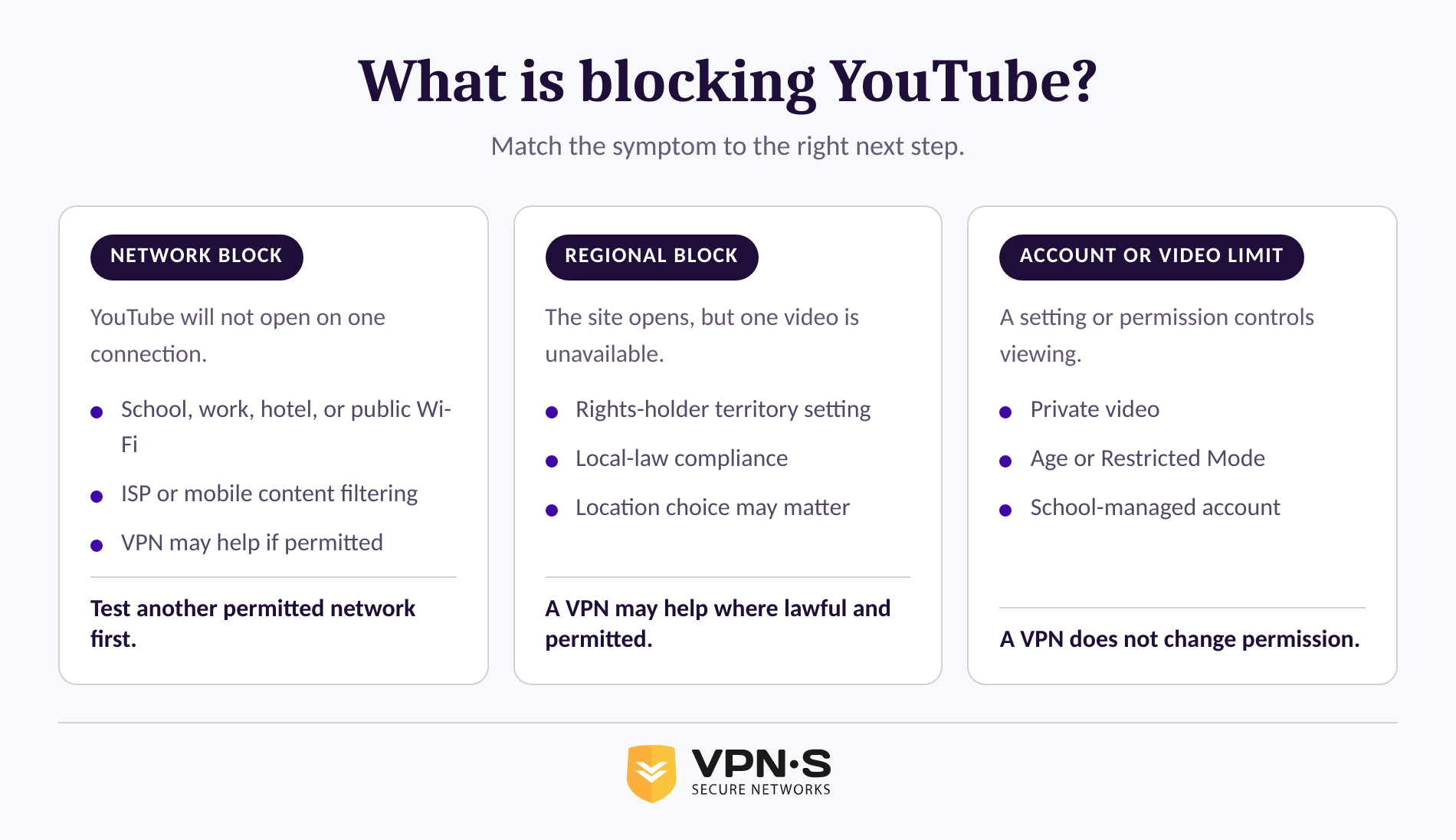
The fastest way to fix YouTube is to identify whether the problem comes from the connection, the network’s own rules, the account, or the video itself. The error message, the device that fails, and whether another connection works usually point to the answer.
Try opening the same video on a different permitted connection, such as your home network or mobile data. If YouTube loads there, the original network may have its own usage policy, so check with its administrator. If the site loads but one video says it is unavailable in your country or region, the video owner has chosen where it is offered, which is not a connection problem. (support.google.com)
A correct diagnosis prevents the common mistake of repeatedly changing VPN servers when the real limitation is attached to the account or video.
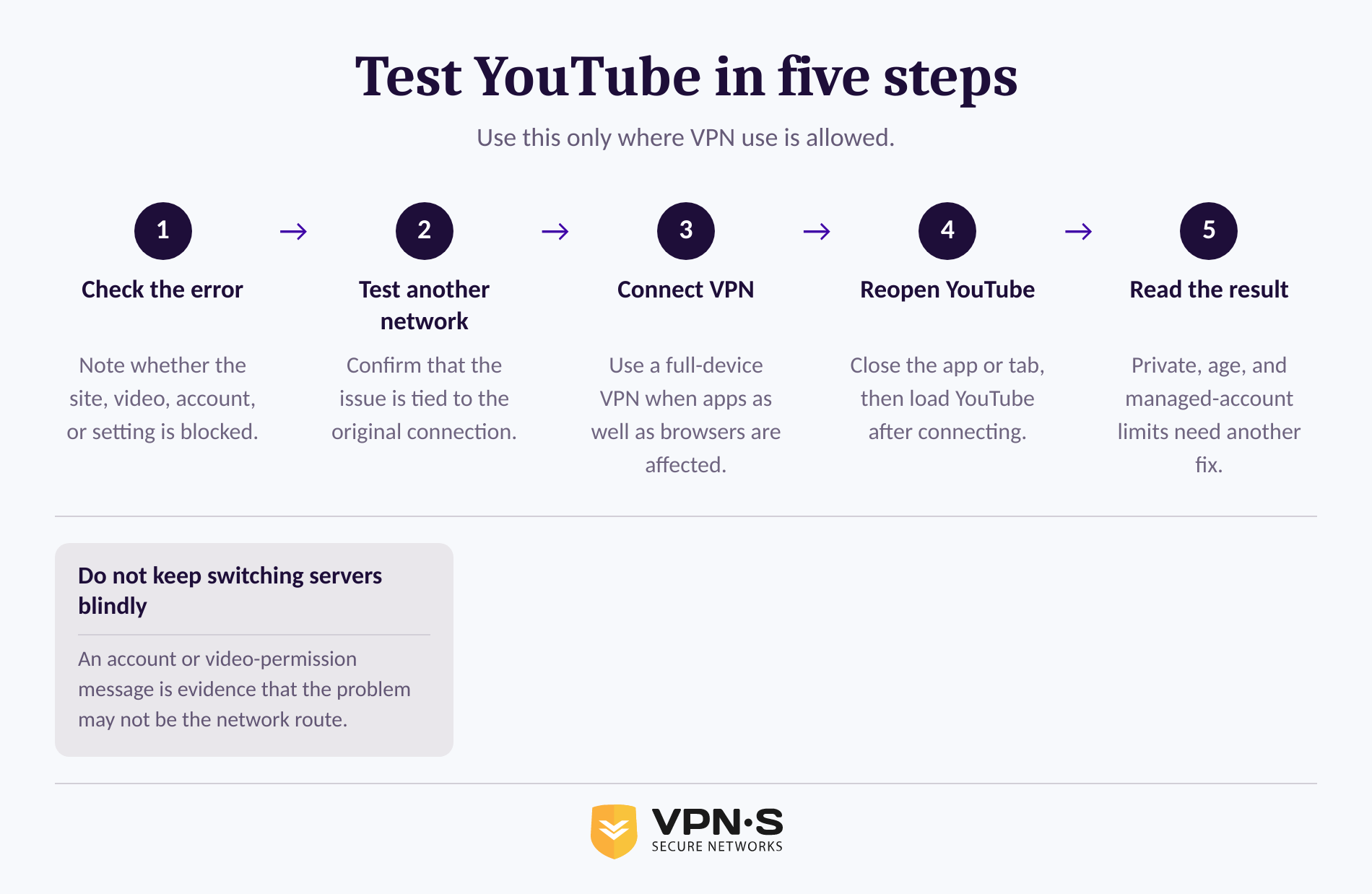
If you want privacy or a steadier connection on public Wi-Fi, connect the VPN before opening YouTube and then test the site again. Start with a nearby server, which usually gives the best speed.
Follow these steps only on a device and network where VPN use is allowed:
VPNSecure lists server locations in more than 40 countries and offers the Advanced protocol on supported desktop operating systems, a modern encrypted protocol that keeps connections stable and private on hotel, airport, or office Wi-Fi. You can review the service’s VPN features. (vpnsecure.me)
Use one clear test at a time: connect, reopen YouTube, and note exactly what changed.
A VPN can encrypt your connection and change the route your traffic takes, but it cannot change YouTube’s account rules or a creator’s visibility choices. If YouTube identifies the issue as private, age-related, school-managed, or Restricted Mode, use the legitimate account or administrator route instead.
Private videos are available only to viewers invited by the video owner. YouTube also says age-gated videos are unavailable to signed-out viewers and people under 18, while school-issued Google Workspace for Education accounts can have administrator-managed limits on YouTube access and features. (support.google.com)
Restricted Mode deserves a separate check. YouTube says it can be enabled by users, parents, or administrators at libraries, schools, and public institutions; it may filter videos and hide comments. If the setting is locked by an administrator, ask the administrator, who manages that policy for the device or network. (support.google.com)
If the video is private, age-gated, or controlled by a managed account, the fix is permission or account verification, not another VPN server.
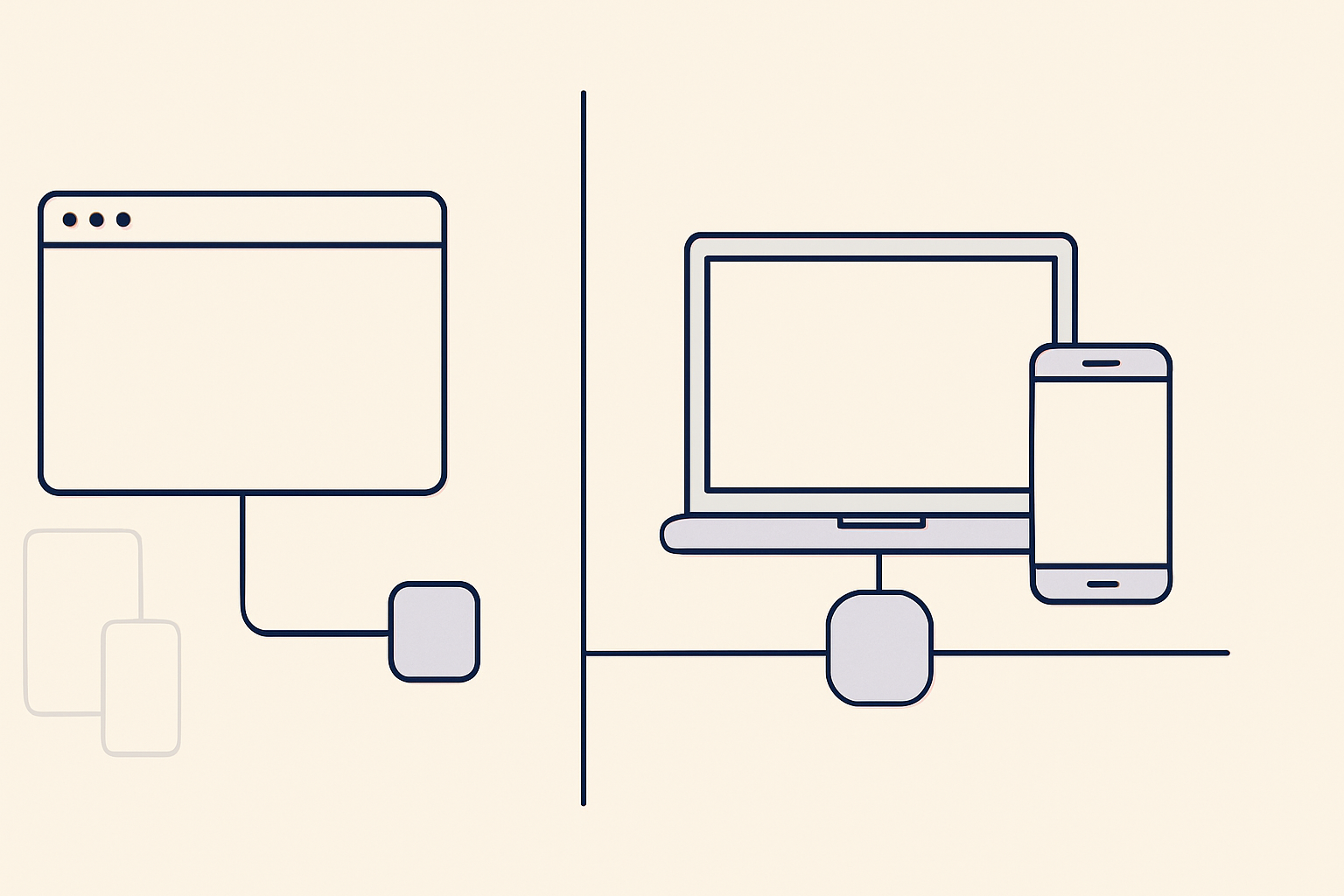
A browser extension can help when you only need YouTube in that browser to use a private route. It is not a substitute for a full-device VPN when you also use the YouTube mobile app, a smart TV, or other apps.
VPNSecure includes HTTP proxy access with subscriptions and offers browser proxy options for Chrome and Firefox. A browser proxy changes the route for supported browser traffic, while a full VPN app can cover compatible traffic from the whole device. (vpnsecure.me)
Use the Chrome browser proxy download when you watch YouTube in Chrome and browser-only routing suits the task. Use a full VPN app when you want protection for multiple applications on the same device.
Choose the smallest tool that covers the need: browser-only routing for browser-only use, full-device VPN protection for the whole device.
If YouTube still fails after connecting, stop changing settings at random and read the exact message on screen. The message often reveals whether the problem is connectivity, regional availability, Restricted Mode, account access, or a private or age-gated video.
Work through this order:
For app installation, connection problems, or account help with VPNSecure, use VPNSecure support. Do not share passwords, verification codes, or payment details with anyone offering unofficial help.
The error message is evidence, so treat it as the next troubleshooting step rather than an obstacle to ignore.
These answers separate connection privacy from the account and platform limits that a VPN cannot change. The distinction matters more than the device you are using.
A VPN can help by encrypting your YouTube traffic on public or shared Wi-Fi and hiding your IP address from trackers. A VPN cannot make private videos public, change age eligibility, remove Restricted Mode locked by an administrator, change school-managed Google account permissions, or change where a video is offered. (support.google.com)
A VPN or proxy browser extension can help when you only need YouTube in that browser routed privately. It will not normally protect or reroute traffic from the YouTube mobile app, a smart TV app, or other programs, so a full-device VPN is more suitable for device-wide protection.
First identify the cause by testing YouTube on another permitted connection and reading the error message. For a slow or unstable connection on public Wi-Fi, connect a VPN to a nearby server and reopen YouTube. For Restricted Mode, private videos, age limits, or managed school and workplace accounts, use the relevant account setting or contact the administrator. (support.google.com)
A free fix may be available when the issue is a setting rather than the connection: sign in to the invited account for a private video, complete valid age verification where required, or ask an administrator to review a managed setting. Do not assume that a free proxy can override account-level or platform-level controls. (support.google.com)
The useful question is not “Which tool is free?” but “What is actually stopping YouTube from playing?”
If you want privacy on public Wi-Fi and VPN use is permitted on that network, install a VPN app, connect to a nearby location, and test YouTube again. If the message identifies a private video, age gate, Restricted Mode, or managed account, resolve that specific setting instead.
For device-wide protection on compatible systems, download VPNSecure and test the connection. Keep the original error message available if you need support.
Start with the type of problem, then choose the tool that can actually address it.
Keep reading
A Mac’s polished interface isn’t a privacy shield. Yes, MacBook Air and MacBook Pro can use a VPN, and macOS includes a client that supports L2TP,...

Planning a trip to China? Learn which VPN features matter, why Stealth VPN helps, how to prepare before departure, and what legal and access limits to consider.

A VPN for accessing region-locked games can change the IP location a game sees, but it won’t automatically change your Steam store region. Steam...
No logs, ever. Start with Free with ads in under a minute.