



In short
Safari traffic can be protected by a VPN app running on macOS, iPhone, or iPad, so a Safari-specific extension is not required. A Safari extension can add browser-level functions, but it is not the same as a device VPN. Choose a VPN app when Safari and other device connections should use the VPN configuration.
- A VPN app can route Safari traffic through its VPN connection when the app is connected on macOS, iPhone, or iPad.
- Safari supports extensions, but extension support does not make every extension a full-device VPN.
- VPN Secure currently lists browser proxy extensions for Chrome and Firefox, not Safari, so Safari users should use the macOS or iOS app. (vpnsecure.me)
- A VPN can change how traffic is routed, but websites can still identify people who sign in or submit personal information. (ftc.gov)
Contents
- Do you need a Safari VPN extension?
- What does a full-device VPN protect that a browser proxy does not?
- How do you use a VPN with Safari on Mac, iPhone, or iPad?
- What should you look for in a VPN for Safari?
- What else do people ask about VPNs for Safari?
- What should you do next?
Do you need a Safari VPN extension?
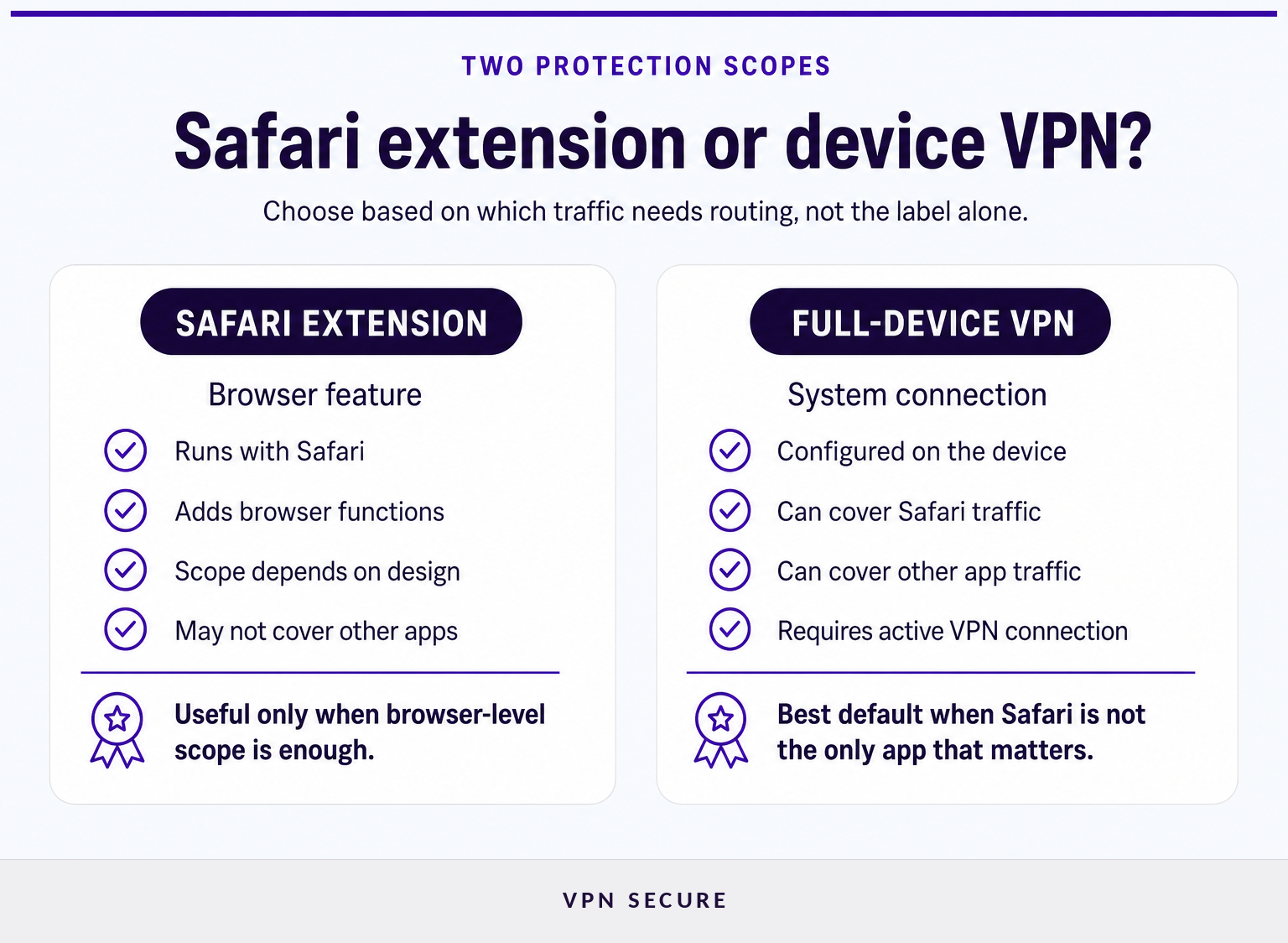
No. A VPN app configured in macOS or iOS can route Safari traffic through the VPN whenever the connection is active. Apple documents VPN configurations as an operating-system networking capability, not as a Safari-only feature. Apple's NetworkExtension documentation explains that VPN apps can create and manage VPN configurations on macOS and iOS. (developer.apple.com)
Safari does support web extensions. Apple describes Safari web extensions as app extensions that add browser functionality on Mac, iPhone, and iPad. That capability does not mean an extension automatically creates a device-wide VPN tunnel, however. Its scope depends on what the extension and its containing app are designed to do. Apple's Safari extensions documentation confirms that Safari extensions are packaged with apps and operate through Safari extension APIs. (developer.apple.com)
That distinction matters when a search result promises a “Safari VPN extension.” Some browser add-ons are proxies, content blockers, or controls for a separate VPN account. They may be useful for browser-only routing, but they should not be assumed to cover mail clients, messaging apps, cloud-sync tools, or other connections outside Safari.
VPN Secure's current download page lists browser-level HTTP proxy extensions for Chrome and Firefox. It does not list a Safari extension, so Safari users who want VPN protection should connect through the VPN Secure macOS or iOS app instead. (vpnsecure.me)
For Safari, the important choice is not “extension or no extension.” It is whether browser-only routing is enough for the way the Apple device is used.
What does a full-device VPN protect that a browser proxy does not?
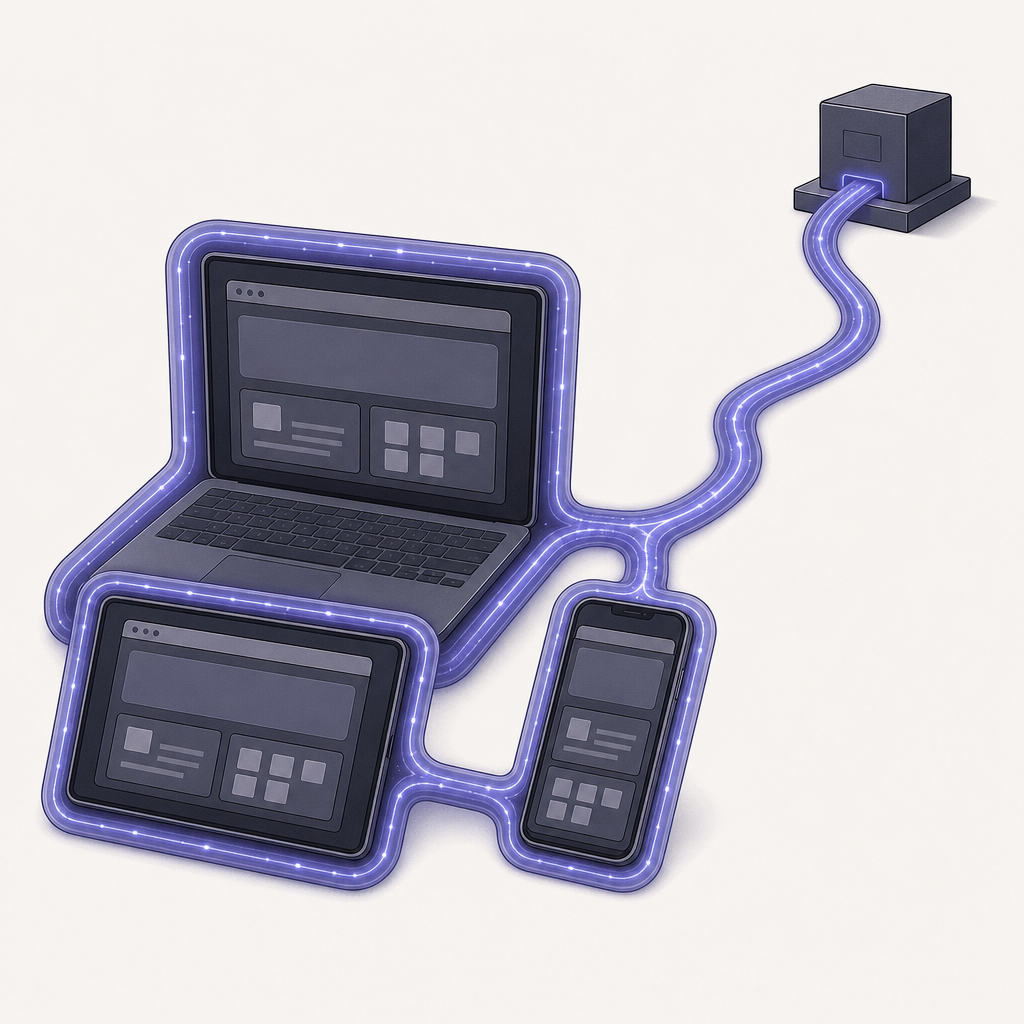
A full-device VPN can route network traffic from the device through a VPN configuration, including Safari traffic. A browser proxy is usually limited to the browser or proxy-aware application that has been configured to use it.
Apple's VPN framework supports VPN configurations on macOS and iOS, while Apple separately documents extensions as browser features. In practical terms, that makes a VPN app the better starting point for someone who wants Safari covered alongside other internet-connected apps. (developer.apple.com)
A browser proxy still has a place. It can be appropriate when the only requirement is browser-level routing and the person understands that other apps will use their normal connections. VPN Secure includes HTTP proxy access, but its browser extensions are currently offered for Chrome and Firefox, not Safari. Review device and protocol support before choosing a browser-only or full-device setup. (vpnsecure.me)
Neither approach makes a person invisible online. The U.S. Federal Trade Commission notes that sites can still identify users through information they provide directly, such as an email address submitted in a form. (ftc.gov)
A full-device VPN is the sensible default when Safari is only one of several apps that need the same protected connection.
How do you use a VPN with Safari on Mac, iPhone, or iPad?
Safari has no separate VPN switch. Install and connect a VPN app on the Apple device, then use Safari normally while the VPN connection is active.
- Install the app for the device. On a Mac, download macOS and install the VPN app. On an iPhone or iPad, install the VPN for iPhone and iPad.
- Sign in to the VPN account. Use the account credentials for the VPN subscription.
- Approve the VPN configuration if prompted. Apple requires explicit user authorization when an app first saves a personal VPN configuration. (developer.apple.com)
- Choose a server and connect. Once the connection shows as active, open Safari and browse as usual.
- Check the scope before relying on it. If the goal is to cover other apps as well as Safari, keep the device VPN connected instead of relying on a browser-only tool.
VPN Secure's macOS and iOS download pages describe the same basic flow: install the app, sign in, select a server, and connect. (vpnsecure.me)
The setup happens on the device, not inside Safari, which is why a Safari-specific VPN extension is optional rather than essential.
What should you look for in a VPN for Safari?
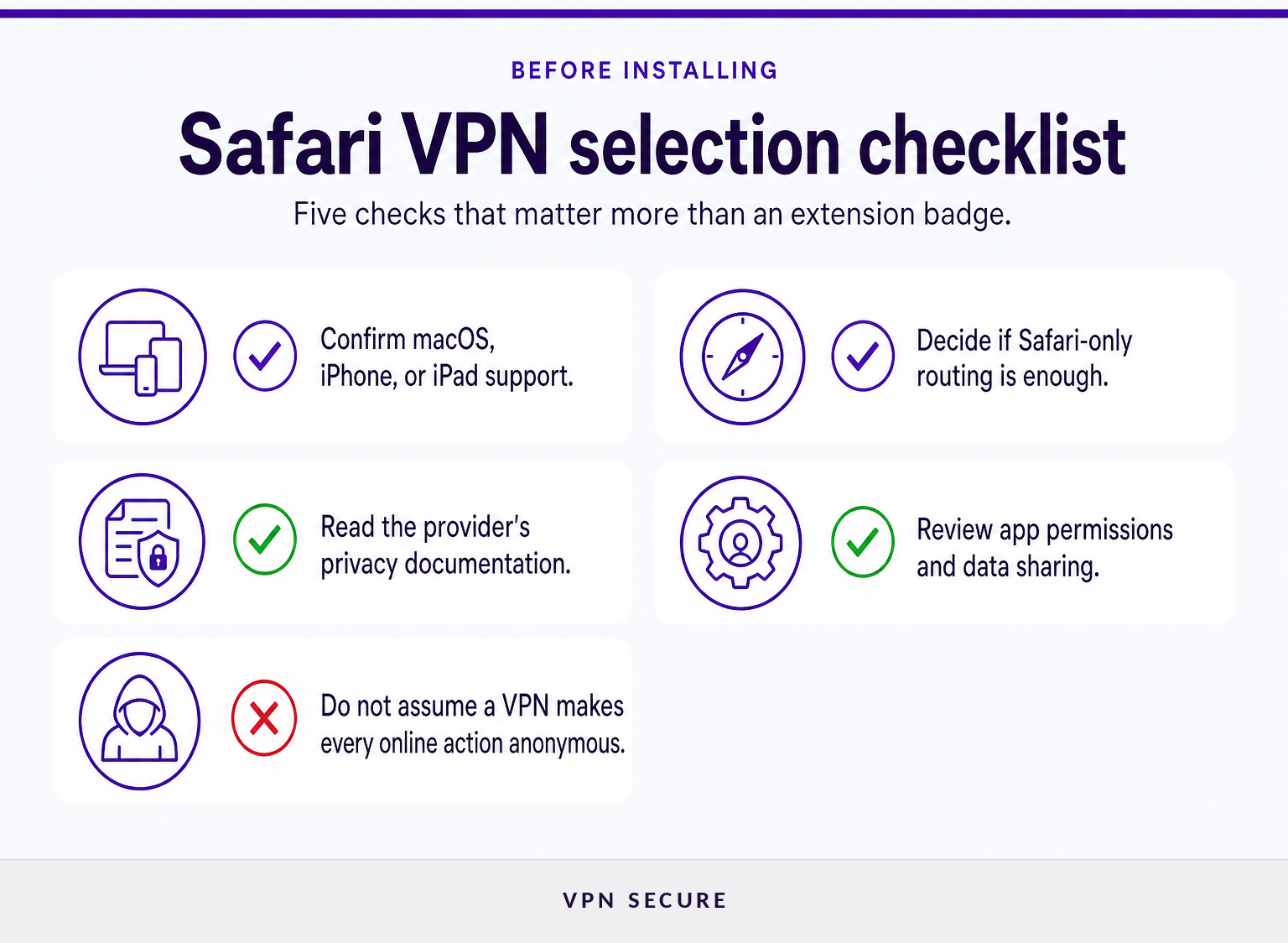
Start with compatibility and routing scope, not a browser-extension badge. The best fit is a VPN that supports the Apple devices used, explains what traffic is covered, and provides clear information about its privacy practices.
Use this short checklist:
- Device support: Confirm there is an app for the macOS, iPhone, or iPad device that will run Safari.
- Protection scope: Decide whether Safari-only routing is enough or whether other apps need the same VPN connection.
- Privacy documentation: Read the provider's logging and data-handling information instead of relying on broad privacy slogans.
- Permissions: Check what the app asks to access and why.
- Connection controls: Make sure it is clear how to connect, disconnect, and confirm the VPN state.
The Federal Trade Commission recommends researching a VPN app before installing it, checking its permissions, confirming that it encrypts information, and reviewing whether it shares data with third parties. (ftc.gov)
A good Safari VPN decision is a device-security decision first and a browser-feature decision second.
What else do people ask about VPNs for Safari?
These answers separate Safari setup from broader questions about VPN services. They are general information, not legal advice.
Can I put a VPN on Safari?
Yes, but the VPN is normally installed on the Mac, iPhone, or iPad rather than inside Safari itself. When the device VPN is connected, Safari traffic can use that connection. Safari extensions can add browser functions, but an extension alone should not be assumed to provide device-wide VPN coverage. (developer.apple.com)
Which VPN is best for Safari?
The best VPN for Safari is one that supports the Apple device in use and matches the desired scope. Choose a full-device VPN app when Safari and other apps need protection. Choose a browser-only proxy only when limiting routing to a compatible browser is an intentional tradeoff.
Is using VPN illegal in the US?
Using VPN software is not generally prohibited for private users under U.S. federal law as of September 2026. A VPN does not make illegal conduct lawful, and service terms, workplace rules, and laws in other countries can still apply. For a situation with legal consequences, seek qualified legal advice. (legalclarity.org)
Is there a free VPN for Safari?
A free VPN can protect Safari only when it provides a VPN configuration for the Apple device, not merely a browser add-on. Before installing any free VPN app, check its permissions, privacy documentation, encryption claims, and data-sharing practices. The FTC recommends reviewing those points before choosing a VPN app. (ftc.gov)
The safest answer to common Safari VPN questions is to identify the traffic that needs protection, then select software built to cover that scope.
What should you do next?
If Safari is one of several apps used on a Mac, iPhone, or iPad, start with a full-device VPN app rather than looking for a Safari extension. To install the right app for the device, see VPN downloads.
For Safari users, the practical first step is connecting the VPN at the device level before opening the browser.