




















VPN & Privacy
How to Set Up a VPN on Your Smart TV for Secure Streaming
Yes, you can use a VPN with a smart TV, but the setup depends on the model. A VPN for smart TV streaming security may work through a supported TV app...
In short
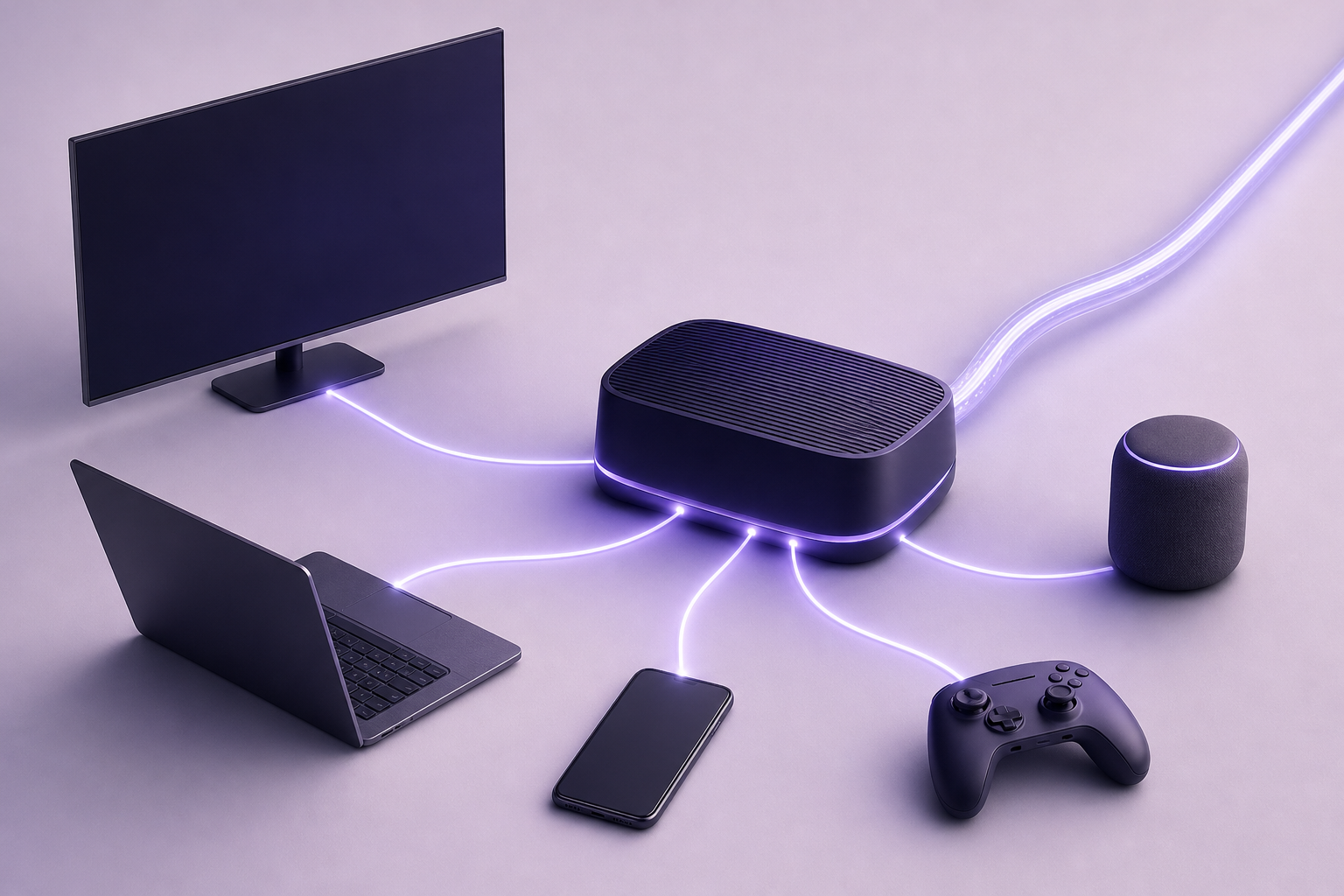
A VPN on a router sends traffic from devices connected to that router through the VPN tunnel, including devices that cannot install an app. It can simplify protection for a home, but it cannot cover cellular connections or replace device apps when you travel, need different locations, or want simple per-device control.
Key takeaways
A router VPN is most useful when the hard-to-protect devices stay at home: smart TVs, game consoles, streaming boxes, smart displays, and other connected equipment without a VPN app. The trade-off is that one router setting affects many devices at once, so the setup deserves a little planning.
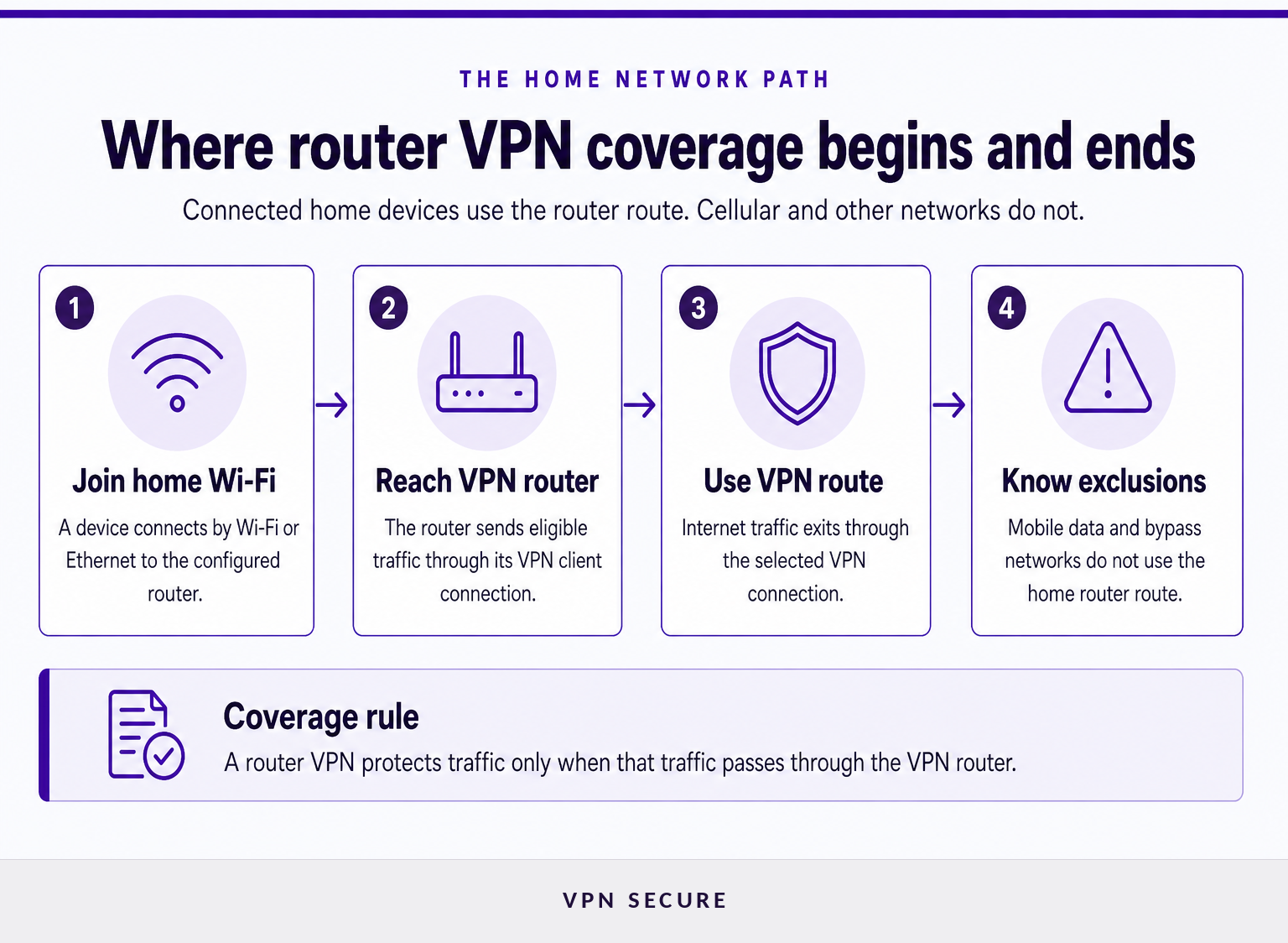
A VPN router protects the internet traffic of devices that connect through that router, provided the traffic is not deliberately sent through another network path. The router creates one VPN connection for the home network, rather than asking every device to run its own connection.
VPNSecure's explanation of how VPN encryption works is useful background: a VPN encrypts traffic between the device or network and the VPN service. In a router setup, the router takes the device role for traffic leaving the home network.
This is why router-level protection is helpful for a television, console, or smart-home device that cannot install a VPN client. Connect it to the VPN router by Wi-Fi or Ethernet, and its ordinary internet traffic uses the router's VPN route.
There are limits. A phone using mobile data is not using the home router. A laptop at a hotel or office is not using the home router. A device on a guest Wi-Fi network may also be outside the VPN route if that network is configured separately. The router VPN also does not turn a website login, browser cookies, or unsafe downloads into private or safe activities.
A router VPN is home-network coverage, not universal coverage for every device you own.
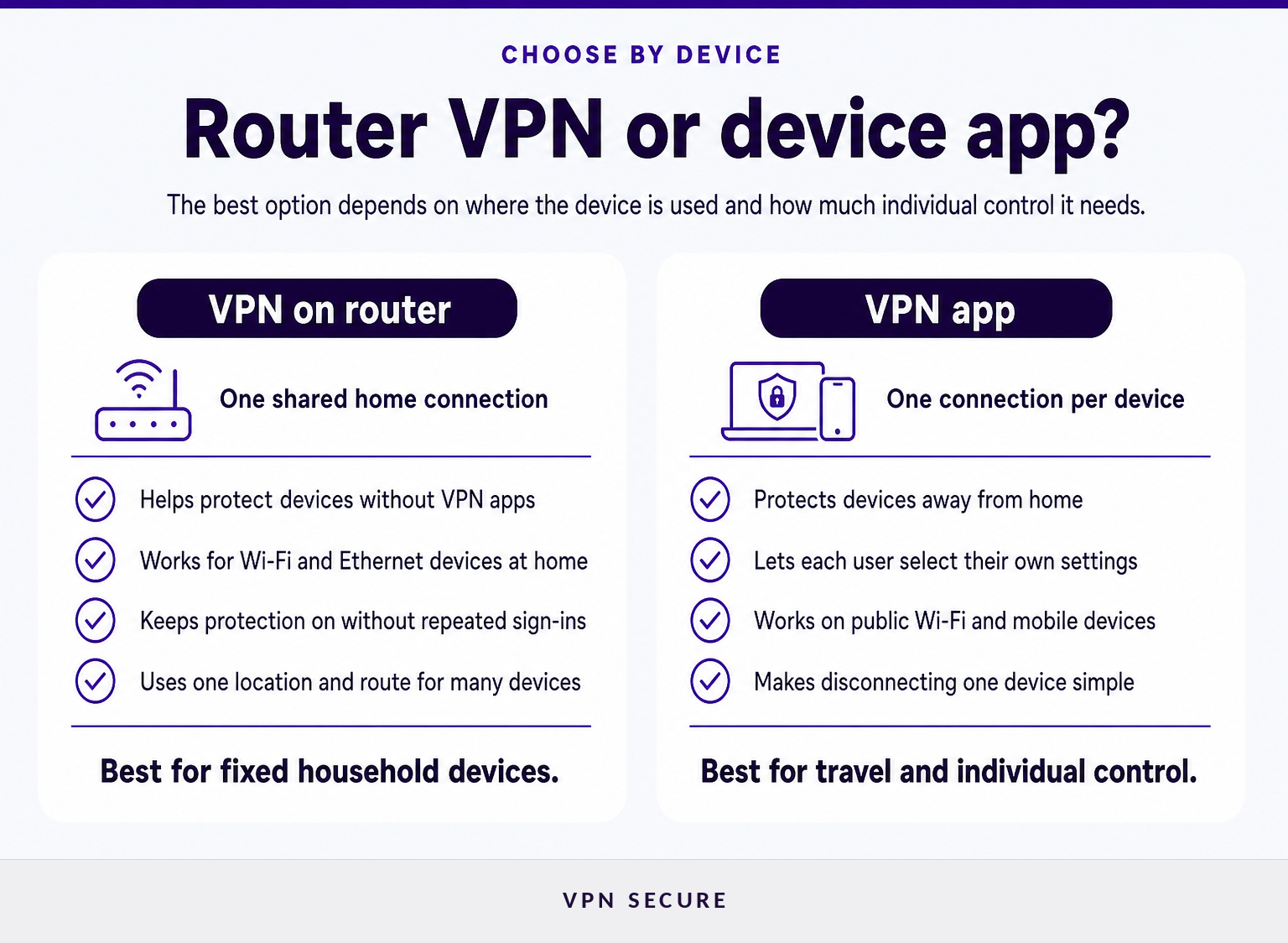
Neither option is always better. A router VPN is better for always-on home coverage and devices without VPN apps, while device apps are better for portability, individual settings, and using a VPN away from home.
A router approach keeps the daily experience simple. Once the VPN client is configured, new compatible devices can join the protected network without entering account details or installing software. It can also avoid the repetitive task of configuring a VPN separately on several household devices.
A device app is more flexible. A phone can use a VPN on public Wi-Fi, a laptop can select a different location for a work task, and one device can disconnect without changing the connection for the whole household. VPNSecure provides VPN apps for supported devices, which makes a mixed setup practical for many homes.
For many households, the sensible answer is both. Use the router VPN for devices that stay home, then use VPN apps on phones and laptops that leave the house. This also gives each person control over their own mobile connection without changing the home network for everyone else.
Router protection is strongest for devices that stay home; VPN apps are strongest for devices that move.
A router needs VPN client support, compatible firmware, and enough processing capacity to handle encrypted traffic. A router that advertises VPN server support is not automatically suitable, because a VPN server and a VPN client perform different jobs.
A VPN client router connects outward to a VPN provider and routes household traffic through that encrypted connection. That is the setup used for protecting devices on a home network. A VPN server router accepts an incoming connection, usually so someone away from home can reach their home network. Some routers can do both, but the product documentation must confirm client mode.
Before changing settings or installing firmware, check four details:
VPNSecure's VPN features page lists its available VPN technologies, but the router's own documentation remains the source of truth for whether that particular model can act as a VPN client.
The right router is not simply a router labeled “VPN”; it is one whose VPN client mode matches your provider's configuration and your household's speed needs.
A router VPN can reduce connection speed because the router must encrypt and decrypt traffic before sending it onward. The amount of reduction depends on the router processor, the VPN protocol, server distance, Wi-Fi conditions, and the demands of the devices using the network.
This is the main practical trade-off of routers and VPNs. A powerful phone or computer can often process VPN encryption efficiently, while an entry-level router may become the bottleneck for the entire household. A router that is fast for ordinary browsing is not necessarily fast when it is encrypting traffic for several streaming devices at once.
Test the network after setup instead of relying only on advertised internet speed. Check ordinary browsing, video calls, streaming, and any game or work connection that needs low latency. If speeds are disappointing, test a nearer server location, try a supported alternative protocol, and compare wired Ethernet with Wi-Fi before deciding that the VPN is the only cause.
A router VPN succeeds when it is fast enough for the busiest real activity in the home, not just fast enough for a speed test.
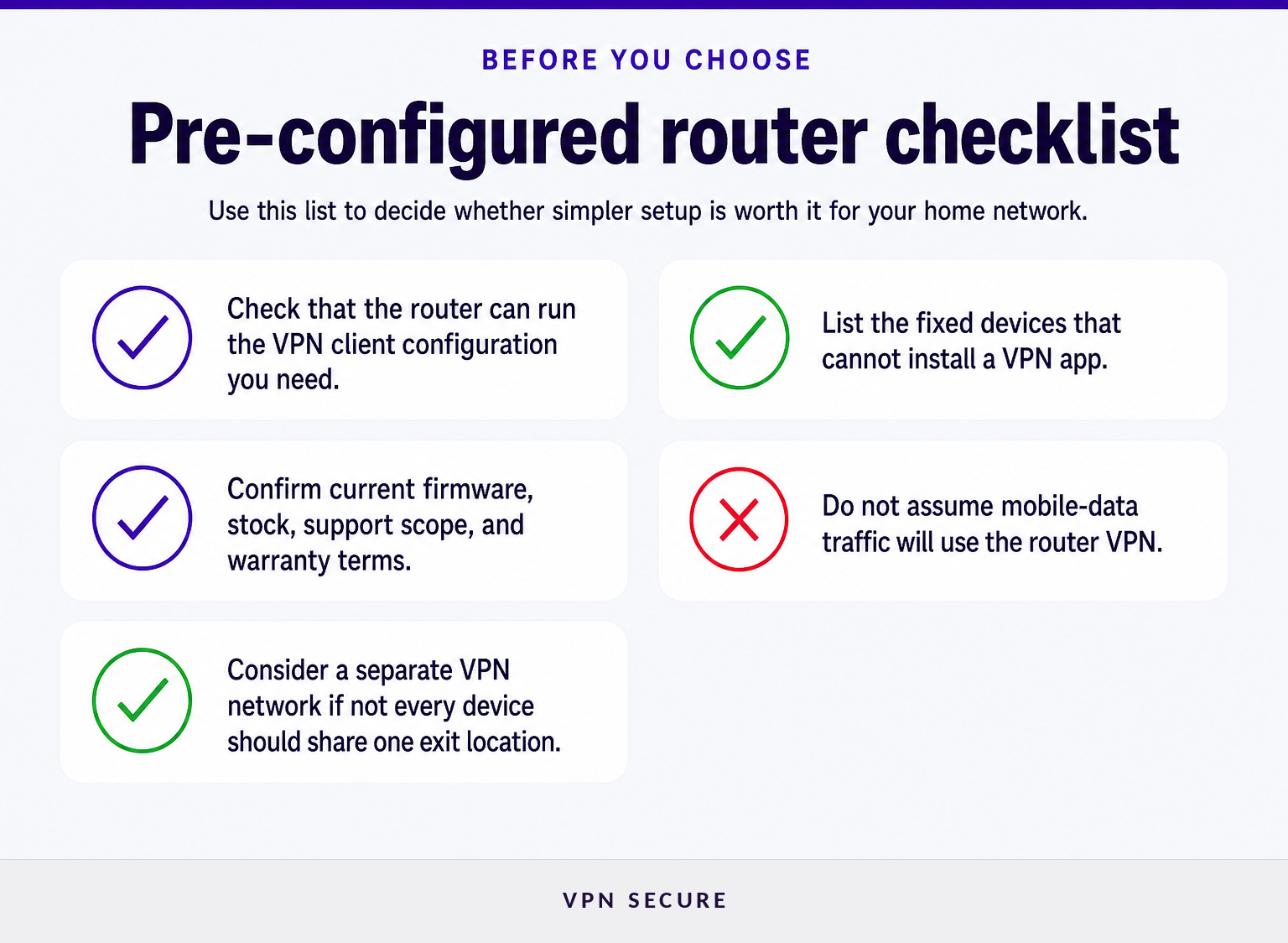
A pre-configured VPN router is sensible when you want network-wide VPN coverage but do not want to install firmware or enter advanced router settings yourself. It can also be useful when the devices needing protection cannot run VPN software and need to work from the first connection.
Manual setup can be a good fit for people comfortable with router administration, configuration files, firmware updates, and troubleshooting. It offers more control, but it also means taking responsibility for each setup step. A pre-configured option shifts more of that initial configuration work away from the buyer.
Before choosing either path, decide whether every device should use the VPN. Some households want a VPN router only for a TV area, a travel setup, or a separate privacy-focused network. A second router, a separate network name, or policy-based routing may be more appropriate than routing every printer, work device, and smart appliance through the same VPN location.
VPNSecure does not sell pre-configured routers: subscribers can download WireGuard and OpenVPN configuration files for routers that run a VPN client. Contact router VPN support to confirm the current setup path, supported protocol, and the devices you want to connect.
A pre-configured router is worth considering when simplicity matters more than customizing every router setting yourself.
Router VPN questions usually come down to coverage, double connections, and confusing router terminology. The answers below separate those issues so you can plan the network before changing any settings.
Usually, yes, for devices whose internet traffic passes through the router that is running the VPN client. It does not cover a phone using mobile data, a device on a guest network that bypasses the VPN, or traffic that leaves through another router. Confirm your network layout before assuming every device is covered.
Yes. A device can connect through a VPN router and also run its own VPN app, but the traffic then passes through two VPN connections. This can help in a specific situation, yet it adds complexity and may reduce speed. Use two connections only when you understand which VPN service should provide the final exit IP.
A VPN router for household protection needs VPN client support, meaning it connects from your home network to a VPN provider. VPN server support means the router accepts incoming remote connections to your home network. A router can support one, both, or neither, so check for the word “client” in its documentation.
The important question is not whether a router has the letters VPN on its product page, but whether its client mode fits your intended network route.
Start by listing the devices that need a VPN but cannot run an app. If most are fixed home devices, router-level protection may be a useful addition. If your main concern is phones and laptops away from home, begin with device apps instead.
Choose the setup that protects the traffic you actually use, in the places you actually use it.
Keep reading
Yes, you can use a VPN with a smart TV, but the setup depends on the model. A VPN for smart TV streaming security may work through a supported TV app...
Before installing free VPN software on Windows, check the download source, privacy policy, data limits, ads, protocols, and whether free means a plan, trial, or refund period.

Your phone isn’t the only device carrying your digital life. A VPN for multiple devices subscription can encrypt internet traffic on the phones,...
No logs, ever. Start with Free with ads in under a minute.