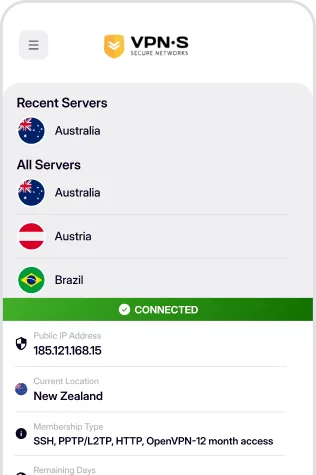
Protect your Fire TV Stick, Fire TV Cube or Fire TV edition television with an encrypted connection through any of our locations. The VPN Secure app is sideloaded onto Fire OS in about five minutes using only your remote — no Amazon Appstore listing needed.
View Sideload Instructions
The Fire TV app is not listed in the Amazon Appstore yet, so it is installed by sideloading — a normal, supported Fire OS feature. Four steps, five minutes, remote only.
From the Fire TV home screen open Settings → My Fire TV → Developer Options and turn on Apps from Unknown Sources. If Developer Options is missing, open Settings → My Fire TV → About, select your device name seven times to unlock it, then go back one screen.
On recent Fire OS versions the setting is called Install unknown apps and is set per app: install Downloader first (next step), then come back here and turn it on for Downloader.
Use the search (magnifier) on the Fire TV home screen to find Downloader — the orange icon by AFTVnews — and install it from the Appstore. Open it and accept the permissions it asks for.
In Downloader's Home tab select the URL field, type the address below exactly as shown and select Go. The APK downloads straight onto your Fire TV.
https://downloads.vpnsecure.me/firetv.apkWhen the download finishes Downloader hands over to the Fire OS installer — select Install, then Open. Choose Delete afterwards if you want to remove the APK file and free up space. VPN Secure now lives under Your Apps & Channels; highlight it, press the menu (☰) button and choose Move to front to keep it on the home screen.
The first time you connect, Fire OS asks you to approve the VPN connection request — select OK.
Sideloaded apps do not update automatically. To update, repeat step 3 with the same address — the latest Fire TV build always lives there — and install over the top. Your login is kept.
https://downloads.vpnsecure.me/firetv.apk
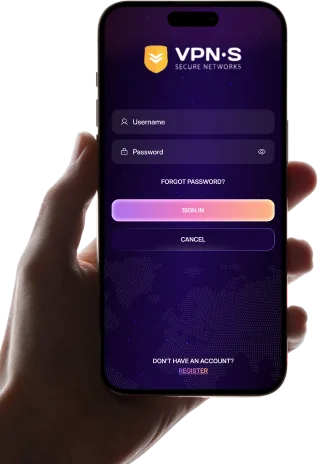
Once opened you will see the login window. Enter your VPN Secure details, pick a server and connect — the remote's D-pad drives the whole app.
Download For
VPN Secure 8.0.1 packaged for Fire OS. Fetch it straight onto your Fire TV with the Downloader method above, or download it here to sideload from a computer with adb or adbLink. Works on Fire TV Stick, Fire TV Stick 4K / 4K Max, Fire TV Cube and Fire TV edition televisions running Fire OS; devices running Vega OS (such as the Fire TV Stick 4K Select) cannot install APK files.
SHA 256:
6798f4595398b908fc864915ef92e3a9e469fabc73cb0699b3e15e192635c365
Once you have downloaded and installed the appropriate app from above, enabling your VPN is as simple as open, click and go!
Login, then choose a server to connect to & connect! You are now enjoying the internet as it should be. Open, secure and anonymously.

Enter your credentials to access the app.

Select a location from the list to connect to.

Enjoy a secure, private and anonymous internet experience.